


Ask questions about Front features, getting started on Front, or how to use the community.
Recently active
I was thinking of creating shifts for when we have people coming in to work on the weekends they can be temporarily added to the weekend shift. That way others could see who else was working. Is there a better way to handle this? If not, how do you create a shift without having someone assigned to it?
Is there a Teams plugin in available or any plans to integrate it in the future?
Updates Electron to v30.2.0 Limits the type of permissions that plugins and integrations can request to strengthen security.
If you’re only tracking CSAT and NPS, you’re still missing a critical metric to fully understand customer service.Your internal quality score (IQS) helps you understand the quality of the conversations between your customers and your customer service team. Model your internal QA process after our award-winning support team and learn:How to set up a QA process using a scorecard — template included! How to measure your internal quality score (IQS) Why IQS is important to track alongside other customer service metrics like CSAT and NPS📌 Steal our template here.
A way to organize snoozed email order based on the actual date received and not on snoozed date/time (and make that the default and you can toggle to snooze if you prefer it)
Hello,  I am trying to convert a rule (send to slack rule) into a rule set, so it can be replicated for different mailboxes.However, I keep getting “an error occurred during conversion” Anyone has experience with this? Thank you
Last month, we shared about our newest automation and AI updates in this blog post. If you haven’t already seen, we also have two new accompanying Front Academy courses to help get you up to speed and working with these new features. Accelerate your workflows with macros: Build one-click actions that kick off complex processes Skyrocket your productivity with AI features: Summarize conversations and speed up replies with AI Summarize and AI ComposeSee you over on Front Academy! 🤓Â
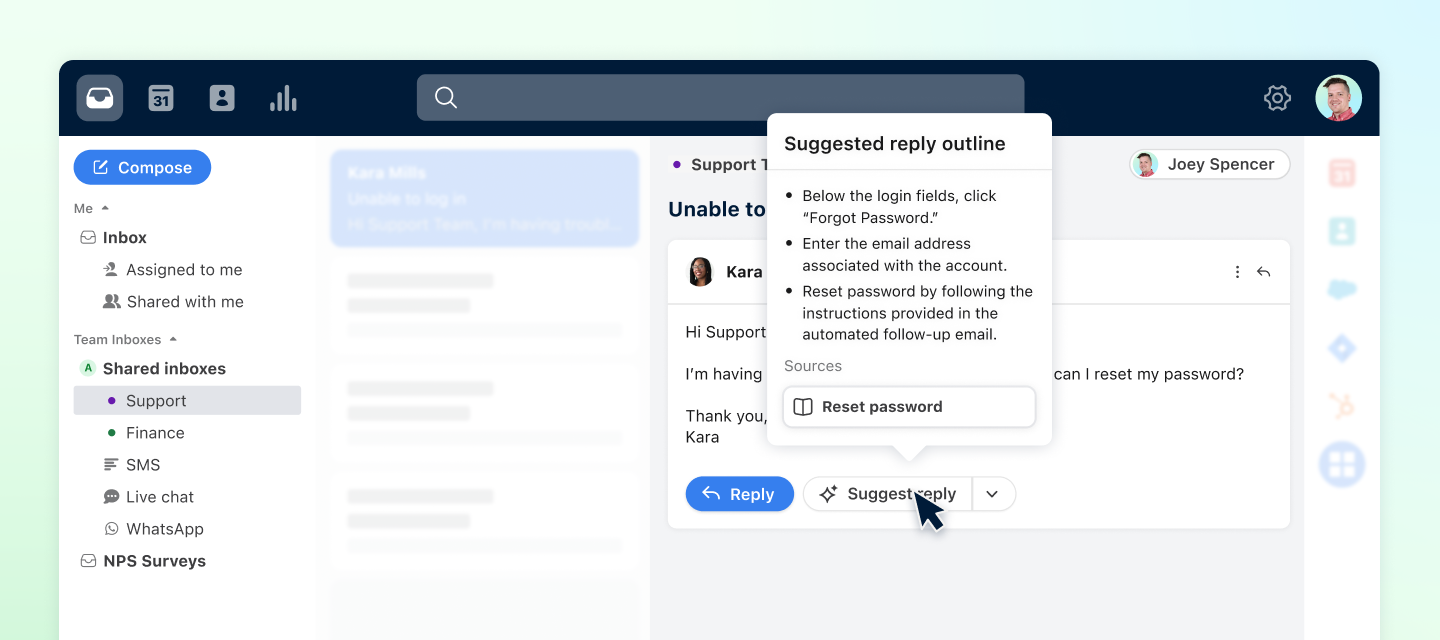
Today we launched three new AI beta features to help agents respond confidently, resolve issues quickly, and save valuable time.  Features included: Suggested replies: Auto-draft replies to customer emails with AI, based on your knowledge base content. Similar conversations: View related conversations to quickly get historical context and jumpstart the solution. AI tagging: Automatically tag messages based on the topic or sentiment of the message.  Get demos of each feature and how to set them up in our new Front Academy course: ✨ Front's AI features in beta ✨ You can also read about how each feature works and watch a full recording of the announcement on our blog.  These features are available to turn on now, until we reach capacity. Company admins can go to Company Settings > AI to turn them on settings. Similar conversations, suggested replies, and tag by sentiment or topic will be free to use through the end of the year, but may be moved into a paid add-on in the future. Learn m
In case you missed it, Front welcomed a new CEO in March this year. Dan, our new leader, has a deep and extensive background in AI, having explored its potential long before many of us had even heard about ChatGPT. We’re thrilled to have him at the helm, guiding Front into exciting new frontiers.If you weren’t able to join our event where Dan shared his thoughts on AI, automation, analytics, and the latest developments in Front’s vision, you can catch up with the recording!📍 Check out the replay here We’re glad to have you on this journey with us! 🚀
Hello Everyone,  Just wanted to check in if anyone has had experience with connecting MS Forms as a channel.We are exploring the possibility of having Form based data coming in from our users, and since MS Forms is part of our M365 suite, wanted to check if it is recommended, if not, we will explore 3rd party forms to connect instead. Thanks in advance for any advice.
Hello! I’m currently trying to configure the AI portion of my chatbot. I have set up an external facing knowledge base for the Chatbot to pull from. I have also editing my flow code to incorporate the AI answer feature after open-ended questions as well. However, every time I go to test the feature within the “Preview Mode” the AI Chatbot never produces any answers to my question. Based on this I had a couple of questions: Does the AI feature only work on the User End? Is there another method of testing the AI Chatbot? I would like to see if my knowledge base needs to be updated before making the feature live to my users.Â
Hello everyone, I was wondering if it is possible to send one of the preconfigured WhatsApp template messages through the mobile App ?I can do this through the web UI but can not seem to find the equivalent on the mobile App. Thank you in advance.George
Hi Team, I have somebody who's primarily in a different email that is not part of Front and they want to be notified at that different email when something happens regarding them in Front so that they can log in their Front account and address the notification. What is the best setting approach you recommend?  I am looking forward to your response.
Calling all Front fans! We're thrilled to introduce our brand-new customer referral program — word-of-mouth is one of our most powerful assets, and we're eager to foster more of it! Share the magic of Front with your friends and colleagues, and reap rewards in return. For every qualified referral that becomes a Front customer, you'll receive a $500 gift card! 💰 📍Get all the details of the program hereÂ
Hi,Our team recently started using Front to help triage incoming emails within a shared inbox. We have a set portfolio of customers, and created rules to automatically assign emails to individuals based on the customer name and the @ domain of the originating email. However, there are some customers and business partners that use the same @ domain in their email address so the rules are assigning to the wrong employee or not assigning at all.Has anyone else run into this issue, or know of any additional rules we could put in place to separate multiple accounts that use the same email address?Â
Hello everyone!   Our team uses front as an internal ticketing system between contact center agents and us. This could be requests from attendance to volunteer time off. We have the CSAT form implemented in the signature of all our replies. But rarely get responses. Any ideas to improve the use of CSAT surveys from our contact center agents?  Thanks!
Hello everyone!   We have been using front for over a year now, and just realized it had a knowledge base function! We have added multiple types of information and are happy with the finished product. But I am interested in the functionality of the “Knowledge” icon on the plugin bar. Once clicked I see that no KB has been published for our company yet. What is the best way to publish our existing KB, so end users can view content while responding to messages. Do I just have the knowledge base published for only our workspace?  I appreciate the help!
Hello Everyone,There’s been a recent happening in Front, not sure if it’s a bug. We have two customers emails coming through to Front under the same email thread. Has anyone experienced this before and what’s the fix for it? Thank you.
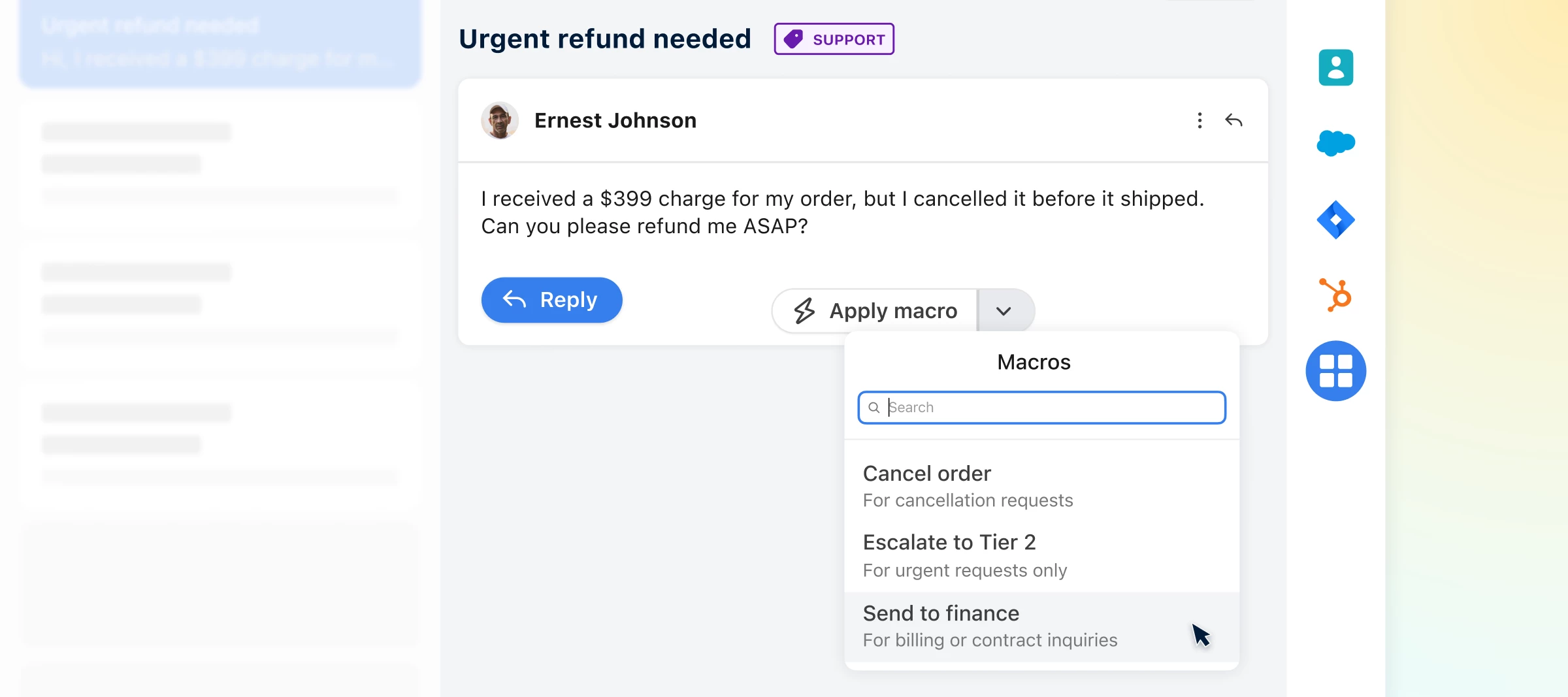
Front has always leaned heavily into automation, as evidenced by our rules feature, which has been a core component of the platform ever since Front’s early days. As we continue to evolve, we’re excited to share with you some new exciting features in the world of AI and automation which will be sure to make your work even more streamlined. Check out our blog post, launched today, that unveils all the new features you now have at your fingertips!📍Read here  P.S. And once you’ve read up on the features, learn how to use them in these brand new Front Academy courses:Accelerate your workflows with macrosSkyrocket your productivity with AI features Â
Hi! Does anyone have any information on how the auto-tagging works? What is it looking for? We just set Front up and it’s pulling in newsletters under the Sales Response tag.
Would be wonderful if we can track AI usage in the analytics ? We pay for this feature and we have no idea how our colleagues use this new crazy feature. Are you planning this in the roadmap for the coming weeks ? Â
Hi everyone,I'm encountering a problem with how Front handles new email addresses from our clients in conjunction with Salesforce.Here’s our setup:We use Salesforce to store all our contacts. These contacts are then imported into Front as shared contacts.The issue arises when:A new client emails us, or an existing client emails from a new email address.Front auto-creates a new contact for this email address.When we update Salesforce with the new email address, it does not merge with the existing shared contact in Front. Instead, it remains as a separate contact.This results in duplicated contacts and can cause confusion within our team.Has anyone else experienced this issue? If so, how did you resolve it? Any suggestions or workarounds would be greatly appreciated!Thank you!
In case you missed it, here’s a recap of all the exciting new features from the last few months 🚢 Subscribe to product updates and announcements to stay in-the-know!📞 New integration: KrispCallWith KrispCall, you can instantly obtain toll-free, local, mobile, and national phone numbers in over 100 countries, enabling immediate calling and texting capabilities. KrispCall’s integration with Front streamlines workflows by seamlessly logging phone calls, voicemails, and SMS messages within the Front interface.  👀 Shared views now available on all the latest plansViews create organized, structured ways of working and help teammates focus on high-priority conversations that meet certain criteria. Shared views enable admins to create a view and show it in selected teammates’ sidebars. Now admins on any of the latest plans have access to create shared views for their teammates.Learn more about shared views 💯 CSAT survey customizationNow you can customize your CSAT surveys with your brand’s
Google is deprecating Business Messages on July 31, 2024. Due to this deprecation, Front is removing the Google Business Messages channel on July 8, 2024. If you are using this channel, you will have until August 15th, 2024 to close out or move existing message threads in Google Business Messages. You will continue to have access to historical conversations in Front until you delete the inbox in Front. The channel will continue to live in your settings and inbox until the channel is removed and the inbox is deleted.  Leave a comment if you have any questions or concerns about Google’s deprecation.
how to end a conversation from admin or user end? if the user wants to start a new chat, or the admin wants to end the chat from that end
Already have an account? Login
No account yet? Create an account
Enter your E-mail address. We'll send you an e-mail with instructions to reset your password.