


























Get inspired by real-world Front AI workflows and use cases, or share your own!
Recently active
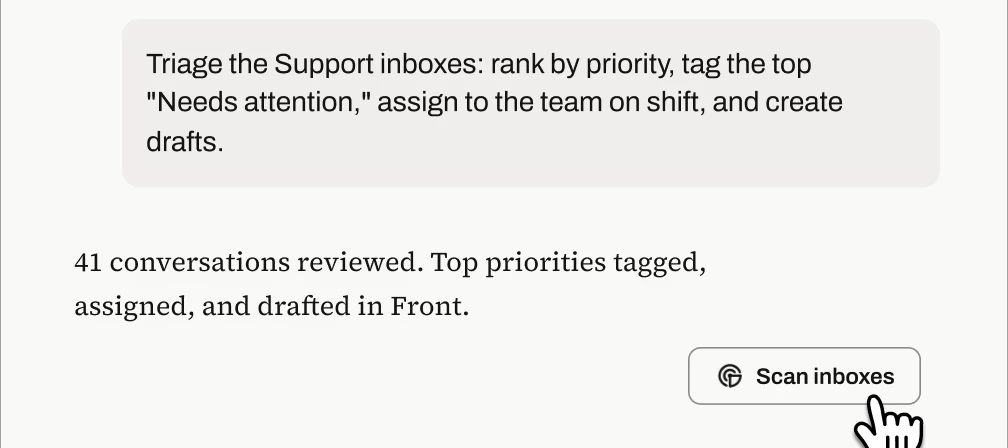
Front’s MCP server is in open beta, and the best part is that you don’t need to invent prompts from scratch after your setup! We tested these templates against real Front inboxes and refined them until they produced accurate, verifiable results. Copy the ones below, swap in your {inbox names, dates, and details}, and you're minutes away from an auto-triaged queue, an account briefing, a trend report, or a knowledge-gap audit. 1. Inbox triage: prioritized action listTeam, personal, or both: Team (personal variant in the bonus section)User profile: Support team leads and managers (running it), support agents (consuming the output in Front)When to use:As a scheduled task that runs every morning or at every shift change: the team starts their shift with the highest-priority items already tagged, surfaced in a pinned view, and assigned, so they can action the top items immediately instead of scanning the queue Ad hoc after a volume spike, outage, or holiday backlog, when the queue is too bi
Front AI summarizes conversation trends in Topics and provides Smart QA and CSAT features to help you ensure you’re providing exceptional service to your customers. To learn more, refer to the following Help Center topics, or refer to the Analyze section of our AI overview topic.Topics Smart QA Smart CSAT
The new MCP server is in open beta, and we couldn’t be more excited to learn how you use it, what’s working, what’s not, and what you’d like to see added. To that end, please join the following group to share your feedback during the beta period:Join the group We appreciate your feedback!
To view out-of-the-box integrations, visit front.com/integrations or navigate to Settings > Company > App store in Front.
Copilot helps you accelerate responses, compose emails, search your knowledge base for answers, execute admin actions in Front automatically, build workflows, and the list goes on. To learn more, refer to the following Help Center topics, or refer to the Assist section of our AI overview topic.Conversational assistance Suggested replies Compose Ask your knowledge base Admin Copilot
Autopilot instantly resolves messages with responses written by AI, sourced from your knowledge base and similar conversations. It can also set up complex workflows and decision trees that AI automatically handles for you. To learn more, refer to the following Help Center topics, or refer to the Automate section of our AI overview topic.Autopilot reply Autopilot in rules Autopilot Playbooks Autopilot Resolve
Connectors provide a no-code framework for connecting Front with your external tools. You can bring data into Front or perform actions in third-party systems, all from within Front. Connector examplesSubscribe to this forum to view, share, or ask questions about real-world Connector use cases and workflows. You can also view our Connector playlist on YouTube. Stay in the know Join our Connectors group to access workshops, events, and share your thoughts with our team. Unfamiliar with APIs?Take our Academy course—it will guide you through the basics. No engineering experience required! OverviewThere are two types of Connectors: Application objects: instantly display data from external systems (e.g. customer records, shipments, orders) directly in conversations. Application requests: trigger actions in external systems (e.g. update an order, create a record, change a status). Connectors are created in Developer settings at the company level, by company admins. Once created, the
This forum is the home base for all things workflows in Front, which we define as:An automation or rule you’ve set up to increase efficiency A series of automated rules and/or manual actions that enable individuals or teams to be more productiveThe type of posts you might expect to find here are:Our team showcasing our customers’ or Front’s own internal workflows Users sharing their own impactful workflows Questions from users for ideas on how to build workflows to achieve their goalsWe hope you find lots of inspiration here and also share any workflows that have helped you!If you have specific questions about how to use a feature in Front, head over to Product Q&A.
My team and I aren’t able to send emails. We can receive them, but we get an “unable to send” error. Is this happening to anyone else? Hoping to get the resolved as soon as possible. Thank you!
We’re happy to announce that we’re now officially listed in Claude’s connector directory! This should make it easy for you to connect to the Front MCP server. Prior to being listed on the directory, you had to connect Claude to Front’s MCP server as a custom connector, which involved setting up a developer app in Front and then configuring the connection details in Claude. You can now connect directly from the directory listing by simply logging into Front when prompted. If you have other directories you’d like to see us listed in, please let us know in the comments!
Hi all, Assumption 1: an Admin created a Tagging Rule, which flags inbound messages containing a certain keyword as “urgent”. Assumption 2: a similar Topic leverages AI to identify “urgent” messages. Assumption 3 : on the same mailbox, there is a Required Tagging rule, which forces the assignee resolving the message to tag it I’d be interested to see if it is possible to compare the Required Tagging final tag with the original tag and topic. This could help flag wrongly built tagging rules for instanceHas anyone ever created a custom report to do that?Or would you just export Tags/Topics Analysitcs report, feed them to Claude/Chat and ask it to compare with ticket ID? Thanks for your time!
We're building a way for external AI agents to operate as real teammates inside Front — assigned conversations, their own identity, clean handoffs to humans, and @mention support. No more webhook workarounds or human accounts standing in as proxies. If you've already built an agent or are actively working on one, we want to hear from you. We're in early development and looking to understand real use cases before we build. Interested? Join our beta group to get started.
In regulated industries (lending, insurance, healthcare), who's allowed to handle a conversation often depends on something Front doesn't natively know - an active license, a coverage territory, a compliance certification - that lives in an external system of record. The pattern that's worked well for us: sync that external state into a Front custom field (e.g. an "Eligible" flag or region code) via API/webhook, then drive routing/assignment rules off the custom field instead of hardcoding teammate names or emails into rules. When the external system changes (someone's license lapses, territory shifts, roster changes), you update the sync/one field instead of touching a dozen rules. Curious how others are handling this: is anyone else routing based on data that lives outside Front, and if so, custom fields plus sync, or a different approach entirely (webhooks triggering direct API assignment, something else)?
Wondering how end users utilize the tagging function, in a group that manages a small-scale project for new retirement plan implementations to help manage outstanding tasks and timelines. Does it make the most sense to tag by client and use statuses? I was also thinking that tags for status or stage may be useful. What has worked for your team?
Hello, Curious if anyone has seen any rules (outside of the “standard” rule set that really helps CS teams perform well? I am aware of the SLA features and love those, but any creative workflows or sequences anyone has seen work really well for Customer Success teams?
Has anyone connected Front to Planhat? If so, did you find that this connection was worth your time?
Need to quickly check the status of a customer's flight without leaving Front? In this tutorial, we'll create a simple Sidebar Plugin that embeds a live flight tracking website directly inside Front, making it easy for support agents and travel teams to monitor flights while responding to customers.This example demonstrates one of the simplest ways to extend Front with custom tools. The same approach can be used to embed internal dashboards, booking systems, CRMs, status pages, and many other web applications.To get started, you'll need to be a Front admin (or ask your admin to follow this guide).Navigate to Developers and create a new app.Give your app a name, such as Flight Tracker, and upload an icon so it's easy to recognize later.Open the Features tab, click Add feature, and select Sidebar Plugin.In the Sidebar URL field, paste:https://www.flightradar24.comReplace this URL with the URL where you've deployed the plugin.For the component, select Clipboard.Click Create.That's it! 🎉O
I run an agency and we support many clients. I want to be able to go to one spot and see all the emails from that company. I had originally thought about doing this as tags. Then we made mailboxes for all the clients. This seems to be challenging though. I am seeing messages not show up in the mailboxes. I don’t think each client should have their own mailbox. How are other agencies doing this?
Want to create word clouds from your Front conversations? This is a great way to quickly visualize the most frequently mentioned topics, pain points, issues, and positive feedback across your inboxes.To get started, you'll need to be a Front admin (or ask your admin to follow this guide). Navigate to Developers and create a new app: Name your app and add a logo so its easily recognizable later: In the Features tab, click Add feature and select Sidebar Plugin: In the Sidebar URL field, paste the following url:https://dedarritchon.github.io/front-word-cloudand select the Clipboard component:Click create. We are all set. Go to your inbox, you should see your new Wordcloud app in the sidebar: Of course, the example was made with test data, but on real conversations it should show interesting facts about your customers.You can edit your resulting word cloud by tinkering with the settings.Hope this helps someone! If you tried it, Share your Wordclouds in the comments 😃
Now open: request access to the Amazon Connect beta (voice and SMS in Front) If your team is handling phone calls and texts in a different tool from the rest of your customer conversations, this one is for you. We just opened requests to join the beta for our Amazon Connect integration, which brings voice and SMS into Front alongside the email, chat, and everything else you already manage here. Once it is connected, you can place and receive calls, send and receive SMS, and pull up call recordings, transcripts, and AI summaries right in the inbox. The full history of a customer lives in one place instead of scattered across systems. This is a private beta and we are screening who joins, but if you are on the latest Professional plan or above and have a real voice or SMS use case, you are very likely a fit. You can preview the full setup steps in our Help Center. Want in? Request to join the beta group here.We will review and get back to you. Members get a dedicated space for updates a
Sharing a workflow in case it's useful. Our Client Services team supports clients across all US time zones, and we wanted to track SLAs on an 8 hour time frame. What we built:27 time zone inboxes across 12 teammate groups Custom fields (Time Zone Inbox, CSM Backup) to drive routing without hardcoding names into rules Mirror rules so conversations route to the right TZ inbox while staying visible in the team queueBiggest lesson: drive routing off custom fields, not teammate names in rules. When someone changes territory, you update one field instead of editing dozens of rules.
Hi everyone,I'm interested in hearing how other teams manage SLA tracking when supporting customers across multiple inboxes.Our team handles conversations from several channels, and one challenge we've been running into is maintaining consistent response times while balancing workload between team members. We've been exploring different approaches using rules, assignments, and tags, but we're still trying to find the most effective setup.A few questions for those who have already solved this: Do you track SLAs separately for different inboxes or use one standard across all customer communications? How are you handling reassignment when someone is unavailable or overloaded? Are there any Front automations you've found particularly useful for preventing conversations from falling through the cracks? I'd love to learn about any workflows, reporting setups, or best practices that have worked well for your team.Thanks in advance!
Hi everyone,We're reviewing our support workflow and have run into a common challenge: customers often reply to an old resolved email thread when they actually have a completely new request.Currently, when this happens, the conversation reopens in Front, but it can sometimes remain associated with the original owner or context, which makes triage more difficult and increases the risk of missing new work.We're considering a workflow that would:• Automatically detect replies to conversations that have been archived for a certain period of time.• Apply a tag such as "Reopened - Review Required."• Route the conversation back to an unassigned queue for triage.• Use analytics to track how often customers start new requests through old threads.For teams handling a high volume of customer support, logistics, or account management messages, how are you managing this scenario?Have you built rules or tagging structures that help distinguish a genuinely reopened issue from a completely new request
Hello everyone, My name is Jacob and I am about to take my test for admin certification!
Our CS org is about to transfer to Zoom phone, and it’s my understanding the Front <> Zoom integration focuses on video conferencing/scheduling vs. the phone app. Have any teams using both platforms come across recommendations on how to leverage the two systems together?
Already have an account? Login
No account yet? Create an account
Enter your E-mail address. We'll send you an e-mail with instructions to reset your password.