














Send Front data to external AI assistants to enable powerful orchestration workflows.
Recently active
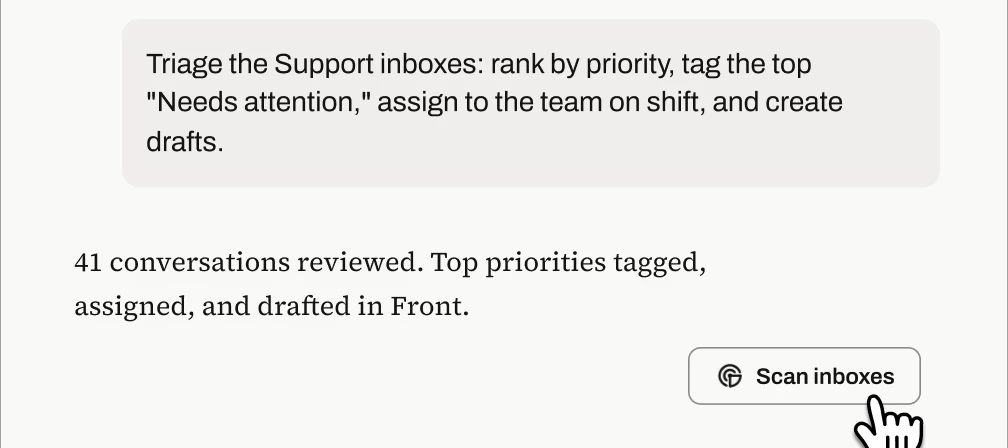
Front’s MCP server is in open beta, and the best part is that you don’t need to invent prompts from scratch after your setup! We tested these templates against real Front inboxes and refined them until they produced accurate, verifiable results. Copy the ones below, swap in your {inbox names, dates, and details}, and you're minutes away from an auto-triaged queue, an account briefing, a trend report, or a knowledge-gap audit. 1. Inbox triage: prioritized action listTeam, personal, or both: Team (personal variant in the bonus section)User profile: Support team leads and managers (running it), support agents (consuming the output in Front)When to use:As a scheduled task that runs every morning or at every shift change: the team starts their shift with the highest-priority items already tagged, surfaced in a pinned view, and assigned, so they can action the top items immediately instead of scanning the queue Ad hoc after a volume spike, outage, or holiday backlog, when the queue is too bi
The new MCP server is in open beta, and we couldn’t be more excited to learn how you use it, what’s working, what’s not, and what you’d like to see added. To that end, please join the following group to share your feedback during the beta period:Join the group We appreciate your feedback!
We’re happy to announce that we’re now officially listed in Claude’s connector directory! This should make it easy for you to connect to the Front MCP server. Prior to being listed on the directory, you had to connect Claude to Front’s MCP server as a custom connector, which involved setting up a developer app in Front and then configuring the connection details in Claude. You can now connect directly from the directory listing by simply logging into Front when prompted. If you have other directories you’d like to see us listed in, please let us know in the comments!
Already have an account? Login
No account yet? Create an account
Enter your E-mail address. We'll send you an e-mail with instructions to reset your password.