


































Ask questions about Front features, getting started on Front, or how to use the community.
Recently active
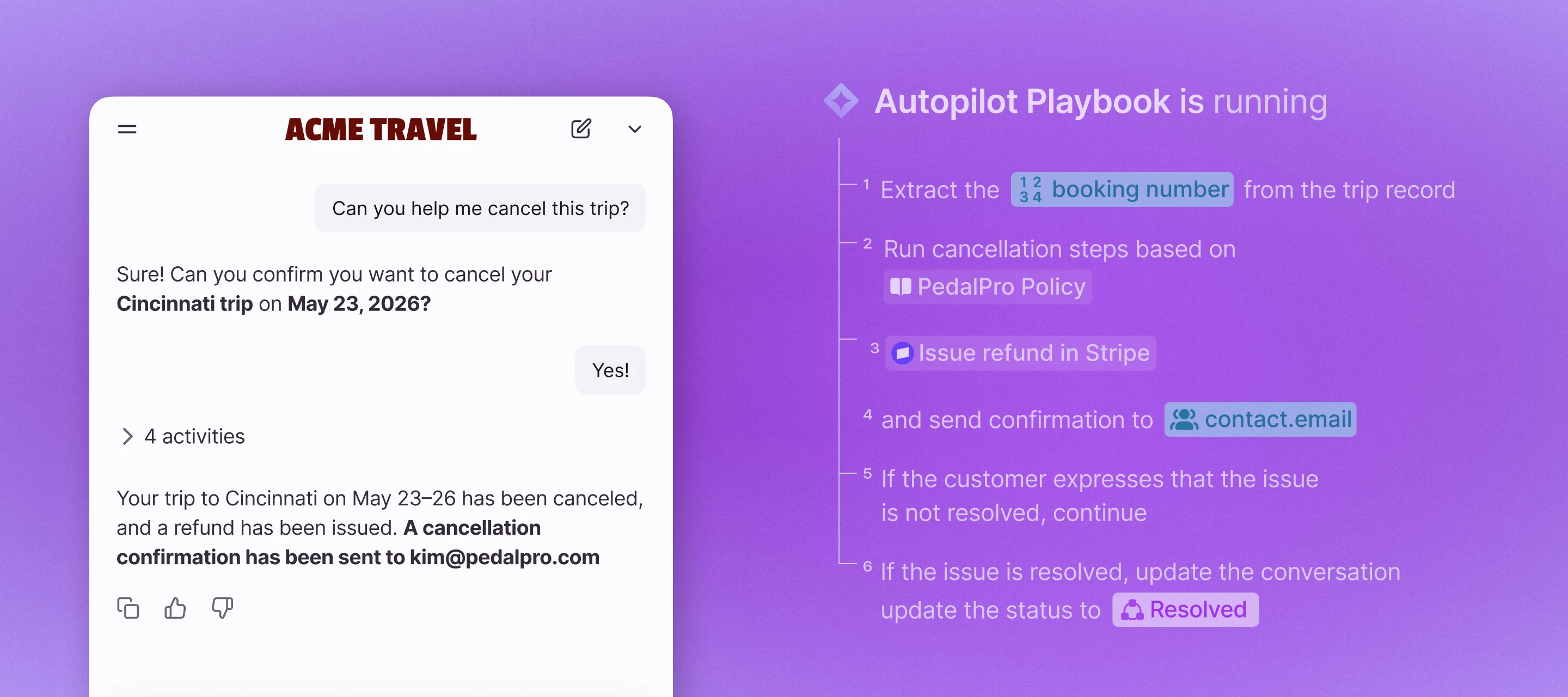
Today we're launching the next phase of Front AI: Autopilot Playbooks, Autopilot Resolve, and an all-new Copilot, built to move complex customer work from request to resolution, across systems, teams, and channels. Here’s what’s new:Autopilot Playbooks automate the complex processes your business depends on Autopilot Resolve lets your customers complete requests from start to finish right in your app or website The all-new Copilot gives your team an AI assistant to figure out next steps, find information, and solve problems right from your inbox How to get accessAutopilot Playbooks and Resolve are part of the Autopilot add-on and must be enabled by the Front team. Join the waitlist. Copilot is available as an add-on on our current plans, or included in the latest Enterprise plan. Learn more in our latest blog post.
Hey Front community! I’m Helena, Product Education Manager on our Education team at Front. I previously worked on the Support team, so I might have responded to some of your emails if you ever corresponded with Support 🤓 I’m excited to meet you all now here on a different forum where we can talk to each other even more. Before coming to Front, I was a classroom teacher, so I love learning about anything and everything, especially how you use Front. Please introduce yourself in the comments below and share anything you’d like: your hobbies, what your work in Front looks like, your role, your favorite book, and more. Welcome to our community! 👋
This forum is the primary way to receive assistance using Front. Post questions about our product in this forum, not via the community DMs with our support team members as DMs are not actively monitored. Posting questions in our Product Q&A and other discussion spaces allows other Front users to learn from your question and allows the broader Front Community to suggest innovative solutions or respond with follow-up questions of their own. However, there are times when you should contact Front Support instead. These include:Reporting bugs or performance issues When you need changes made to your Front account When you need to share private information to troubleshoot a problem If your issue does not fall into one of those categories, then please post in this forum. Rest assured our Support team and community gurus will see your question and respond before you know it!
Welcome to our community! We’re excited to see the customer relations and workflows you’ll power with Front. We hope that this community will help you get up and running with Front as quickly as possible. Use it to get the help you need, share your ideas with us, and connect with your peers.Mission StatementEnable people to work happier. Step 1: Take a quick tour through our community Got a question about using Front?Make use of our awesome search function 🔎 You can find it at the top of every page. Find inspiration for how to solve your business challenges using workflows, or share your own in Workflows discussion Still not finding what you need? Post a question to our Product Q&A.Have product feedback?Let us know how we can improve Front by submitting and voting on ideas.Want to know what we’ve been working on?Subscribe to our Product Updates section to get the latest news about Front features. Check out our Groups page to join betas for upcoming features.Looking for educati
Hi everyone!We recently expanded Copilot to a few more of our teams at their request. They saw it being used by other teams and were interested in the conversation summaries and suggested replies.As we roll this out further, I would love to hear from those who have used these features for a while: The "Honeymoon" Phase: How has the sentiment evolved? Does the team still find the summaries valuable daily, or has it become "background noise"? Accuracy: How reliable are the conversation summaries? Do your teams find them accurate for long threads, or do they still feel the need to read the entire history anyway? Suggested Replies vs. Manual Edits: Do your agents find the suggested replies "ready to send," or are they mostly using them as a skeleton and spending significant time editing them? Knowledge Base Integration: For those seeing high-quality suggested replies, do you have a Knowledge Base linked or synced? I am interested to know if the model performs well enough pulling from
It would be really helpful if emails sent automatically through Rules could have the same “Seen” tracking as manually sent emails.Our team uses open tracking to understand whether a member has viewed an outbound email, including when it was seen. This is especially useful when deciding whether to follow up and for keeping an accurate record of customer communications.At the moment, this works well for manually sent messages, but not for automated template messages or auto-replies triggered by Rules.Ideally, Rule-sent emails would show the same Seen status and timestamp in the conversation timeline as manually sent emails.
One workflow that works really well for teams drowning in the same handful of questions: closing the loop between your tags, your analytics, and your knowledge base.The idea is simple: Set up rules to auto tag inbound conversations by topic (billing, onboarding, integration questions, whatever your common buckets are). Then check those tags in analytics every month to see which topics actually drive the most volume. That tells you exactly what to document.From there, create two types of articles for the top topics using your knowledge base. Internal ones so every teammate answers the same question the same way, which makes responses faster and more consistent across the team. And customer facing help center articles for the same topics, so customers can find the answer themselves before they ever reach out.That last part is where the repeat question volume actually drops. The internal articles make your team faster, but the customer facing ones are what stops the question from landing
We've released a new version of Front Desktop with the following changes:Fixed an issue that prevented signing in to Zoom from the desktop app. Popup windows now open at a proper size. Fixed a problem with clearing temporary storage, improving stability.
We are looking for an individual to work with an ongoing basis to better customize our Front setup alongside our teams to get the full use out of the platform.
New to Front? Here's what teammate groups are, and why they replaced custom roles. If you're newer to Front you might see people mention "custom roles" and "teammate groups" and wonder what the difference is. Front moved from one to the other, so I wanted to break it down in plain terms: what a teammate group actually is, and why it's a better way to run your team. So what is a teammate group? It's just a named list of people. That's really it. You might have a Support group, a Sales group, a Managers group, and so on. Once you've built that list, Front lets you reuse it for lots of things instead of setting up each person one by one. What can you use them for? A single group can control: What those people are allowed to do (reply to messages, delete them, change settings, and so on) What they can see (which inboxes and workspaces) Where work goes. You can point a routing rule at a group so incoming messages get shared out among them automatically. So one list answers four questions at
We're a sales team of just three people at a small, local growth company, and we're using a shared inbox on the front end. We're struggling to decide how many routing rules are worth creating when we're so small: should we route by customer type, by pipeline stage, or just let anyone take the conversation as it comes in? If you have a small sales team, what rule/routing configuration has worked best for you without becoming an administrative burden?
We're a small company with just a few people handling customer communication, and we don't have a huge volume of emails yet. I'm wondering if it's still worth using Front at this size, or if it's more geared toward larger teams with higher email volume. For those of you who started using Front early on, did you find it useful even before scaling up? Curious to hear how it worked out for you.
Hi everyone, I’m interested to see how accounts could be leveraged in a rather specific way. I’m thinking about a use case where a Parent Company (Acme) has Subsidiaries (Acme France, Acme USA, Wayne Corp...), with sometimes different domain names.Traditional rules to tag these companies’ conversations, as VIP through the domain name for instance, could fail. In analytics, it would also be interesting to be able to select the parent company with its children companies nested, similar to the Tag > Sub-tag functionality. On the picture below it makes sense that all “Acme” companies would be related, but Acme Inc could also own companies using a totally different name. Would be nice to have for reporting Is there a way to tie a Parent Company with its child? I saw an Account Custom Field “Parent Account ID”, does it integrate with the existing Salesforce functionality as shown below -- Hilton > DoubleTree > DoubleTree country subsidiaries Thank you for your time !
As a new Front user I’m very interested to learn and to know more about this amazing tool. I’d love to hear what tips, shortcuts or best practices have made the difference for teams when using Front.Looking forward to learning from this community.
New to Front but really enjoying it! One area of customization I'm still debating is enabling the ticket status setting.I would love to hear from some other users on their experience with enabling this vs treating every request as a conversation (keeping conversation status enabled)
I work at a logistic company, where we handle a lot of communication with customers and carriers every day.Since front is designed to make team communication easier, I wanted to ask:How do you use front to stay organized and avoid missing important messages during busy days at work?I’d love to hear your experiences or tips!Thanks!
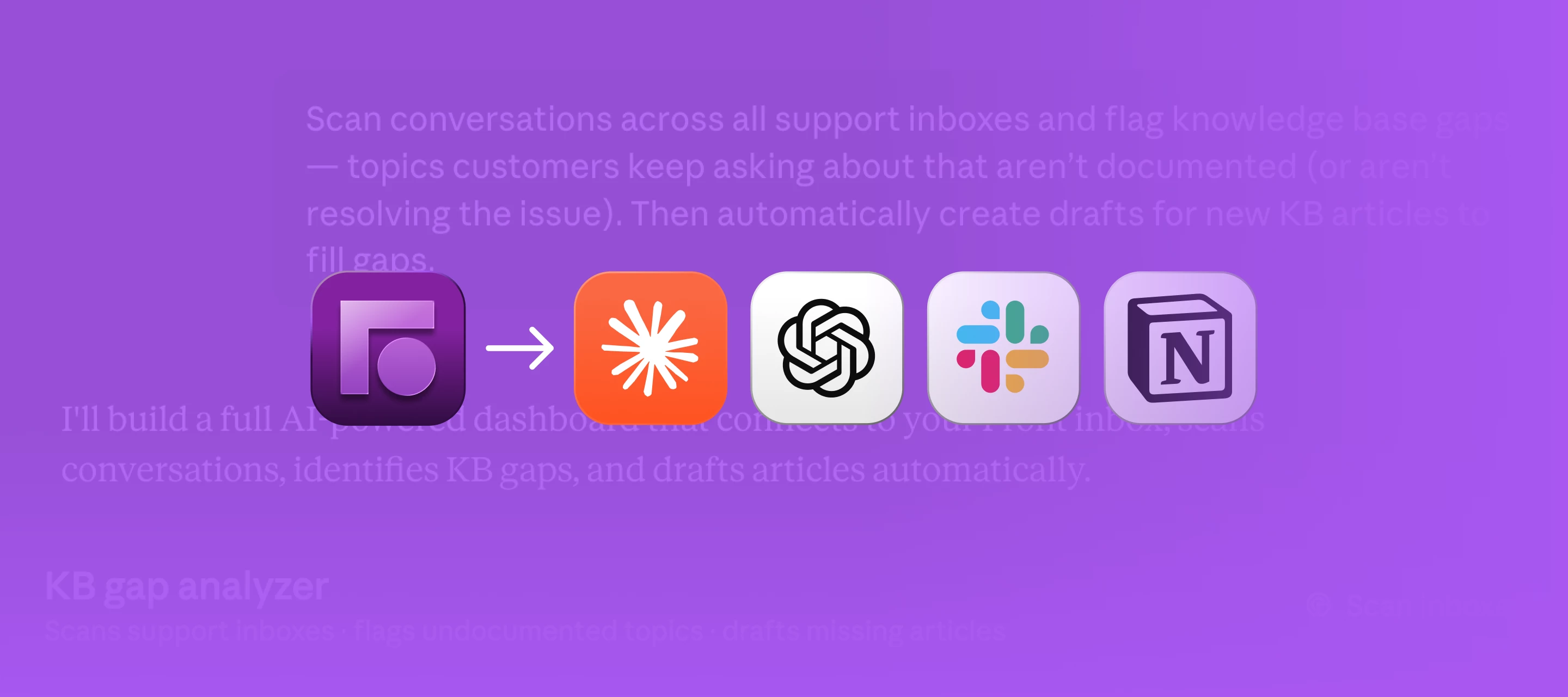
Front’s MCP server is now available in open beta! Connect Front to an AI tool like Claude, ChatGPT, Notion, Slack, and more so you can pull context from Front and create high quality replies through your AI agent.Find everything you need about Front’s MCP server in this post: what it is, what you can do with it, and how to get started.What is Front’s MCP server?Front’s MCP server lets AI clients interact with Front and take action:Start every shift with a triaged and drafted queue: Top priorities ranked, explained, and replies ready-to-send Walk into customer calls prepared: Get a full account briefing in minutes See what's driving your conversation volume: Break down conversation themes over a time period Close your help center gaps: Find what customers keep asking and get article drafts to reviewBy connecting Front to the rest of your AI tool suite, Front’s MCP server helps your AI agent draft better replies, save time by reducing manual triage and follow-up, and complete workflows t
Hey Front Community 👋Every handoff has a hidden cost. We call it the coordination tax — and most operators are paying it without ever tracking it.That's the idea behind our new interview series, Untangled Ops. We're sitting down with leaders who've lived that tax and found ways to cut it — CEOs, co-founders, operators, and investors, all with a different view of the same problem. There's a fun twist: guests share their strategies while playing a game of Snake, which is a pretty fitting metaphor for what coordination looks like when nobody's managing it.Here's what's coming in the series:The strategy behind a support org that scaled from 3,000 to 26,000 tickets a month How mechanisms beat good intentions — and how mechanizing email unlocked 30-minute SLAs A framework for spotting operational breaking points before they hitEpisode 1 is live now, with Oleg Krasnov, Head of CX at Manychat.📍 Watch episode 1: https://front.com/untangled-opsSubscribe to our YouTube channel @FrontHQ so you d
Is there a limit to the amount of conditions an inbox rule can have? We currently have a rule to auto archive based on the From address. The list of addresses is about 20 long right now, but will we eventually reach a limit if we keep adding them?
Now open: request access to the Amazon Connect beta (voice and SMS in Front) If your team is handling phone calls and texts in a different tool from the rest of your customer conversations, this one is for you. We just opened requests to join the beta for our Amazon Connect integration, which brings voice and SMS into Front alongside the email, chat, and everything else you already manage here. Once it is connected, you can place and receive calls, send and receive SMS, and pull up call recordings, transcripts, and AI summaries right in the inbox. The full history of a customer lives in one place instead of scattered across systems. This is a private beta and we are screening who joins, but if you are on the latest Professional plan or above and have a real voice or SMS use case, you are very likely a fit. You can preview the full setup steps in our Help Center. Want in? Request to join the beta group here.We will review and get back to you. Members get a dedicated space for updates an
Hermes Worldwide is coming to our community for a live webinar on how their luxury transportation business has been able to create lasting and high quality client experiences through Front. In this fireside chat, their President and CEO, Jorge Sanchez, will share their before-and-after of how they moved from ad-hoc checks of client communication quality to how upleveling the global business by implementing Front’s AI-powered quality assurance feature. Date: Tuesday, July 21, 2026Time: 9AM PacificRegister here Hope to see you there!
Usually when I want to paste into Front and keep the formatting, all I have to do is select the ‘Paste’ option or Ctrl + V and it does it with no problem. However, the past day or so, anytime I paste from any application into Front, it switches to strips the formatting. This is a huge problem for me with my job, as I am always pasting Excel tables into my emails. I guess somehow the default format is stuck in the composer? I can paste while keeping the formatting in any other application. Has anyone experienced this or has any idea how to fix it??
Hi everybody, We’ve just come across from Zendesk which was surplus to needs for us. We used proactive messages there, but they behave differently here. Any help would be appreciated. To explain:We would have a msg pop up after 10 secs or so offering a free mockup. This would be whatever entry page they used to come into our large site (using “.” in any url to achieve this in Front). During business hours if the customer responded, it would open a chat. If after business hours, it would offer a link to the free mockup page, or then capture info via a form.So the problems we have with Front Proactive Messages:Can’t set time of day The proactive message appears on EVERY page the visitor then visits no matter how many pages they visited or how they interacted with the widget. I don;t want just for 1st time visitors. We get repeats out of this all the time. The proactive message also doubles as a welcome message, so if a user clicks “start a new conversation”, they get my whole mockup offe
We are seeing this name, Bryan Anderson, in Front on our DialPad integration.Where is this name or CID being pulled from? We do not have this name in our contacts, or anywhere in DialPad. All our numbers are provisioned with our company name as the CID.I have been chasing this down for a couple weeks now and cannot figure it out. Has anyone seen this before? Is there a fix or setting I need to set in Front?This is the new integration, not the legacy integration.
No one on my team can find our 'Discussions' since the latest update. Where did it go???
Already have an account? Login
No account yet? Create an account
Enter your E-mail address. We'll send you an e-mail with instructions to reset your password.