











Ask questions about Front features, getting started on Front, or how to use the community.
Recently active
Is there a way that if I (admin) can close one of my team’s emails (tickets), then that email can be removed from the team member’s inbox? I’ll try to help clean up their workloads and will close unnecessary tickets - but it stays in the team member’s inbox and has to archived by the team member. Is it possible to have Front automatically archive the email from the team member’s inbox when the ticket status is changed to “closed”?
Hi there… The spell checker seems to of disappeared - incorrectly spelt words are no longer underlined in Red.Could you let me know if this can be fixed? Thanks!Bradley
Here at Front, we’re already witnessing AI’s impact on support jobs. Our AI-driven self-service support handles 58% of our customer inquiries. But we couldn’t have gotten there without building a robust knowledge base and optimizing our operations — all of which required investing in new staff roles.Our support operations team is the fastest-growing function of our support org, and they're all focused on making AI work better for both our customers and our team.We’re sharing real stories from our: Support Programs Specialist (aka knowledge manager because AI needs quality content too!) Support Operations Analyst (the trend-spotter helping us get smarter) Support Operations Developer (turning complex workflows into one-click solutions) Check out their stories and grab the job description templates to help build your own dream team ➡️
Managing a remote support team comes with unique challenges — but it’s possible to build strong connections, foster trust, and even have fun along the way. In his latest article, Front’s Anthony Galleran shares proven strategies for creating a culture of trust, including his concept of “Mandatory Fun.” Learn how his team keeps engagement high with small but impactful habits, transparent leadership, and structured team-building activities. Plus, get inspiration from the full list of activities that have worked at Front. ▶️ Check out the full article and activities here.
See how Electrical.com responds 70% faster, onboards new hires 40% more efficiently, and increases monthly sales by $20,000 with Front.When customers expect need-it-now electrical products and solutions, Electrical.com’s distributed workforce is a well-oiled machine thanks to robust automated workflows and analytics. Get a behind-the-scenes look into how they’re able to quote faster, onboard employees in a snap, and jump on high-value sales opportunities without adding headcount. You’ll get an exclusive look into:Automating workflows and boosting response times by connecting third-party tools and systems Growing sales and leads through chat to reel in $20K per month Using analytics for data-driven ways to improve team performance ▶️ Register now for practical tips on using AI and automation to give customers and employees a better experience.
Hello this is probably very simple but just not seeing it as a option. I can sort the inbox so that the newest email is on top. But what I am looking for is a way to sort the conversations/replies from the customer or the team, once I open a email thread. Currently if the team adds a internal message. I need to scroll through the entire thread to the bottom in order to see it the most current reply.
Hello dear Front Community,We have been testing around with the Knowledge Base and noticed that it seems to not be possible to search for keywords in an article (whether on the published page or in the plugin)! The option to search exists, but it will only bring up the article itself, not location of word in question. This definitely steals time in the workflow, which we’re trying to improve!Does anyone have a solution or workaround for this? :)
Hi, I’m trying to find a workaround to move work personal emails username@domain.com as participants when a customer is adding them in TO/CC along with our main domain support@domain.comI may have found a way to spot they are in CC and add them as participants, but I cant find a way to remove them from CC when someone hits on Reply to allUnfortunately this is a habit for some of our customers, and as the team is starting to use Front they dont always check everyone is CC resulting in Adding these agents as contacts in the conversations (which I havent found a way to remove - if there is a solution here please share) Adding emails in different inboxes (a same conversation is in 3 or 4 different inboxes in different workspaces) Any workaround?
I am cleaning up our Front rules, and we have a rule where one of the criteria is “SLA Applies (tag) is added”. We do not have a tag by that name. Is this a function in the background where the SLA Applies tag automatically exists if SLA rules are created? I cannot find any help articles indicating this, but I did find an article referencing how to search for conversations where that tag was removed. I would greatly appreciate anyone pointing me to the correct resource.
Ready to peek behind the curtain and see what’s cooking? Here’s our exclusive webinar where we unveil our upcoming roadmap and show off some shiny new features guaranteed to level up your Front experience.Here is the recording to our webinar if you missed it: This is what we cover:🎟️ Ticketing Made Easy: Say hello to a new workflow and analytics to help your team track and resolve issues in record time.🤖 Self-Service FTW: Scale your support game with an upgraded knowledge base and chatbot tools.✨ AI Superpowers: Let AI assist your team with smarter insights and faster issue resolution.📢 Latest Updates: ICYMI, we’ll recap our recent product releases.🎥 New video library: Our team will be building a brand new crash course video library, and we want to hear what videos you’d like us to make! Tell us in this post. Who’s the webinar for?Front users ready to unlock all the platform’s potential Team leaders and managers on the hunt for better collaboration tools Anyone curious about what’
Hi Front Community,I hope everyone is doing well! I’m looking for guidance on how to manage our holiday hours in a way that ensures our team’s response rate metrics and SLA calculations are not negatively impacted on days when we are out of the office.Is there currently a way to configure holiday hours or exceptions so that these days are excluded from the overall metrics and individual performance tracking? If not, are there any workarounds or best practices that others have implemented?
Hi Front Community! Me and a couple of my coworkers have run into a little bit of problem through the inboxes that we are managing using Front. As it stands, I am the primary person that is responsible for managing two inboxes that we have synced to Front. However, two other people in my department (that also have access to the inbox) are having emails auto-assigned to them. We haven’t created any rules or made any changes to auto assign emails to specific people. For context, I’m an intern and my two coworkers have requested that I only manually assign emails to them either when something is out of my reach or if I need help with something. Unfortunately, the auto assignment problem that we are having has resulted in longer response times. Because it is a new year, we are trying to fix this issue before everything starts to pick up again. Any help or advice would be greatly appreciated.
If I put a meeting on my calendar, is there a way to search for that meeting somehow? Since there’s no invitees because it’s a meeting for myself, there is no conversation to search.
Has anyone found a workaround for how to bump up conversations or discussions that YOU have added a comment to? For example, I have a discussion with several colleagues, but every time I add a comment, it doesn’t bump it up to the top of my conversation list as unread. When they add a comment it does. I’ve been trying to find a workaround for this. Can’t quite do it with rules.
My team has a shared inbox but we would like to sync our calendars for keeping updated on when clients are being assisted or onboarded? I have not been able to find a way to to that. Please help.Thank you
Hello I have several questions around UI and conversation behaviour when making changes:Conversation moving from one inbox to anotherI would like to ask for any good advice or work around to avoid the conversation to disappear from the page when making a change.i.e: I move a conversation from inbox A to inbox B - current behaviour. I stop seeing the conversation, as this one is moved from the inbox Im in.I’d like the conversation to remain on the page, as sometimes I need to add a comment, a tag, or simply review some informationMoving a conversation from one inbox to another (II)When a moving a conversation both status and assignee are changed. I have tried to create a rule to prevent these changes, however, something is failing -I have created a rule for Archived conversations to be moved but assignee and status remain the same Macro is applied, however, conversation is reopened and then unassigned Help? xD As a summary, 1- how to avoid not seeing the conversation when making a chan
Hi team, I’m trying to understand, why if I restricted access to a workspace and its inboxes, a Front user can still see and assign conversations to an inbox they dont have access to? Is there any work around to prevent this from happening?I dont want every front user to be able ALL the available inboxes in front in the different workspaces.Any good best practices here?
Hey Front community,We're building a library of short, 3-5 minute videos to help you master Front faster and make your workflows smoother. Think bite-sized guides on features, workflows, and tips—perfect for quick learning and implementation! We still recommend you go through the full Front Academy courses, but these short videos will give you the basics to get going faster.So, we need your input to make it awesome because we want it to be useful for you:✨ What features should we cover?✨ Which workflows or processes need a quick guide?✨ Are there topics you’ve struggled with or want a refresher on?✨ What topics do you or your teammates frequently get confused on?Drop your ideas in the comments below! Be sure to include a brief description so we can tailor the content to what you need most. Let’s build something truly helpful together. 💡
Hi team, Is there anyway to create a view that combines: Open email sent TO domain@domain.com & SENT emails from domain@domain.com? This view is for a team for them to help them understand what actions have already been taken and avoid duplicated work.Thanks Alex
When we receive incoming chats, the visitors get names like ‘Purple Lemur’, ‘Taupe Boa’,’Coral Lynx’ etc.I would like to upload our own ‘aliasses’ list, so I can change these names to more friendly names, or our products names for instance.
When we have an incoming chat in say German, we would like to translate it to English. Then compose our reply in English, translate back to German.In the email channel this translate option is available, however not in chat. is this coming? We now need to copy paste in Google Translate multiple times..
For our enterprise customers, we want to store information that can be easily referenced in Front. Sometimes it’s structured information like the main point of contact on the account or it’s just general notes about customers like “this customer uses teams vs zoom.” Does anyone have any examples of how they’ve set this up with Front? Whether it’s pulling from a 3rd party or stored in Front?
Managing a help center with limited resources is a challenge many support leaders know all too well. Even at larger companies, help centers often run lean, leaving small teams to juggle incoming requests, outdated content, and proactive updates — all while keeping customers and teammates equipped with reliable resources. In these moments, prioritization isn’t just helpful; it’s a superpower. The key is focusing on what drives the greatest impact: empowering customers to self-serve, reducing ticket volume, and enabling your team with accurate workflows. It’s not just about putting out fires but planning for long-term success. In this guide, Karen offers her unique perspective, sharing hard-earned strategies for balancing reactive and proactive work, making smart prioritization decisions, and building a help center that delivers outsized results — even with a small team.🎯 Check out her insights here
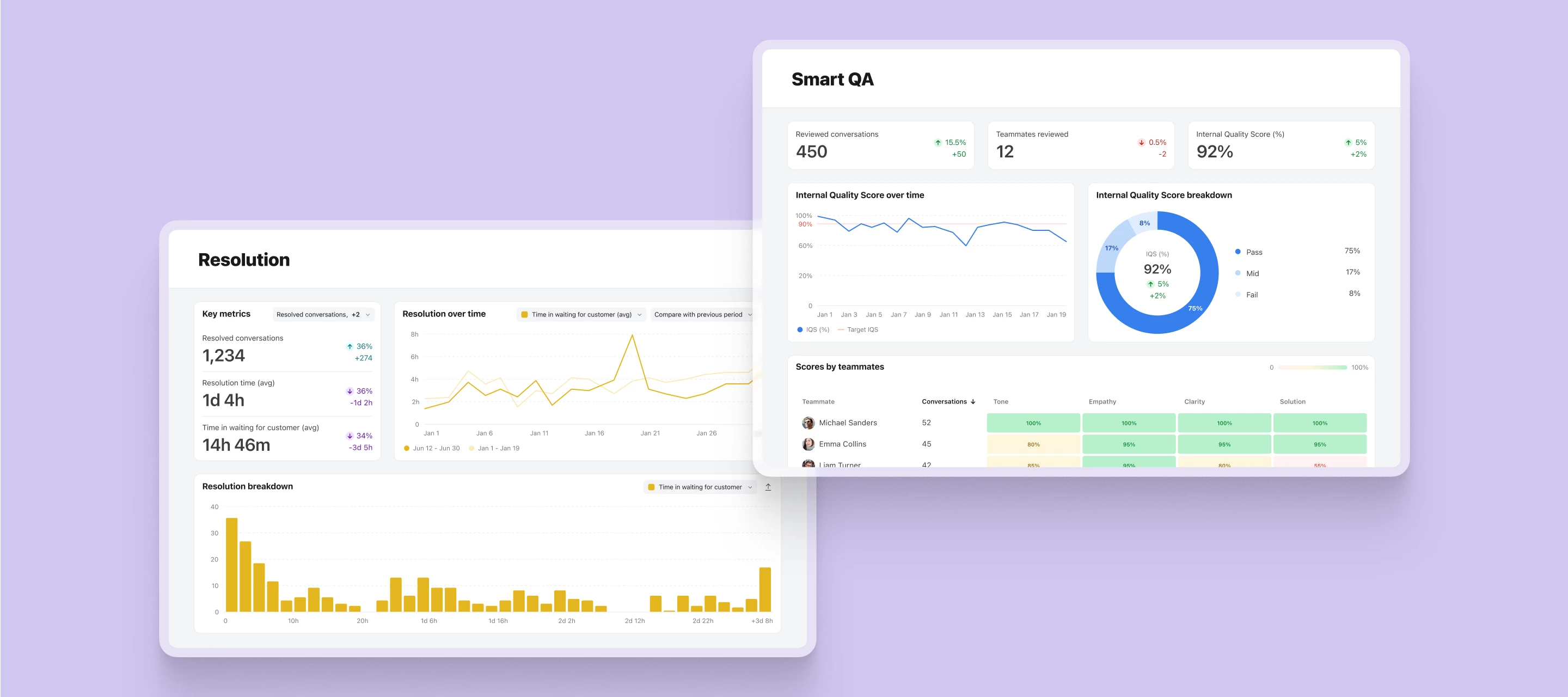
Today, we’re introducing our latest ticketing features and previewing Smart QA to help support leaders gain unparalleled visibility, control, and insights that elevate team performance and customer experience. Here’s what’s new:Custom ticket statuses: Create custom ticket statuses tailored to your processes. Available on all latest plans. Learn more. Resolution report: Improve processes and plan headcount with out-of-the-box resolution metrics. Available on the latest Growth plans and above. Learn more. Customer portal (open beta): Give your customers a one-stop-shop to submit and track tickets. Available on the latest Growth plans and above. Learn more. We’re also giving an exclusive first look at Smart QA. Replace manual ticket audit processes with automated scorecards and comprehensive reporting, powered by Front Intelligence, the AI layer designed to transform customer experiences at scale. Get ready for a complete view of agent performance without time-consuming manual reviews,
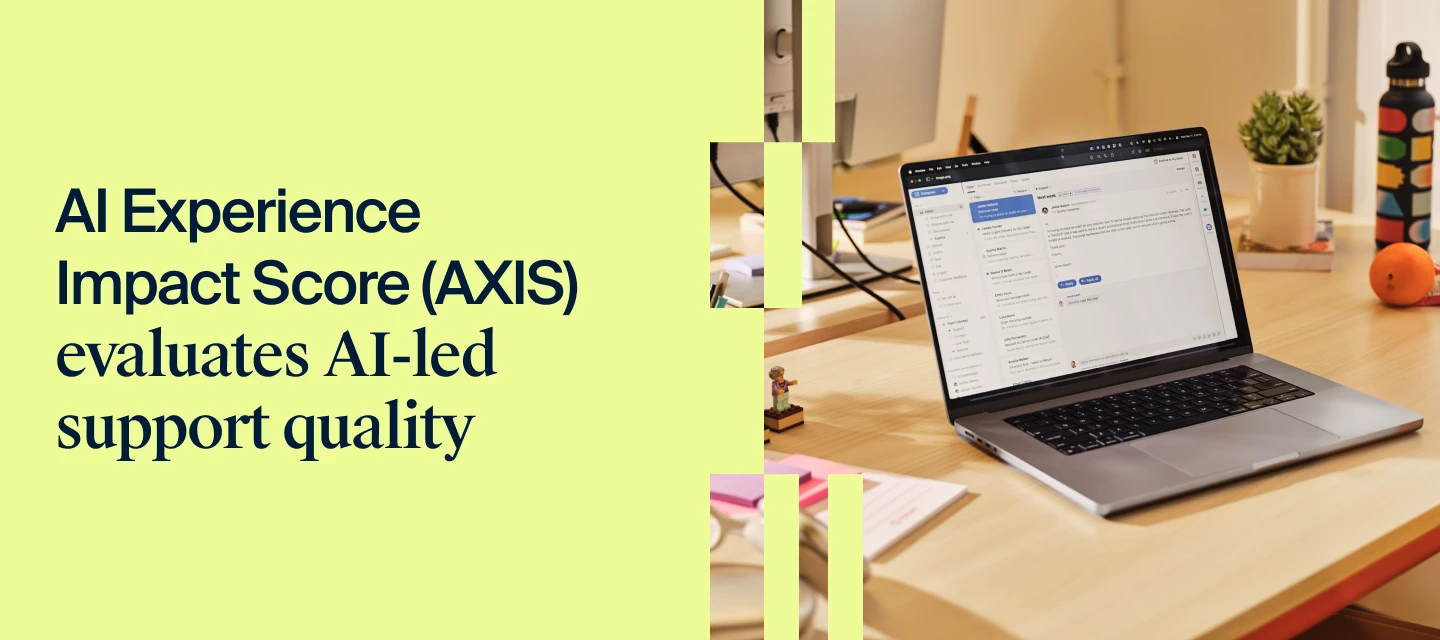
AI is handling more and more customer support queries, but visibility into AI’s service quality hasn’t kept up. Enter the AI Experience Impact Score: a new way to pinpoint where AI-led customer experience can be improved.AXIS breaks down AI support quality into three key components:🎯 Resolution Accuracy: Measures AI’s ability to correctly identify and resolve the customer’s issue. 💬 Interaction Effort: Evaluates how much effort the customer experiences with AI to reach resolution. 🤝 Handoff Smoothness: Assesses the quality and efficiency of the transition from AI to a human agent when needed.Front’s Head of Support Kenji Hayward came up with this new metric to share with fellow customer support leaders seeking to gain actionable insights into their AI-powered customer support and make targeted customer experience improvements. Since this is a new metric, we’re learning as we go. All feedback is welcome and encouraged! Feel free to ask questions and share results in this post. 👉 Che
Already have an account? Login
No account yet? Create an account
Enter your E-mail address. We'll send you an e-mail with instructions to reset your password.