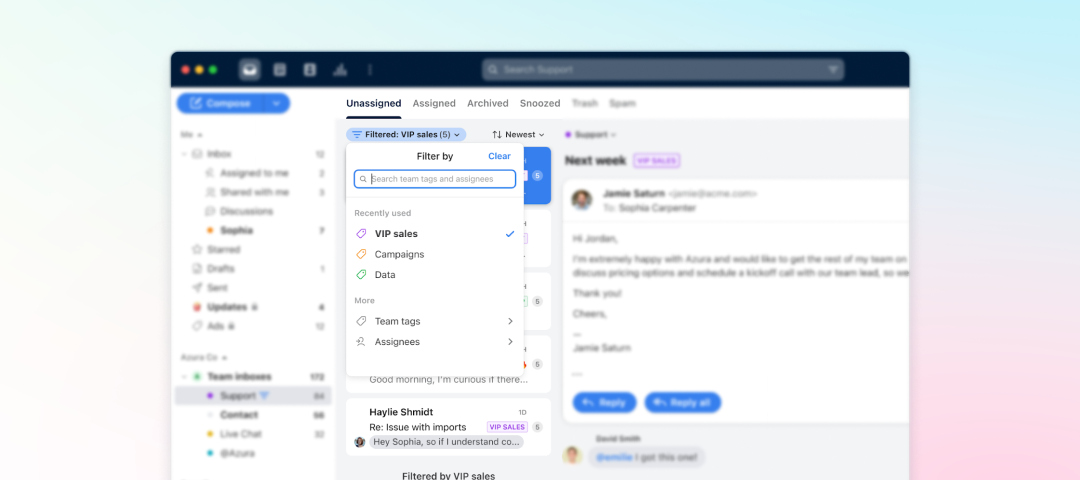
New ReleaseJan 17, 2023Cut through the noise in your team inbox with filtersQuickly find relevant messages with filtering and hone in on high-priority topics. Filter team inboxes by assignee or tags directly in your conversation list. To learn more, check out this help center article.Related products:StarterProfessional
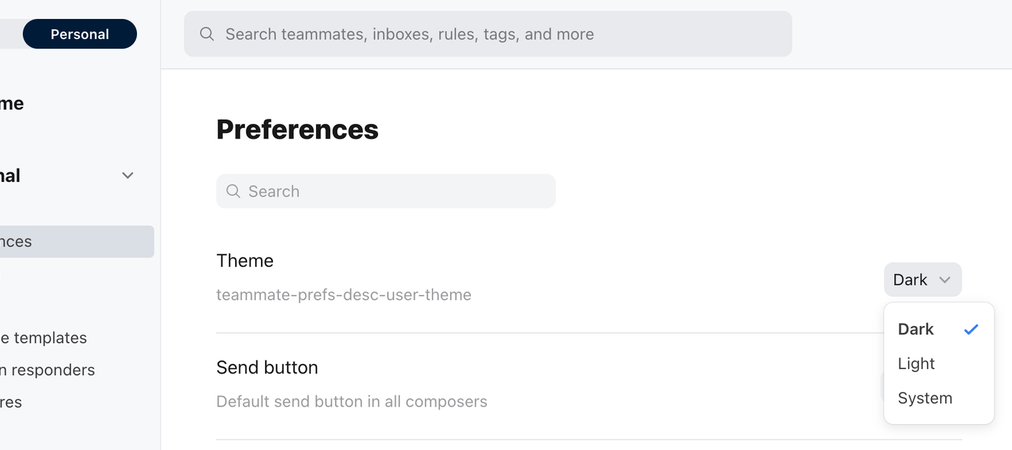
New ReleaseJan 17, 2023Dark mode is hereUsers can now choose between light mode, dark mode, or system, which syncs with your computer OS-level appearance settings. Update your preference under Theme in your Personal Preferences. For more details, check out this help center article.Related products:StarterProfessional
New ReleaseJan 17, 2023Coming to you live from the Mac App StoreThe Front desktop app is now available for all to download from the Mac App Store! IT teams can now easily distribute the Front app effectively across their organizations.Related products:StarterProfessional
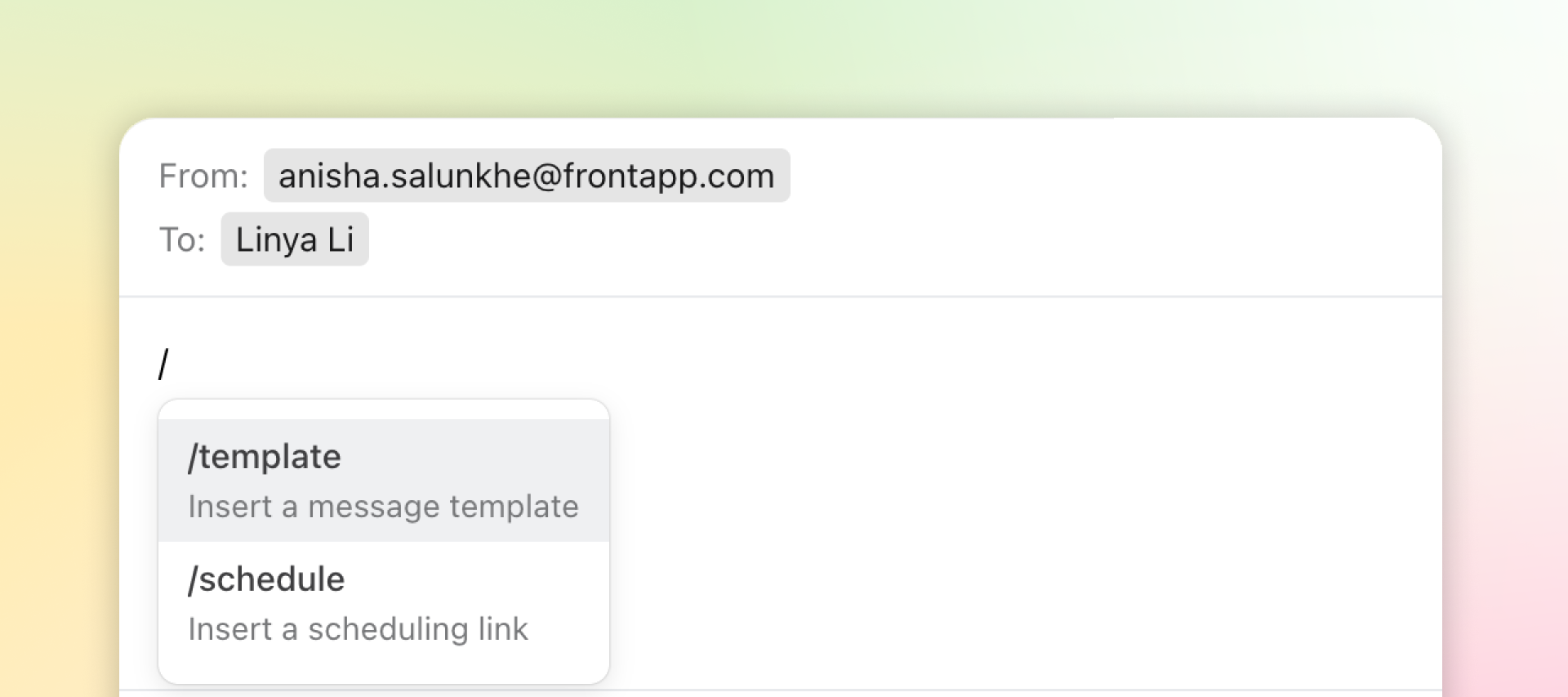
New ReleaseJan 17, 2023Who doesn’t love a good keyboard shortcut?Composing and responding to customer messages just got a whole lot faster! If you type /template in the Front composer, it’ll automatically pull up all your message templates so you can quickly insert the one you need. For example, type /template to search and insert a message template, or create a new one if you don't already have templates. You can also type /schedule to search and insert a scheduling link, or create a new one if you don't already have scheduling links. Learn more in our Help Center. Related products:StarterProfessional
New ReleaseJan 17, 2023New UpBrains AI IntegrationUse AI to make the content of attachments easily accessible and searchable with UpBrains AI. The UpBrains AI integration reads and extracts the content of image and PDF attachments in a Front inbox and inserts the content of the attachments as comments in the conversation thread.Learn more: Front Integrations page: UpBrains AI integration Help Center article: How to enable and use the UpBrains AI integration Related products:StarterProfessional
New ReleaseJan 17, 2023Equip your support agents with the Bugpilot integrationBugpilot automatically collects the information support agents need to understand what happened on a user’s screen, such as screenshots, screen recordings, steps to reproduce, user info, and console logsThe integration enables faster access to offer support by providing options to capture a screenshot and or start a screen recording directly from Front.Learn more: Front Integrations page: Bugpilot integration Help Center article: How to enable and use the Bugpilot integration Related products:StarterProfessional
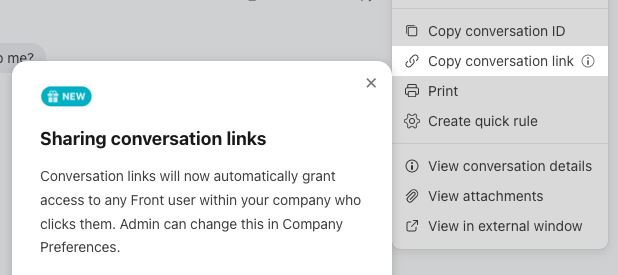
Feature UpdateJan 17, 2023Share conversation access instantlyIt has been a long-standing pain point that sharing conversation message links leads to teammates receiving “you don’t have access” notifications. Front launched a new default behavior for conversation and message links that will instantly grant access to any Front user within your company who clicks the link.This only applies to net-new conversation and message links created from December 2022 onwards. For more details, check out this help center article.Related products:StarterProfessional
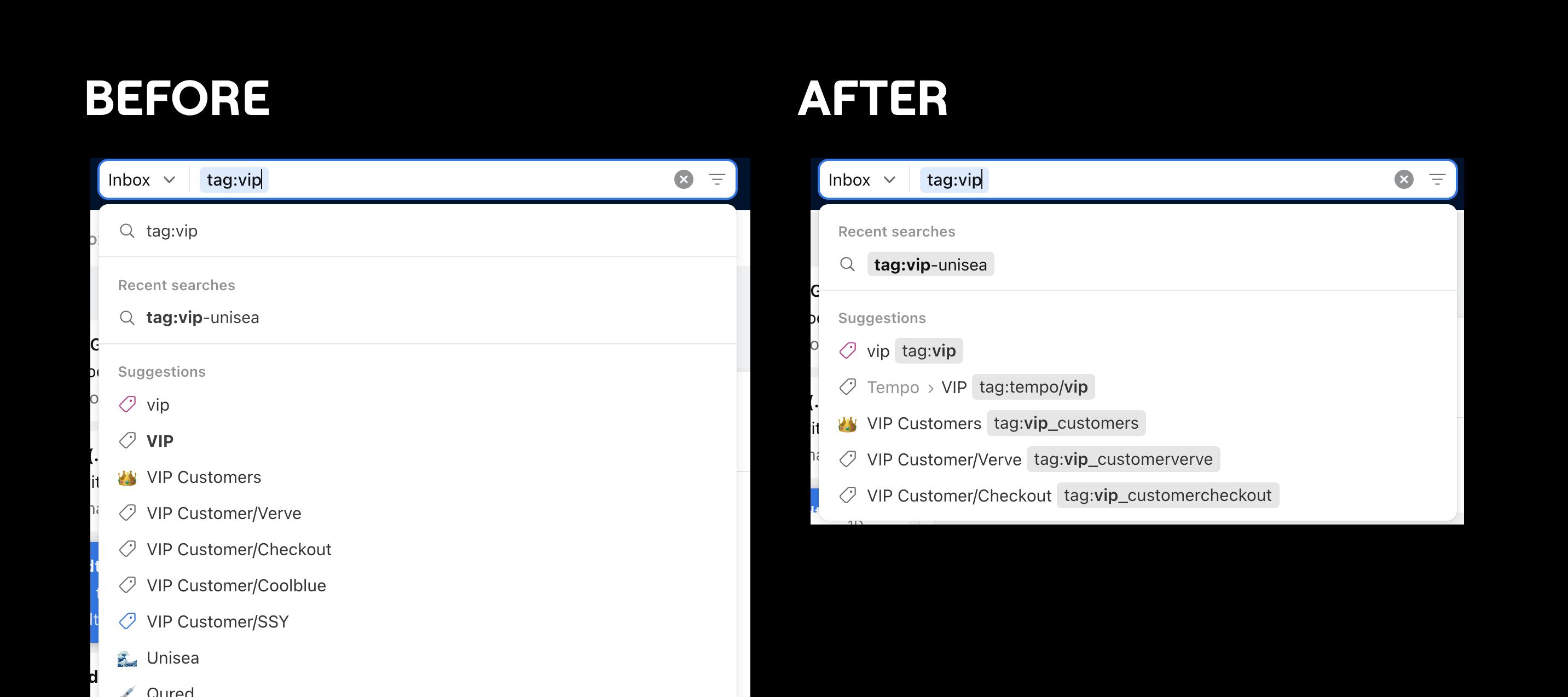
Feature UpdateJan 17, 2023Simpler search, better resultsIn order to simplify search queries in Front, we’ve decluttered search suggestions and filters. This is the first of several search improvements to come! Today’s updates include: Visual updates so that modifiers appear as labels Removal of the duplicate current query search line Removal of suggestions that were also recent searches New tag suggestion dropdown Related products:StarterProfessional
Feature UpdateJan 17, 2023Contacts naming updateTo help users more intuitively understand the different types of contacts inside Front, we have rolled out a naming change to Front contacts! Don’t worry, nothing has changed functionally. The previous “Company contacts” are now called “Shared contacts” to reflect their shared nature The previous “Other contacts” are now “Auto-created contacts” to better indicate what they are. “Private contacts” remain the same. Related products:StarterProfessional
Feature UpdateJan 17, 2023Never miss a calendar notifcation with persistent notificationsTo help users stay on top of their meeting commitments, we're enhancing the Front calendar system notifications to be persistent. Users will see the same notification as before, except now they'll need to click to dismiss the event reminder.Different web browsers, the desktop app, and Mac and Windows users will have slightly different experiences with this feature. Be sure to check out the help center to learn how this will impact you.Related products:StarterProfessional
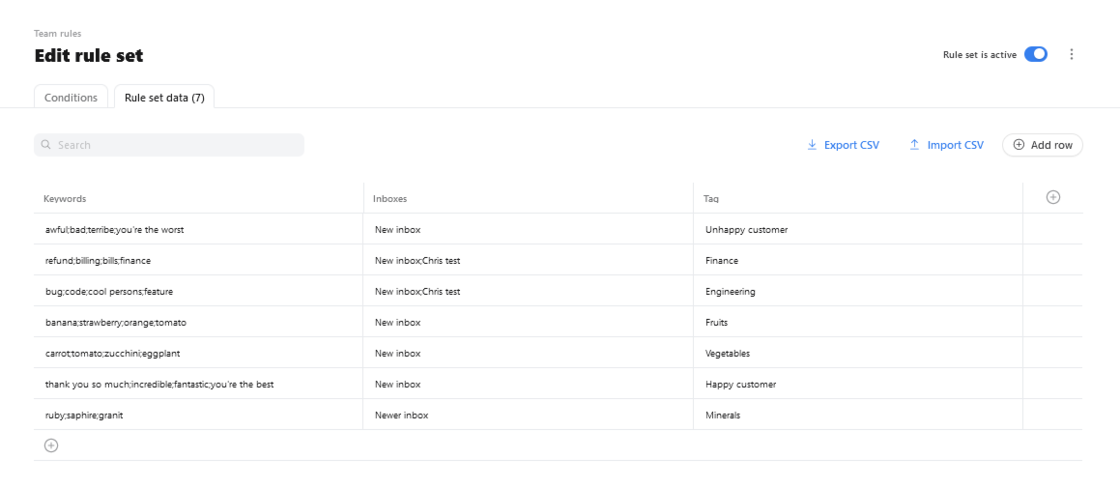
Feature UpdateJan 17, 2023Set up a rule set with this new templateWe’ve added a new template to our rules library to make it easy to create a rule set for tagging. If you use many similar rules to add tags based on keywords, this template is for you.You can learn more about our rules library and templates here.
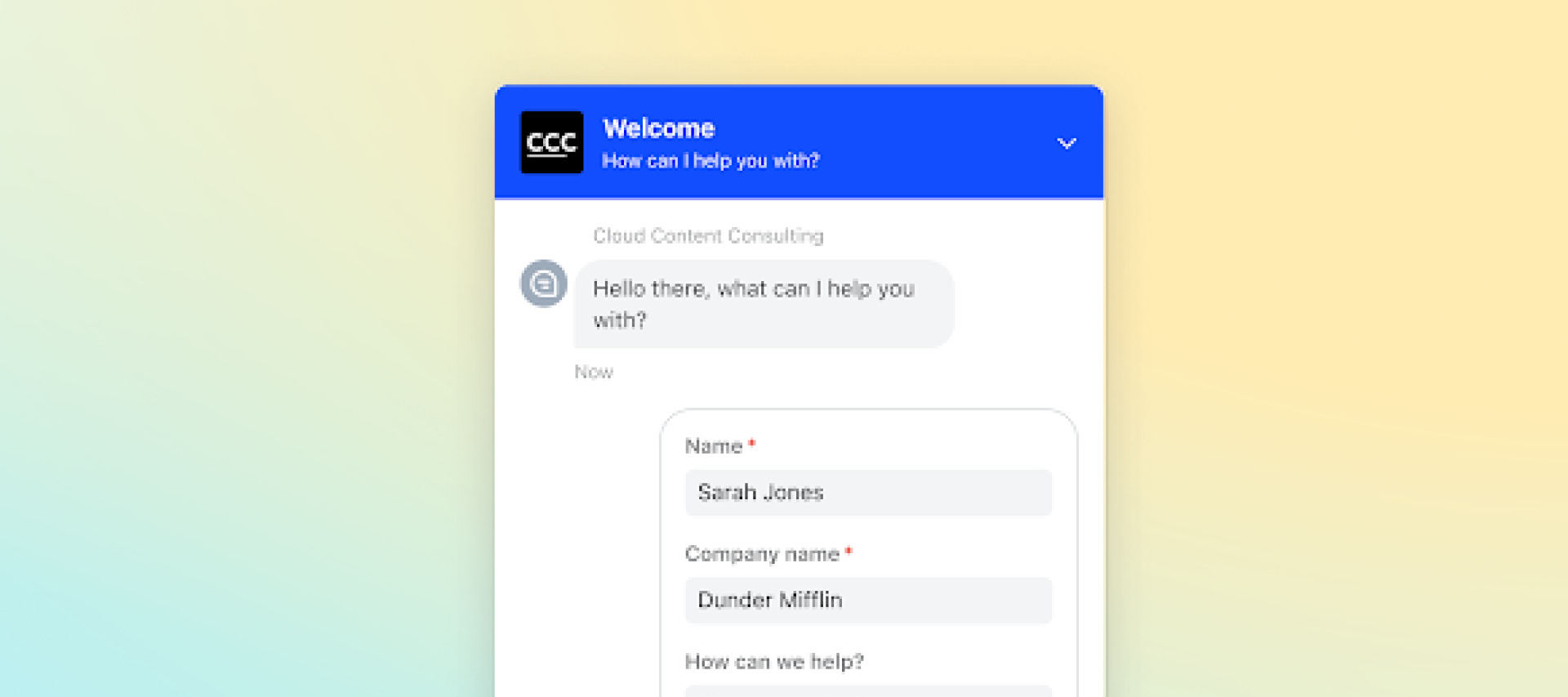
Feature UpdateJan 17, 2023Improve routing and qualification workflows with chat visitor infoWe’ve added a pre-chat form to Front Chat so you can request up to 3 different pieces of information from a website visitor before initiating a chat session. This enables you to automatically qualify or route visitors to the right team member. For example, you could ask for the number of employees to determine how large of an opportunity the account may be. Or you could ask if the website visitor has a question about pricing, support, or something else, and then automatically assign that message to the right team or teammate based on the answer. The pre-chat form gets the right message to the right teammate faster, and lets them focus on the customer, not information gathering.Related products:Professional
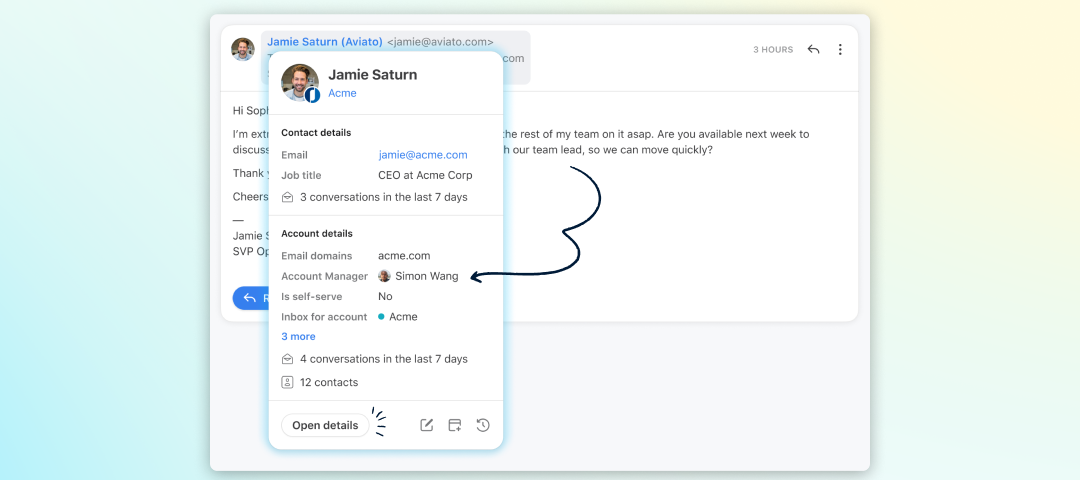
Feature UpdateJan 17, 20231-2-3 sync! Get up-to-date CRM data right in FrontSay goodbye to stale CRM data and hello to improved routing and customer context. Front can now sync with Microsoft Dynamics at the account level. It’s easier than ever to streamline account-based routing and reduce context switching with your CRM’s data accessible and automatically updated in Front. We’ve expanded our Salesforce and HubSpot syncs as well to include contacts. Your routing rules and personalized communications can thank us later. Learn more in our help center. Related products:Professional
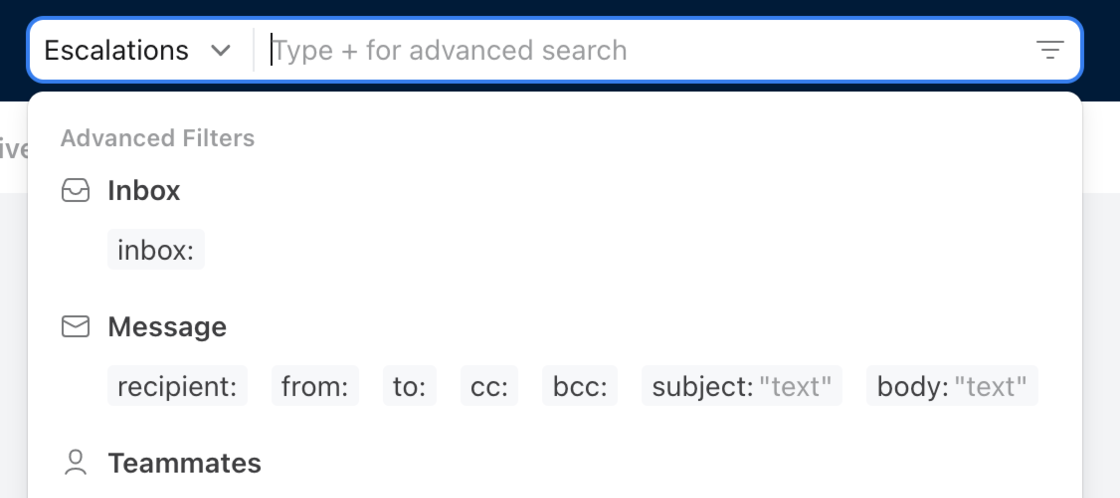
Feature UpdateJan 17, 2023Update to search quick filtersIn order to simplify how search queries within Front, we are removing the quick filters search dropdown menu — which included “unread,” “snoozed,” “my mentions,” and “attachment” filters. But don’t fret; these search filters still exist! Users can find these filters and more via search suggestions and the advanced filter dropdown to create more specific search criteria for better search results.Related products:StarterProfessional
New ReleaseJan 17, 2023Introducing rule setsRule sets simplify managing your list of rules. Instead of crowding your rule list with duplicate rules, you can use a single rule powered by a simple table. Your rule structure stays the same while all the different values for each condition are managed in an easy-to-use table. When the rule set is triggered, each row of the table is evaluated one after another as if they were separate rules.You can learn more about rule sets and how to best use them here.Related products:Professional
Feature UpdateJan 17, 2023A rule trigger update for @mentionsWhen users @mention a teammate in a comment, this activity will now apply to both the “New comment is added” and “Teammate is mentioned” rule triggers.Related products:StarterProfessional
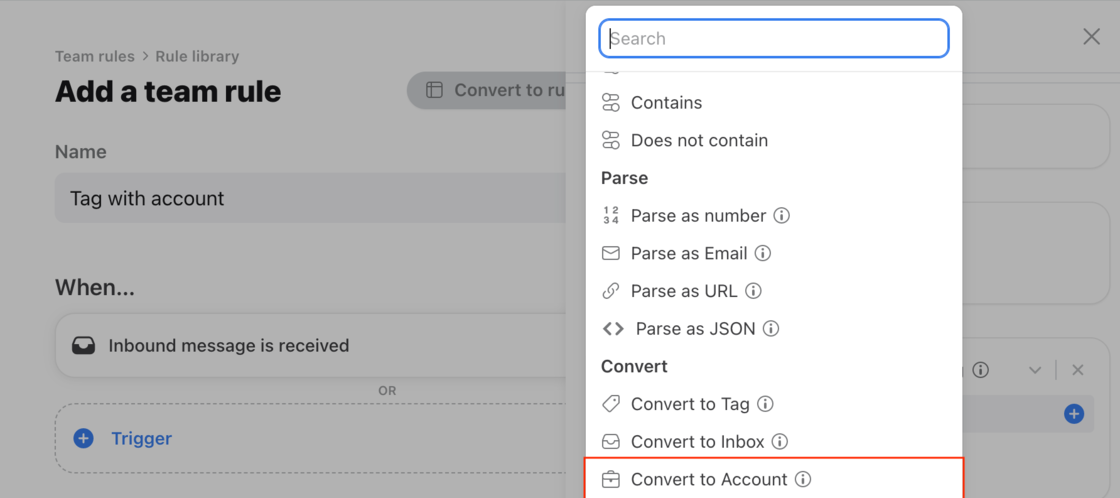
Feature UpdateJan 17, 2023Rules can now identify message content to associate accounts for better routingWhen a message is associated with an account, but the email domain is not recognized, you can set up a rule to detect message subject or content and convert it to an account, while also assigning it to the account manager. This makes it easier to see all relevant conversations under that account. For example, if you work at a marketing agency that works with external partners to support clients, your conversations will come from those partners but could be about any number of different clients. With this feature, you can match the right conversation to the right account, and then assign that to the correct teammate, based on the client’s company name in the message. Related products:Professional
Feature UpdateDec 16, 2022Get Front Chat messages into the right hands fasterThe new pre-chat form helps qualify and route website visitors to the right teammate. Kickstart faster service when you customize fields to collect baseline information upfront like company size or recognize keywords like “pricing.” Learn more in our help center article. Related products:Professional