

Stay in the know about the latest Front features
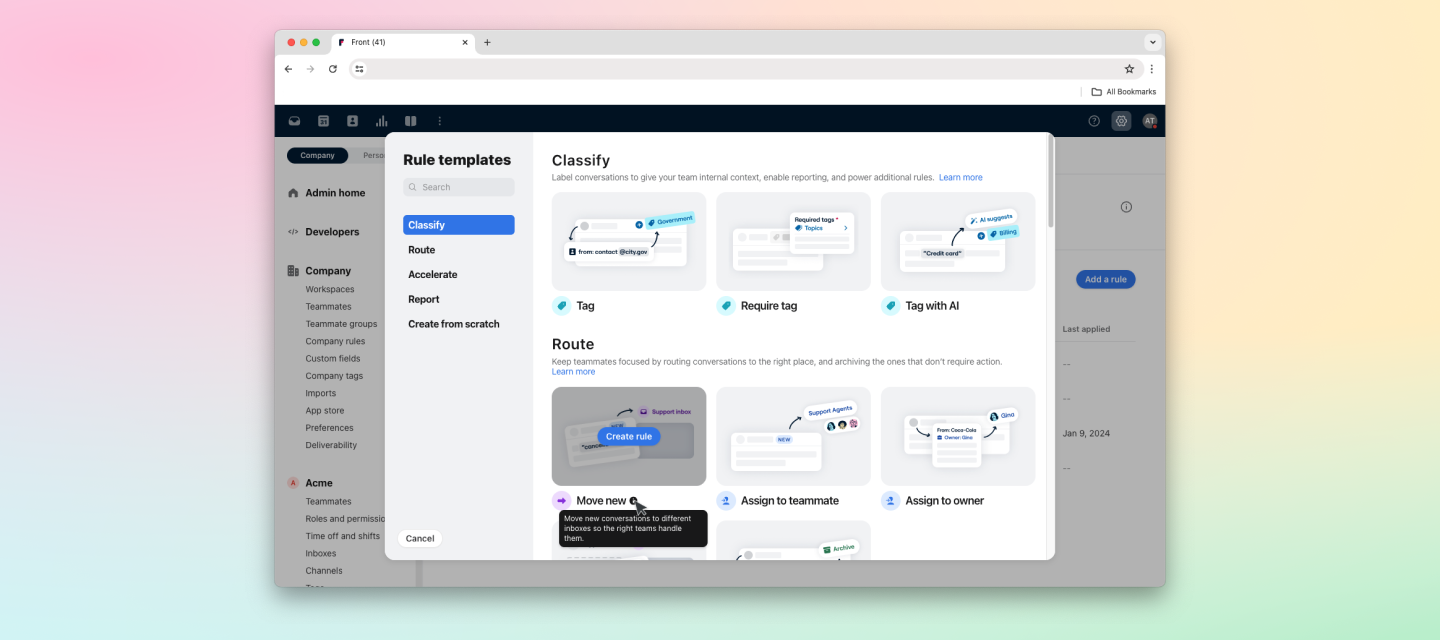
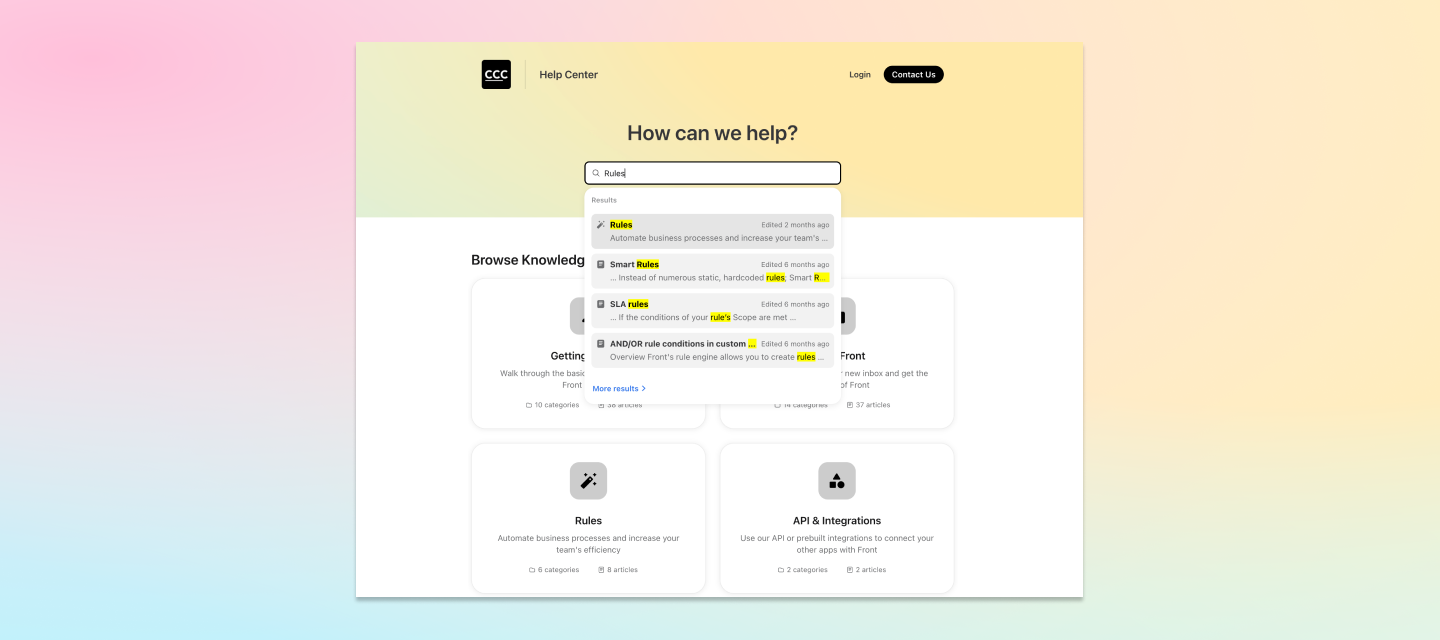
We’ve revamped our rule library, standardized our rule builder, and introduced easier rule management to make it easier than ever to build and manage your workflows.
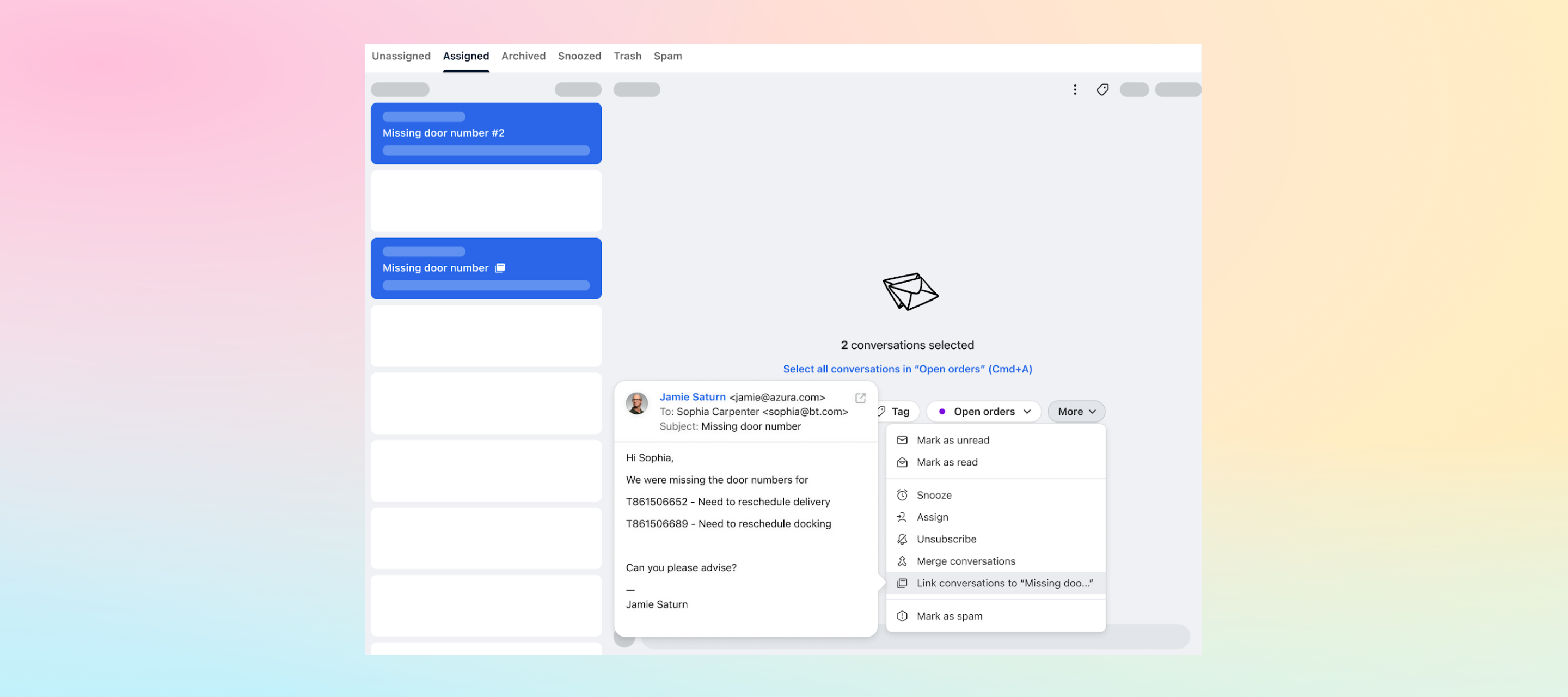
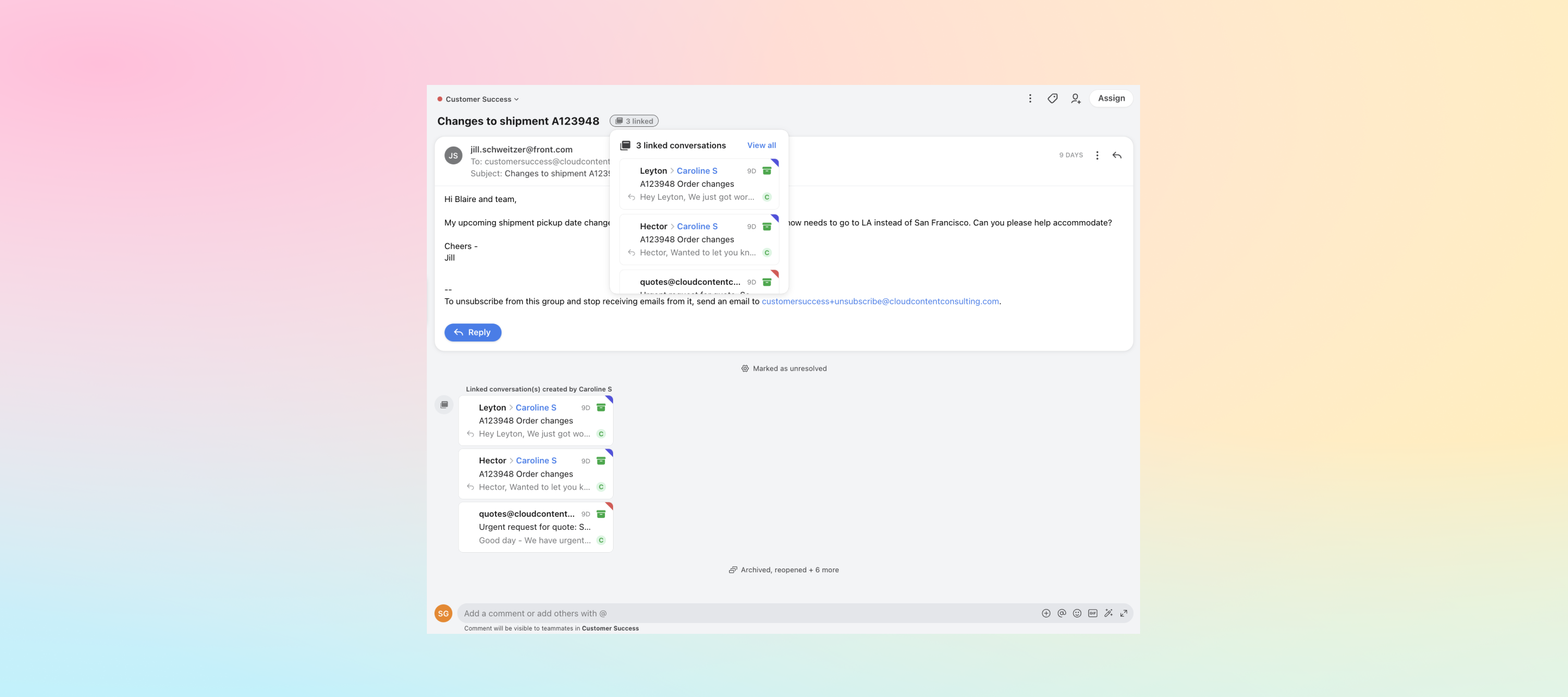
Now, in addition to new conversations, you can link existing conversations using multi-select in your conversation list.Learn more about linked conversations
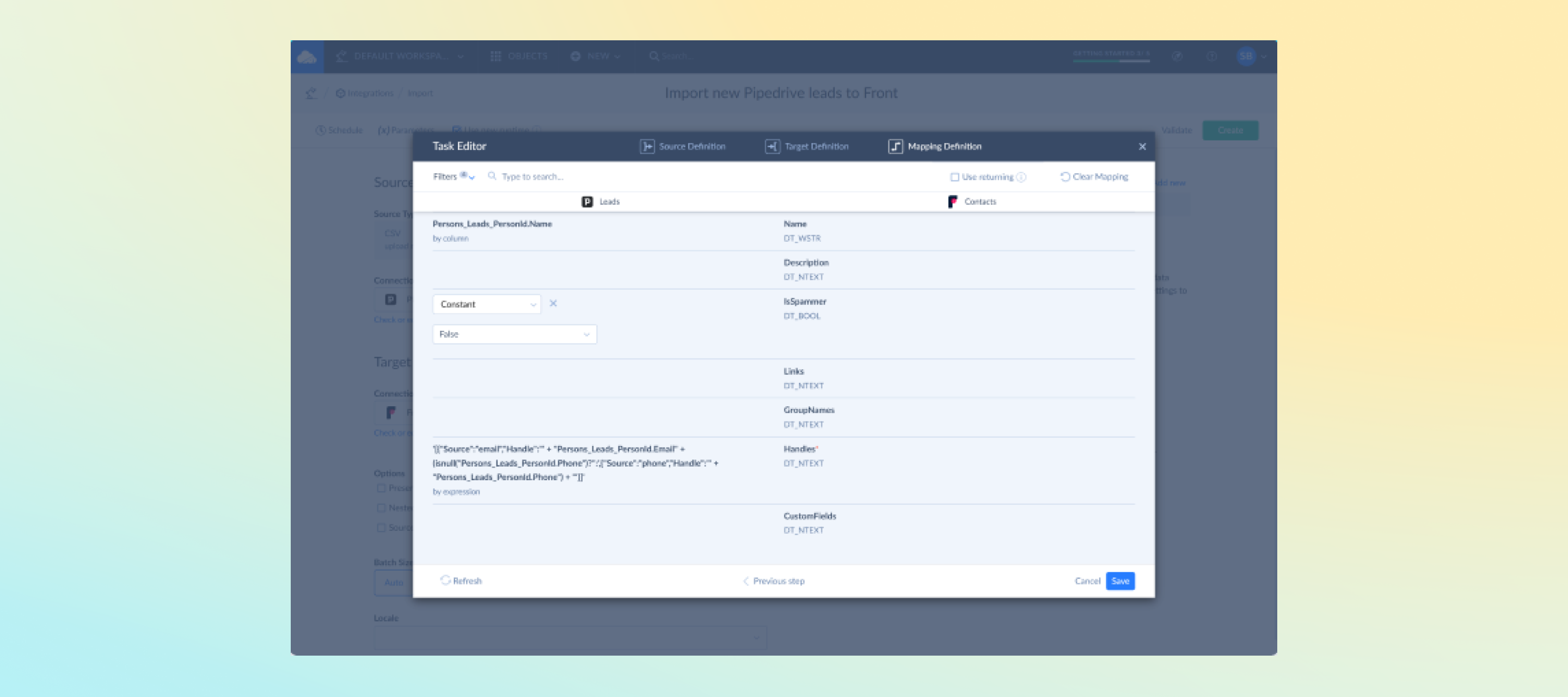
Skyvia is a cloud data platform for creating quick, no-coding integrations between Front and other cloud apps and databases. In just a couple of clicks, you can sync data from Front with databases and data warehouses for analyzing, building advanced pipelines, creating exports, and more. This integration publishes Front data for access via OData, ODBC and SQL Web API. Learn more
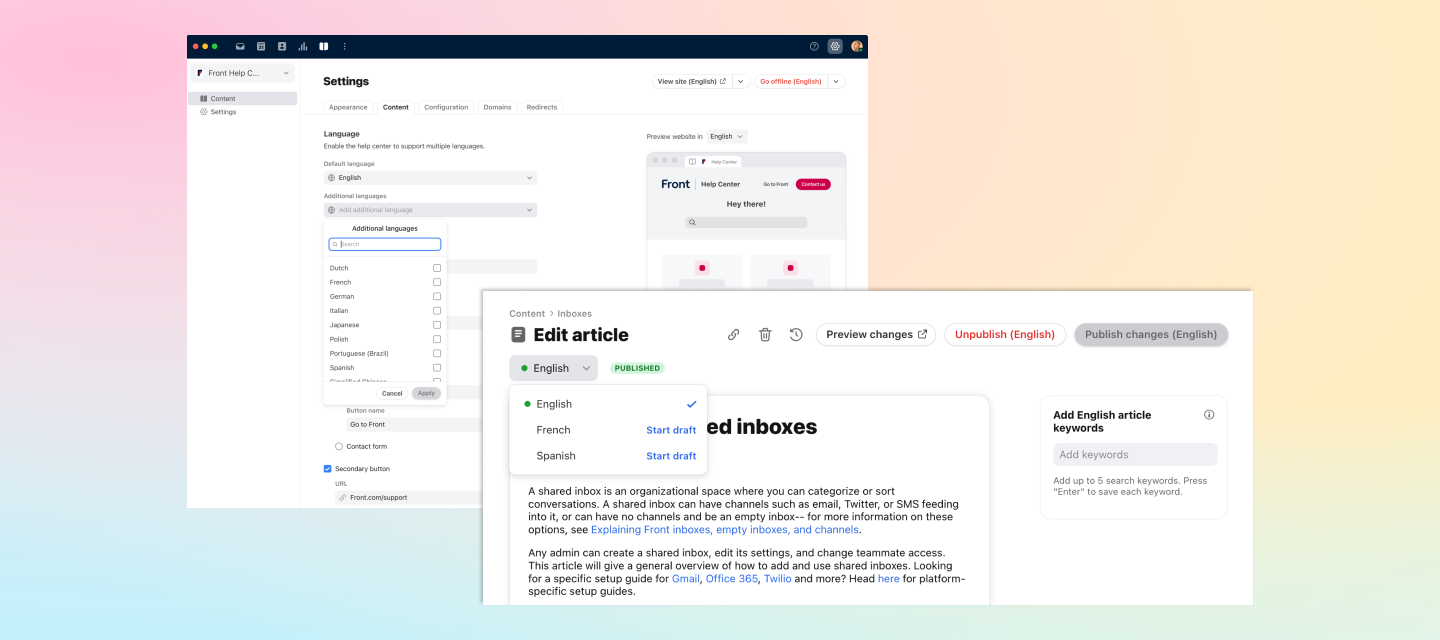
You can now set up content in multiple languages that will automatically adapt to display in the preferred language of your customer, based on their browser settings.
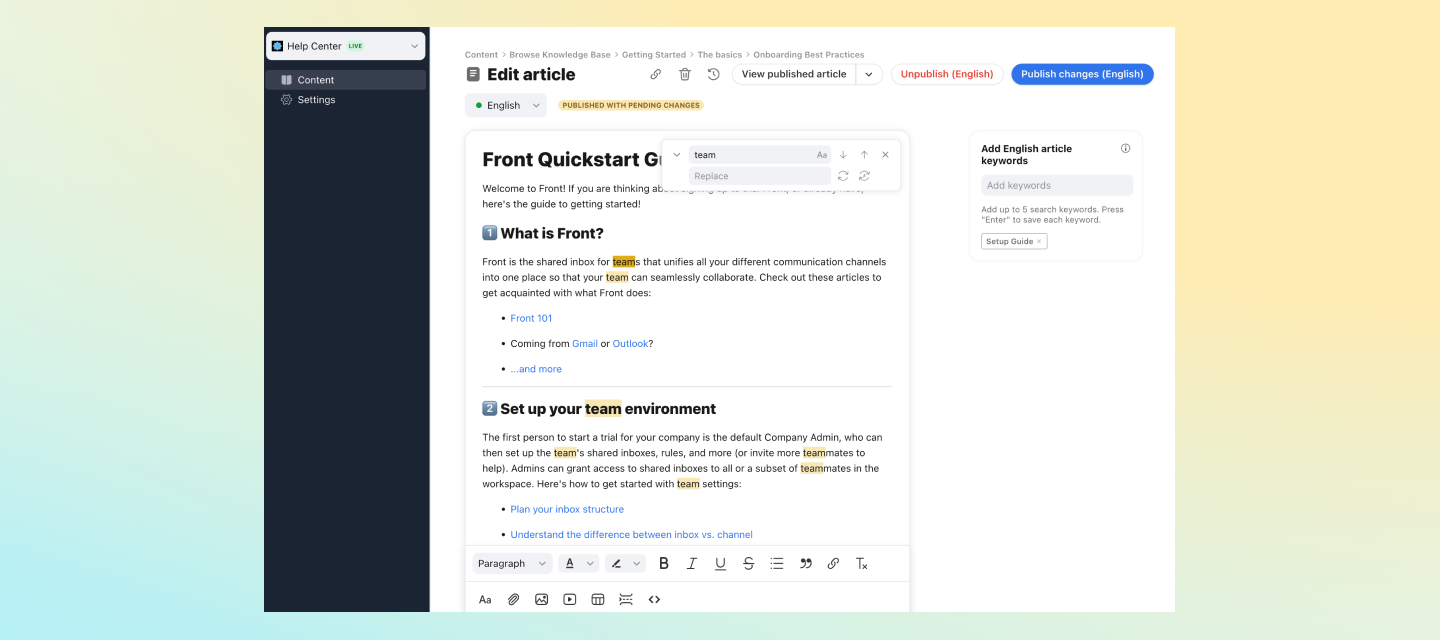
Users can now search and replace keywords as they regularly update content in their knowledge bases.
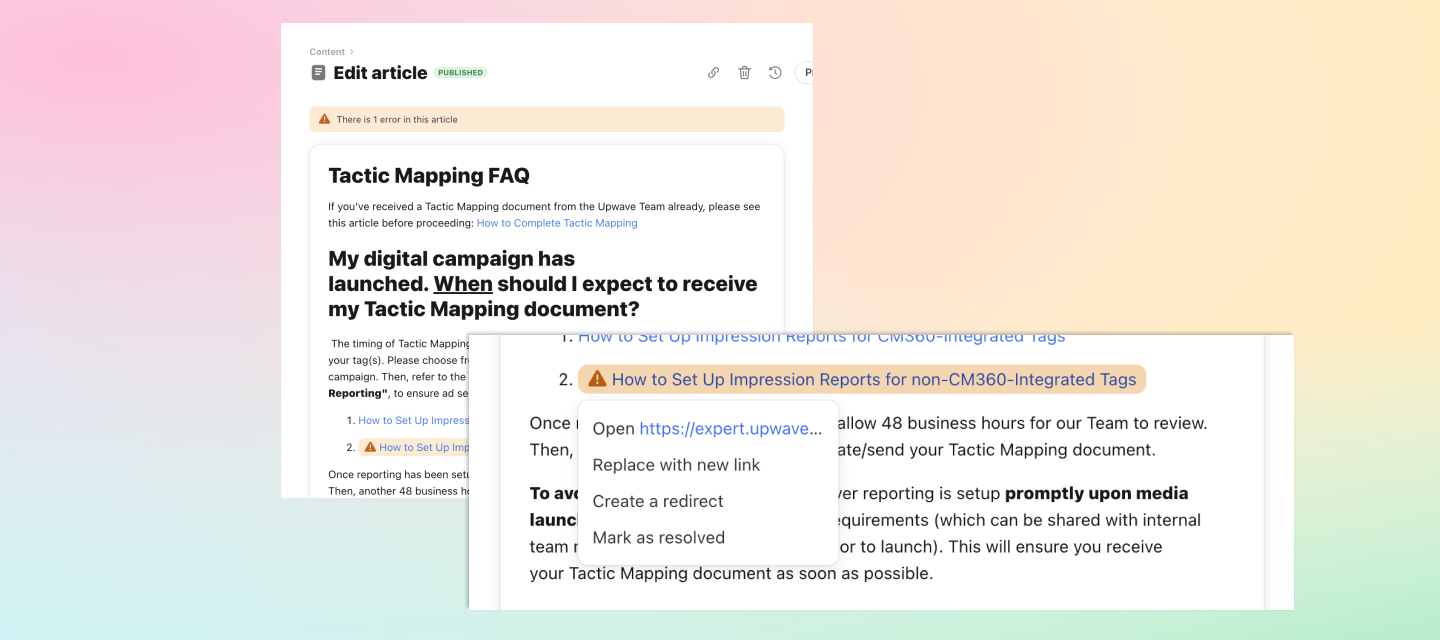
Broken links and formatting issues that occur during knowledge base imports can now be fixed with ease through inline errors and actionable dropdown options.
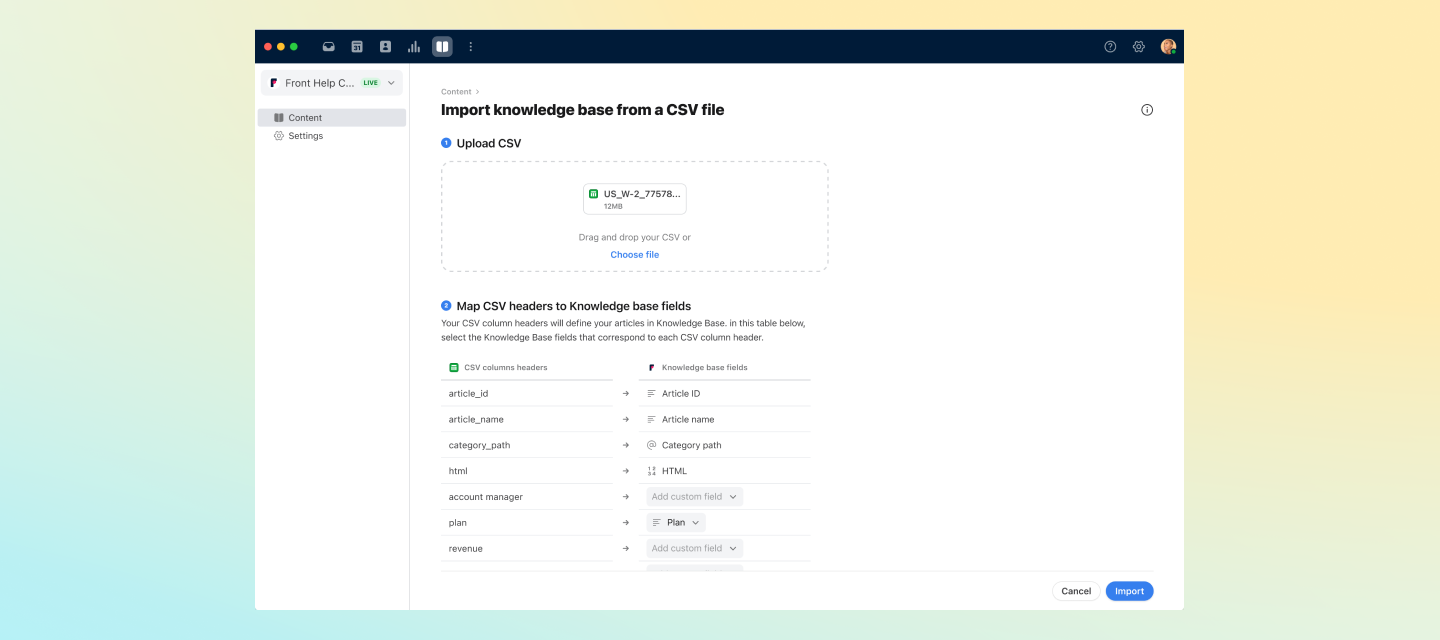
Easily migrate your knowledge base to Front with a CSV export of your old content using the new flexible CSV importer that allows custom mapping of fields and surfaces clear and actionable errors to ensure a seamless experience for your team and customers.
Knowledge base visitors can now find categories when they search in the public portal. It is also easier to search for categories that require redirects when setting up your knowledge base for the first time.
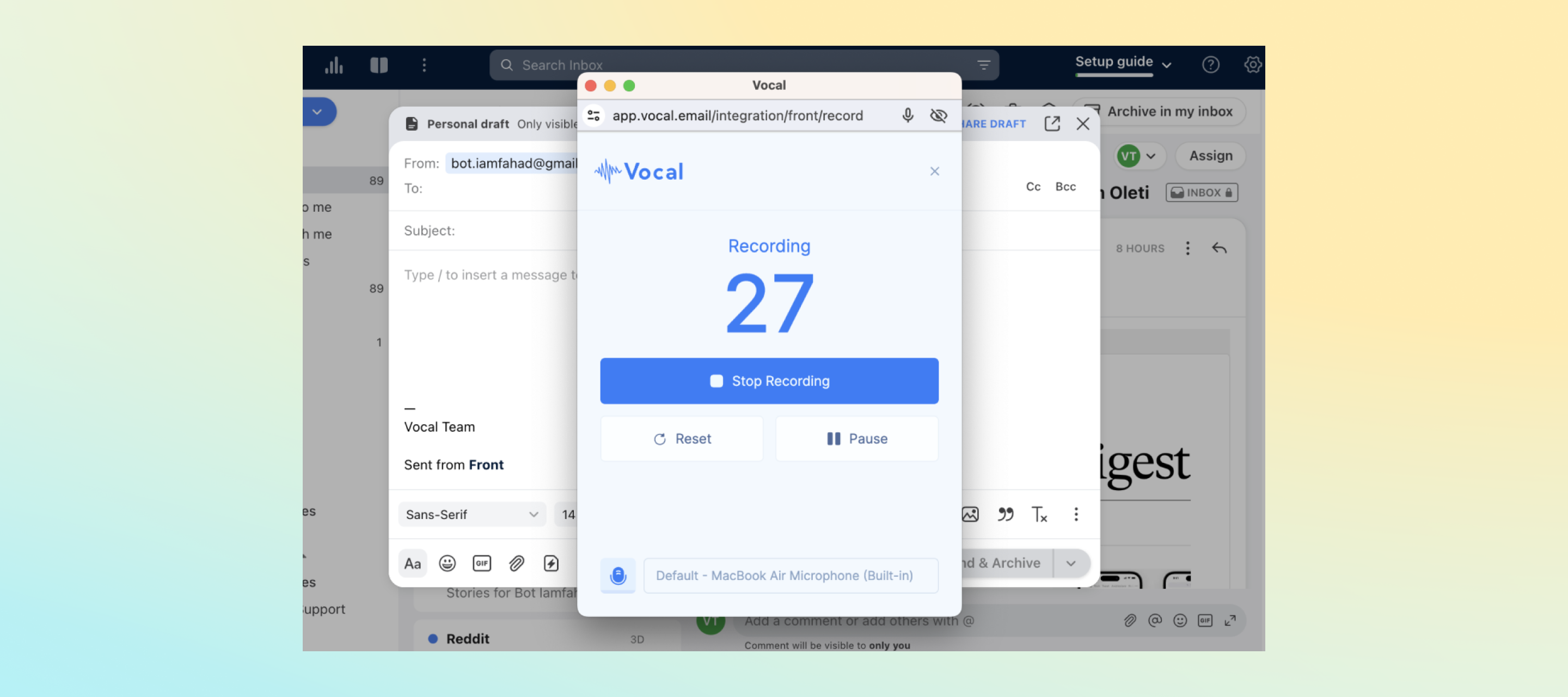
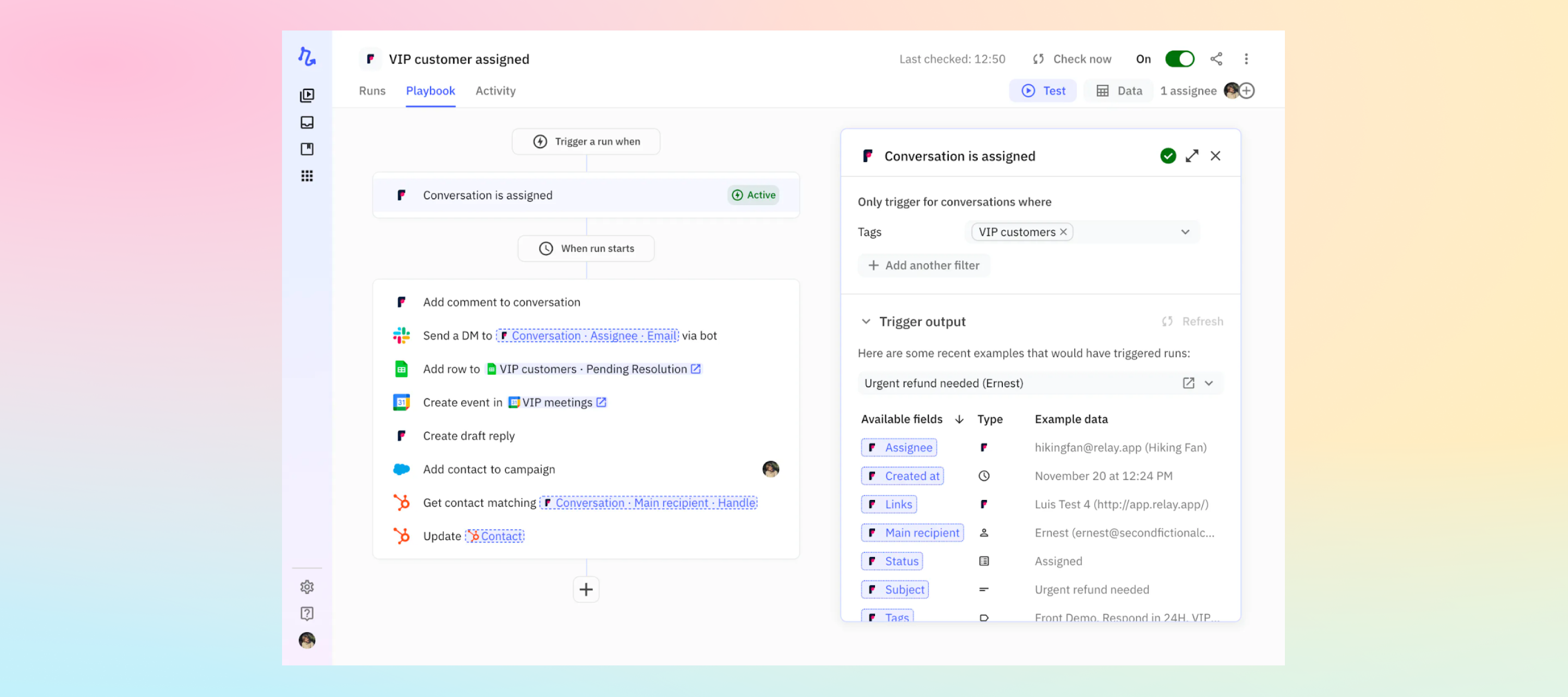
Use the Relay integration to connect Front with your other apps for advanced workflow automation through AI assistance, human-in-the-loop collaboration, and a multiplayer experience. Relay responds to events like messages or comments, automating tasks such as drafting emails, tagging conversations, and managing contacts. The tool also handles attachments and integrates seamlessly with other connected apps, including CRMs and productivity tools. Learn more
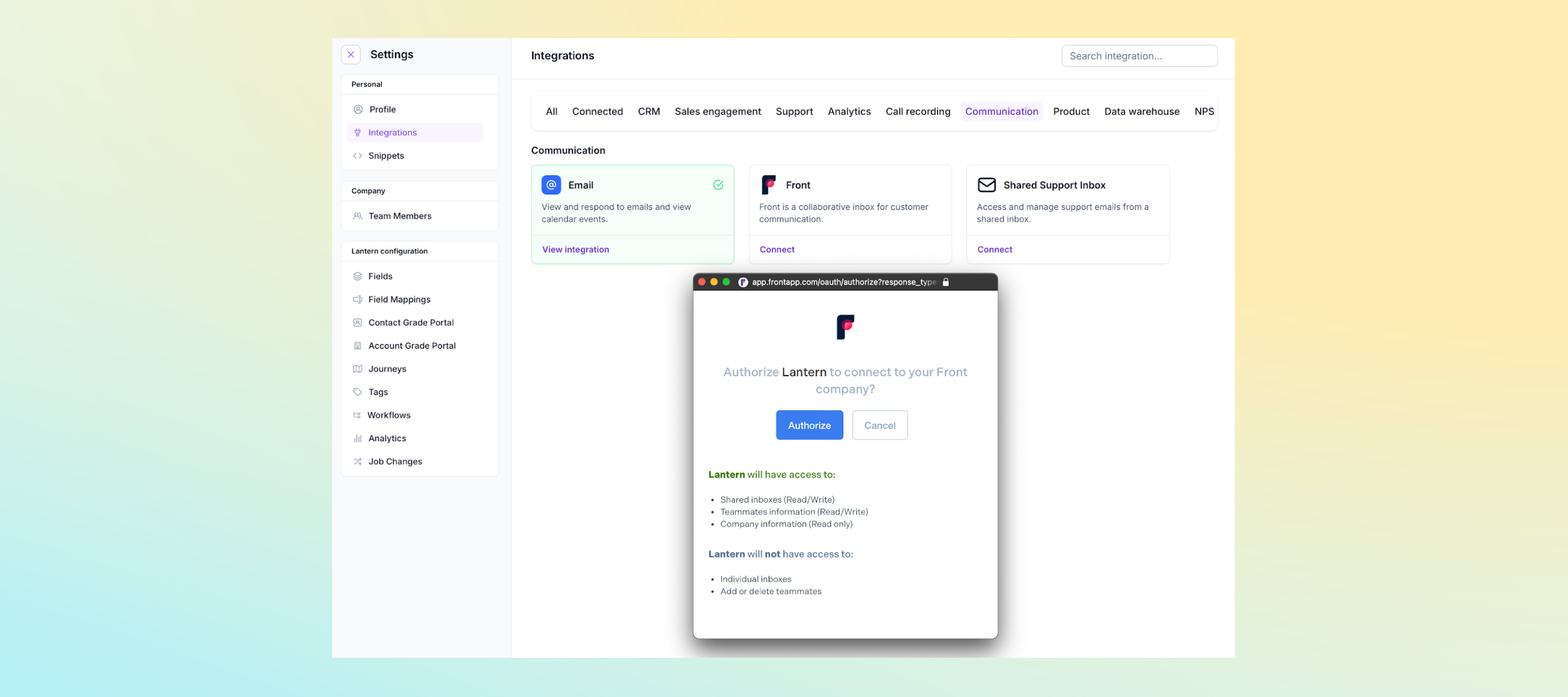
The Lantern and Front integration works by connecting the two platforms, allowing Lantern to access and analyze data from Front. This includes email threads, customer responses, and other relevant customer interaction data. Users can leverage this integration to gain AI-driven insights into customer behavior, identify high-value customers, and predict churn risks.Learn more
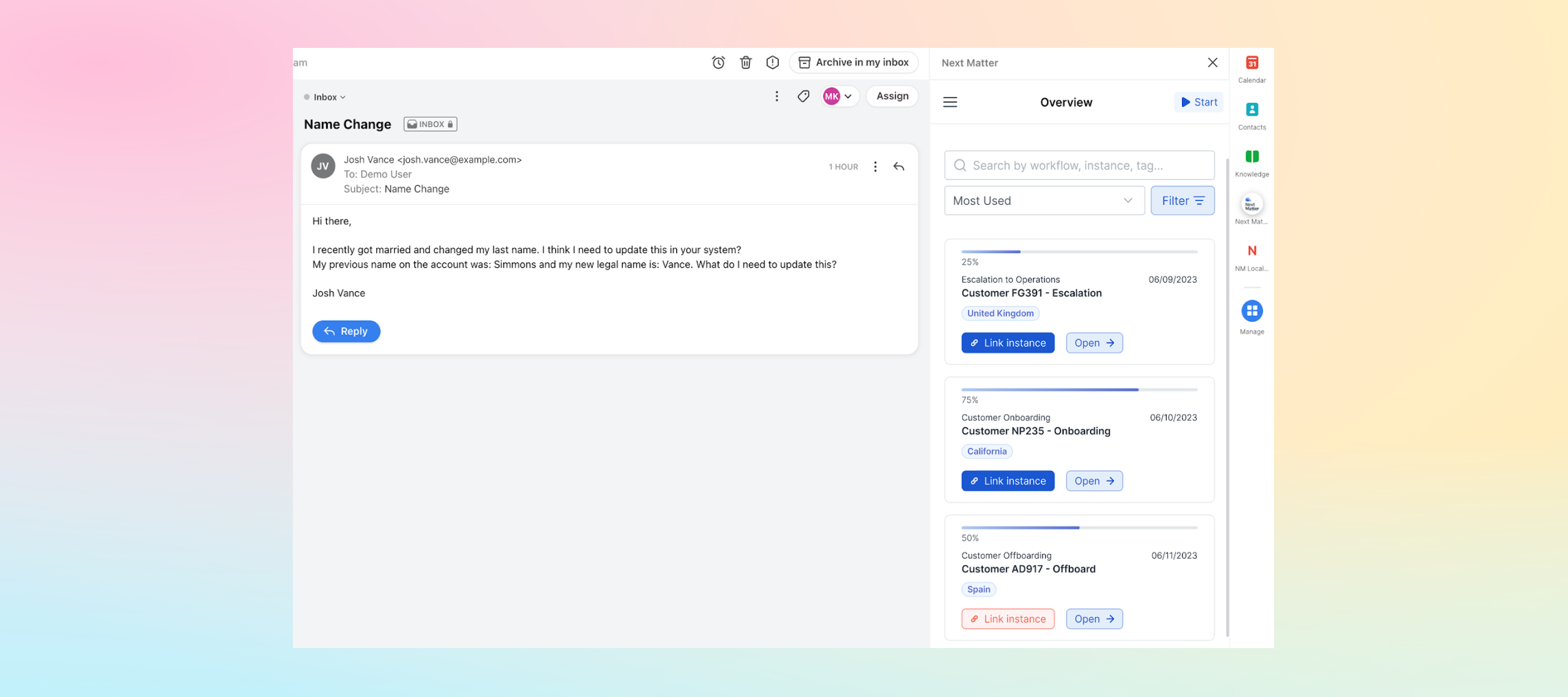
With Next Matter, you can connect tasks, teams, tools, and external people in automated workflows. The integration helps you easily create, search, and link Next Matter workflows directly to Front conversations.Learn more
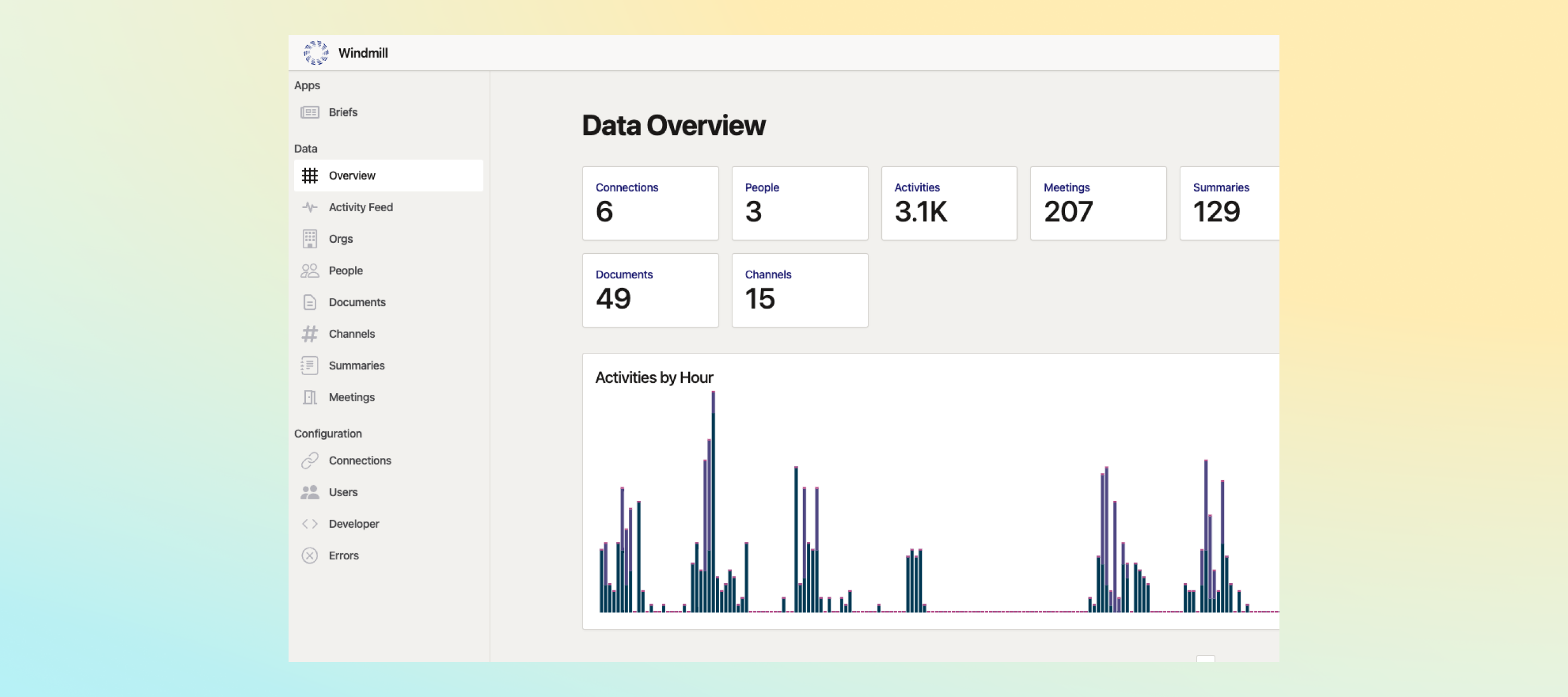
Tired of playing catch up on Slack, Front, Linear, and more? Windmill summarizes all of that into a morning email, Slack, or podcast that will have you completely caught up to speed in minutes. Windmill integrates with Front, so you can include updates about shared inboxes, teammates, and companies in these company-wide automated updates.Learn more
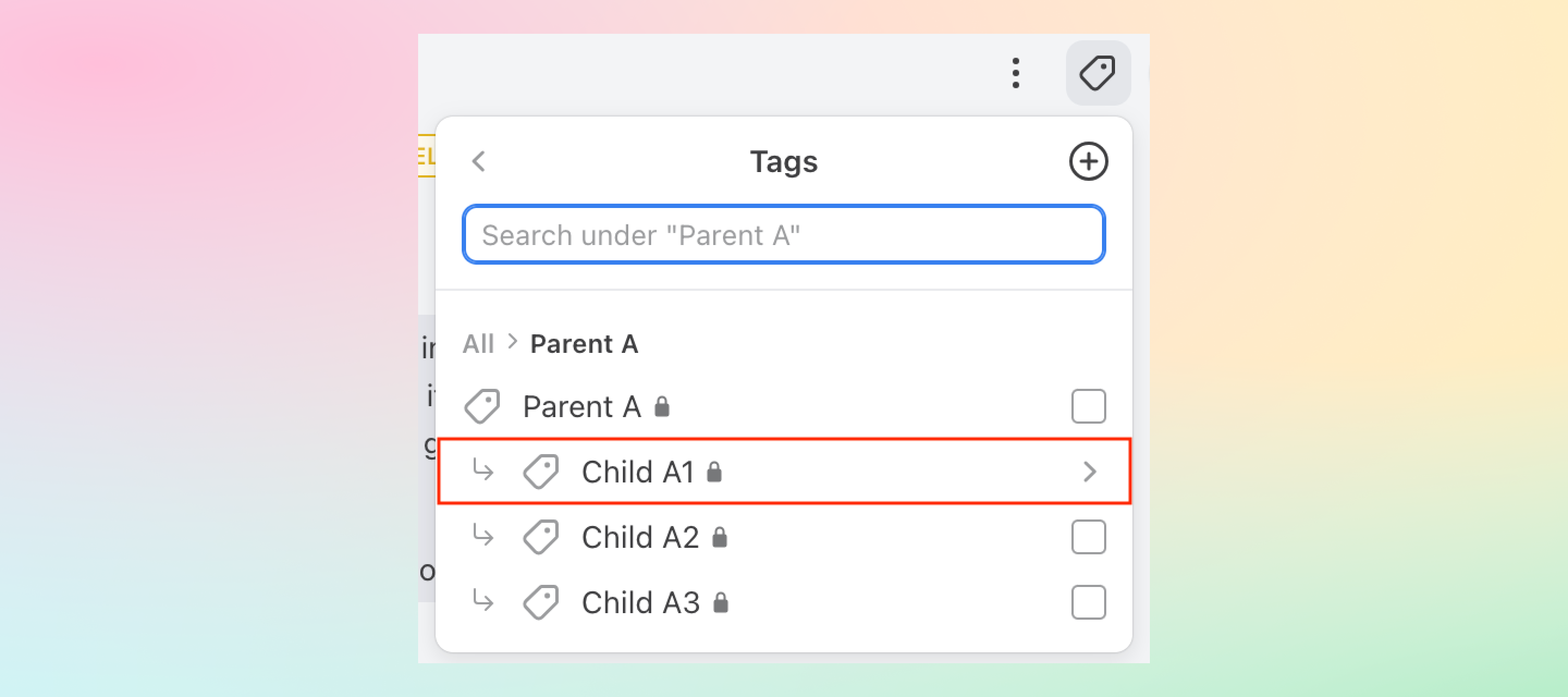
We’ve made some enhancements to improve navigation within the tag menu for nested tags. Now parent tags will appear at the top of your tag list and you can easily move between different levels of nested tags
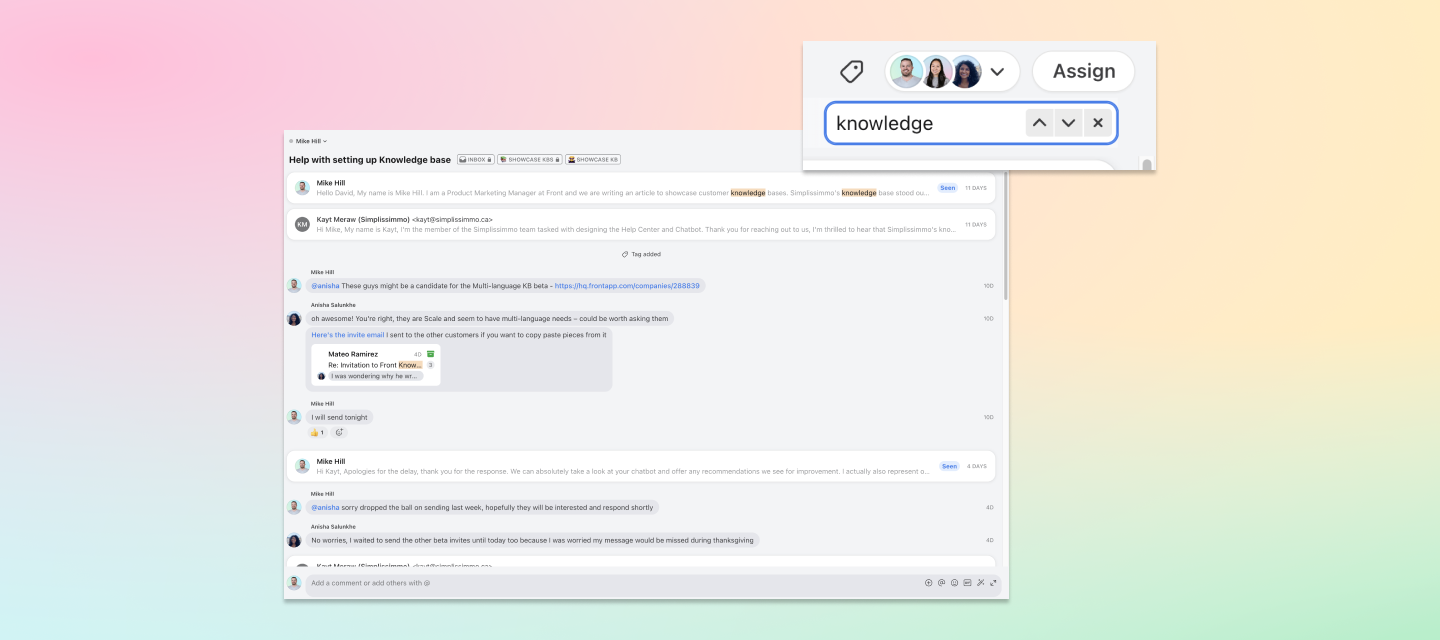
Now when you search in a conversation using cmd+f / ctrl+f, you will be guaranteed to have all the matches returned, even if messages and comments in the conversation thread are not loaded. You can navigate easily between results with the arrow or by clicking enter.
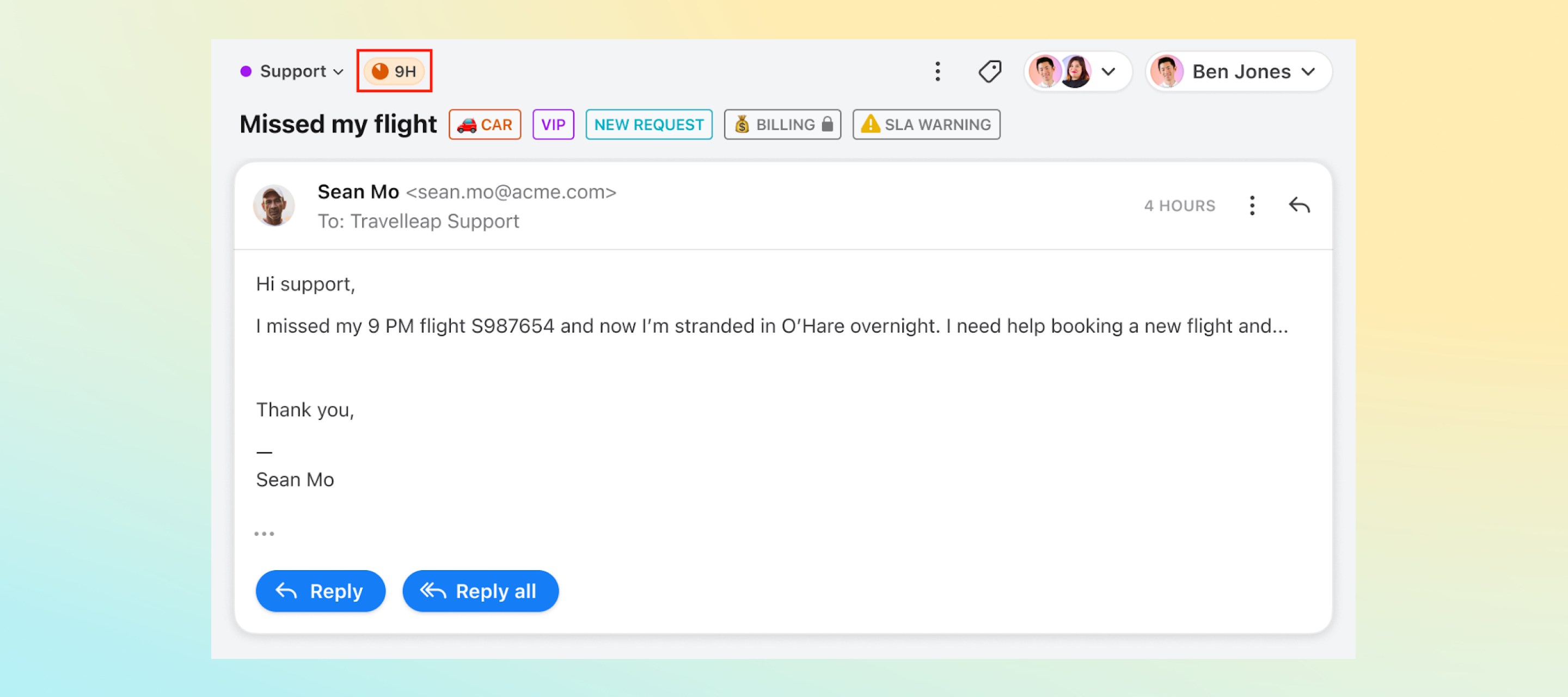
Now you can anticipate and reduce SLA breaches with a countdown timer on each conversation tagged by your SLA rules. Read more about how it works here.
A single customer request often generates several action items that could be spread across different threads for different teams or external parties. This makes it difficult to track all open items and trace back to the original conversation. With linked conversations, you can now associate new conversations with an existing thread, so your team can easily keep track of follow-up actions related to the initial conversation and assign clear ownership. Here are a couple of examples of linked conversations use cases: Logistics service provider: A customer lets you know the details of their scheduled shipment are changing. You can create linked conversations to keep track of the related follow-ups including carrier communication, requoting, and rescheduling. Travel agency: A customer wants to add an additional stop to their vacation. Your team can use linked conversations to send separate messages about a new flight, hotel, and rental car that are still associated with the original customer request. Just click the 3-dot dropdown menu from any message to create a linked conversation. To learn more about linked conversations:Join the upcoming AMA for linked conversations to get your questions answered Watch this quick demo video Read this help center article
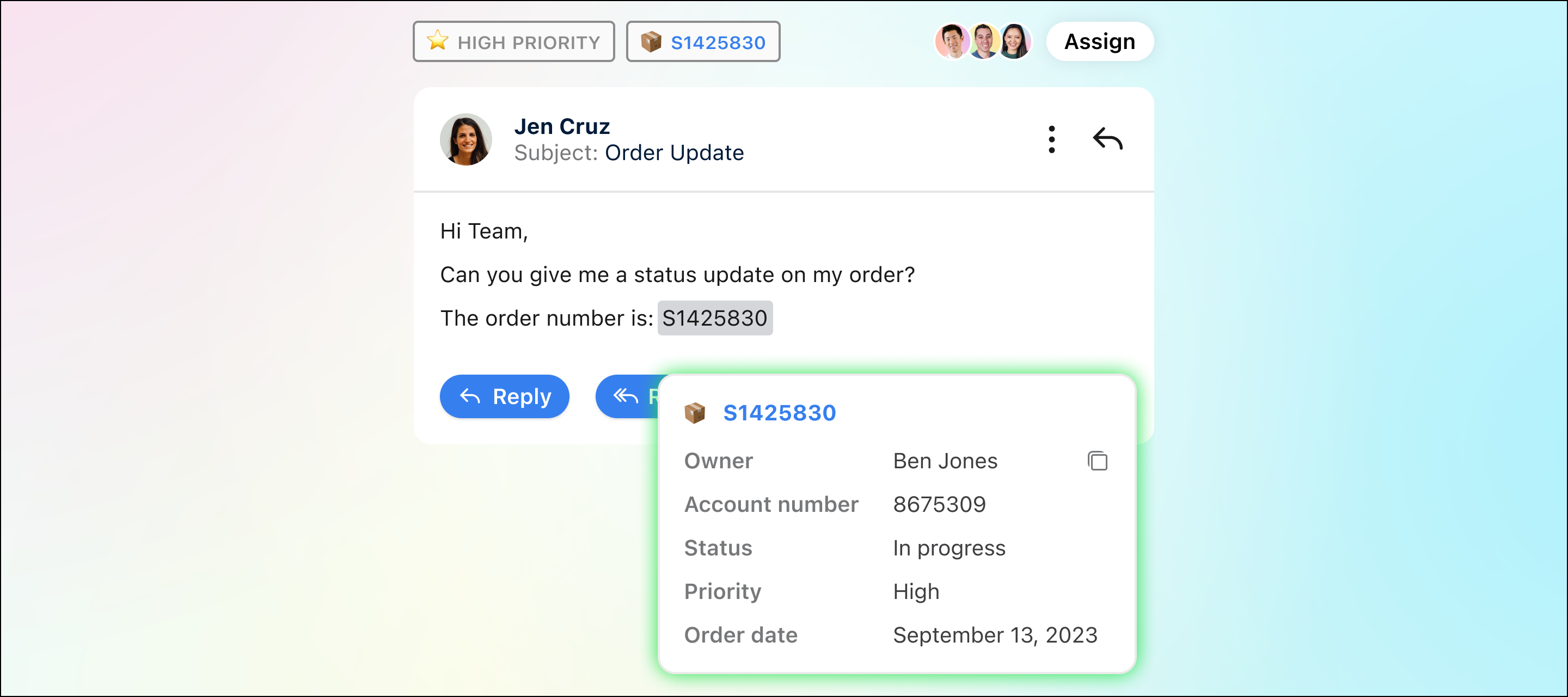
Dynamic objects with third-party data let you see essential information for a shipment, order, or other business object directly in Front. You can customize fields to see everything you need at a glance, like account owner, status, and priority. For example, if you receive a customer inquiry about the status of their order, once dynamic objects with third-party data are set up, you can hover over the order ID they provide to see the status and respond quickly, without having to go back and forth between tools.Have questions on how to best leverage dynamic objects? Join our upcoming AMA with the product manager to get all your questions answered.
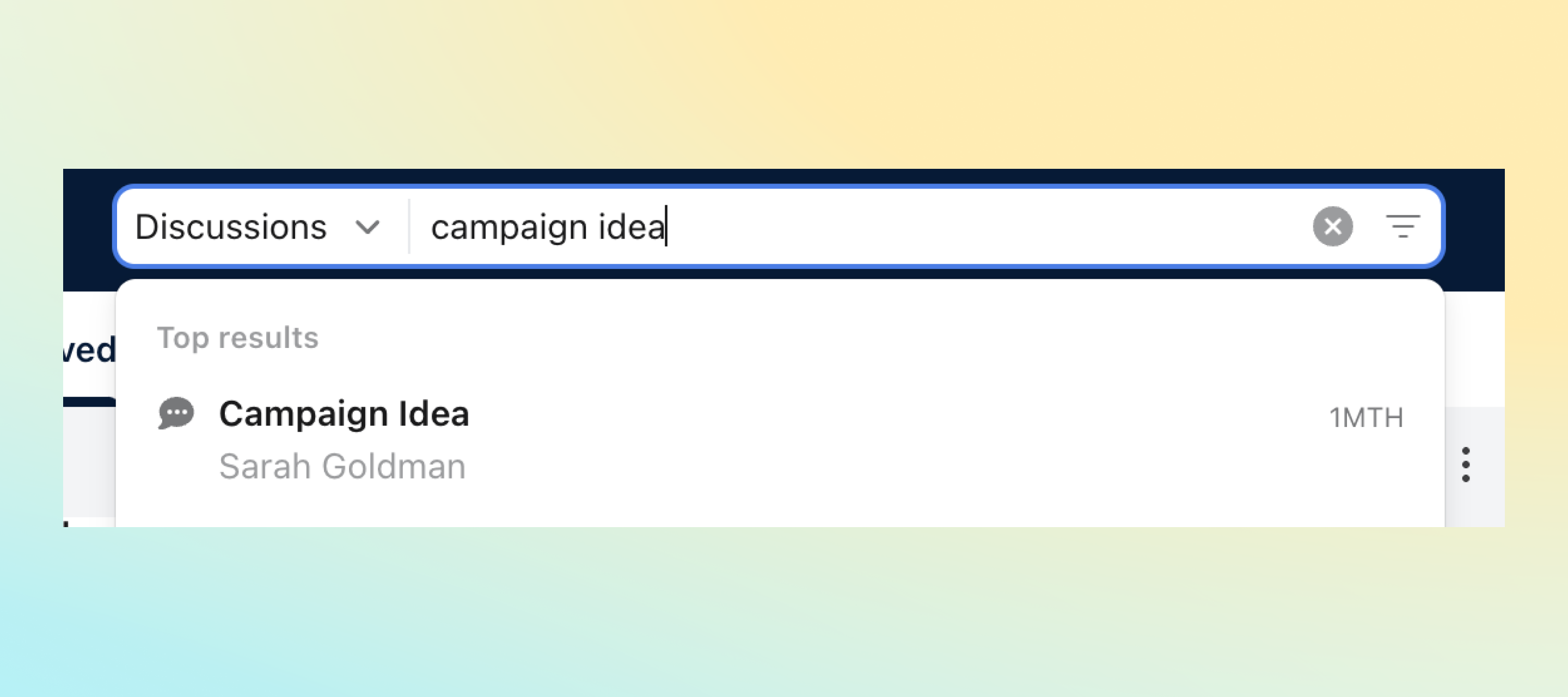
The top results section of the search bar dropdown now includes discussions, alongside other conversation types. This lets you see more recent, relevant results, regardless of the conversation type.
When creating a company rule, you can use two new rule actions: reply with a message template and forward. Now you can enable auto-forwards or auto-replies in one central rule to apply to all individual and shared inboxes.
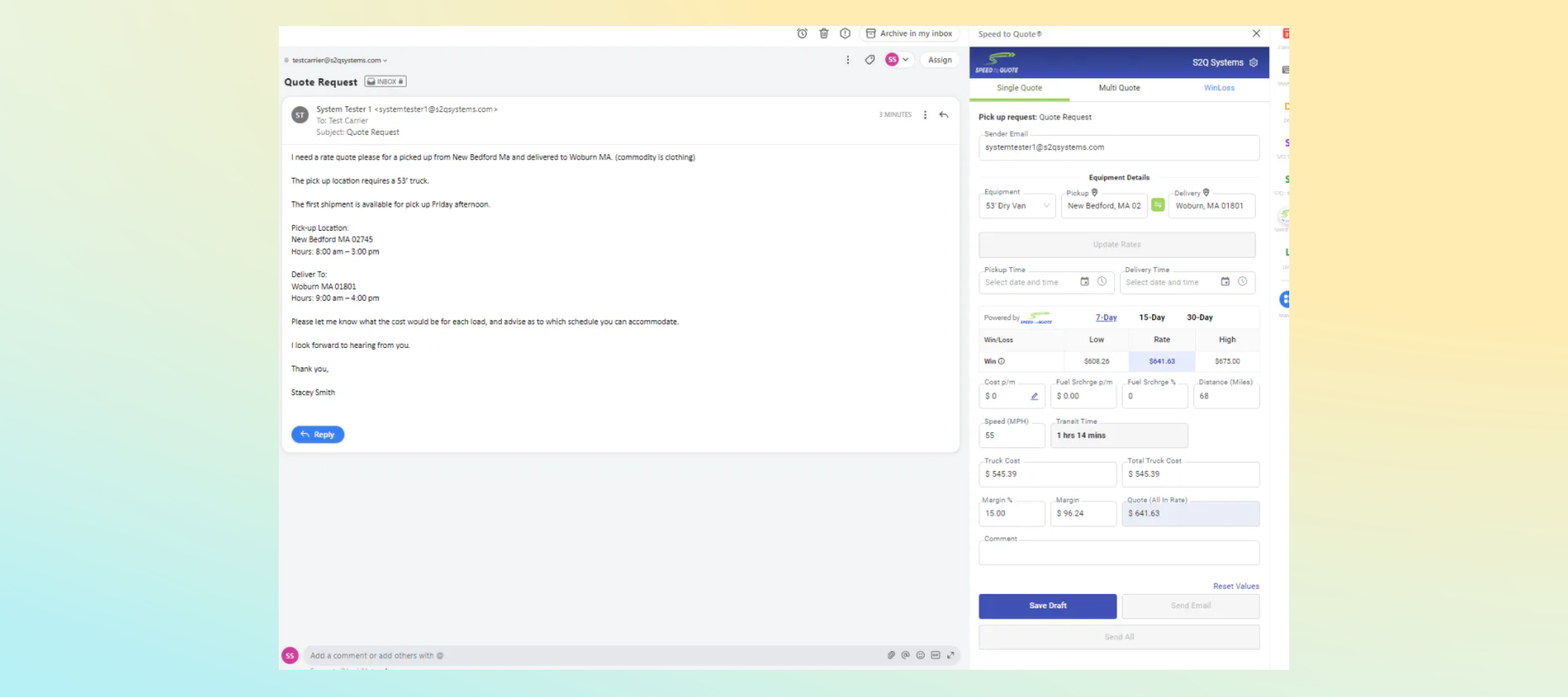
Speed to Quote® allows transportation companies to respond faster to incoming quote requests. Teammates can offer instant custom template quote responses, instant truck miles calculations, custom zone-to-zone pricing matrices, access automated quote and win/loss reporting, and leverage integrations with third-party rate sources and TMS providers.Learn more
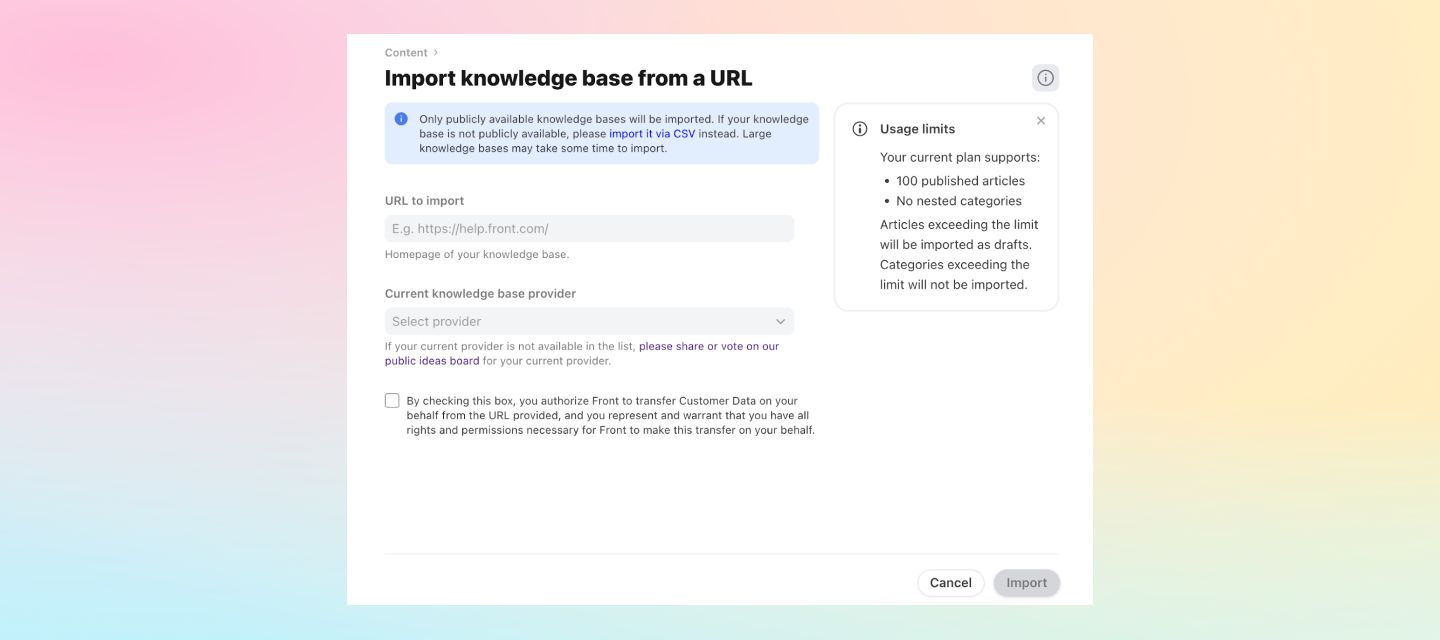
Knowledge base admins can easily select their original knowledge base provider to bulk import all of their existing articles to Front Knowledge Base. If you are coming from Zendesk, Intercom, or HelpScout, simply paste the URL of your current public knowledge base.
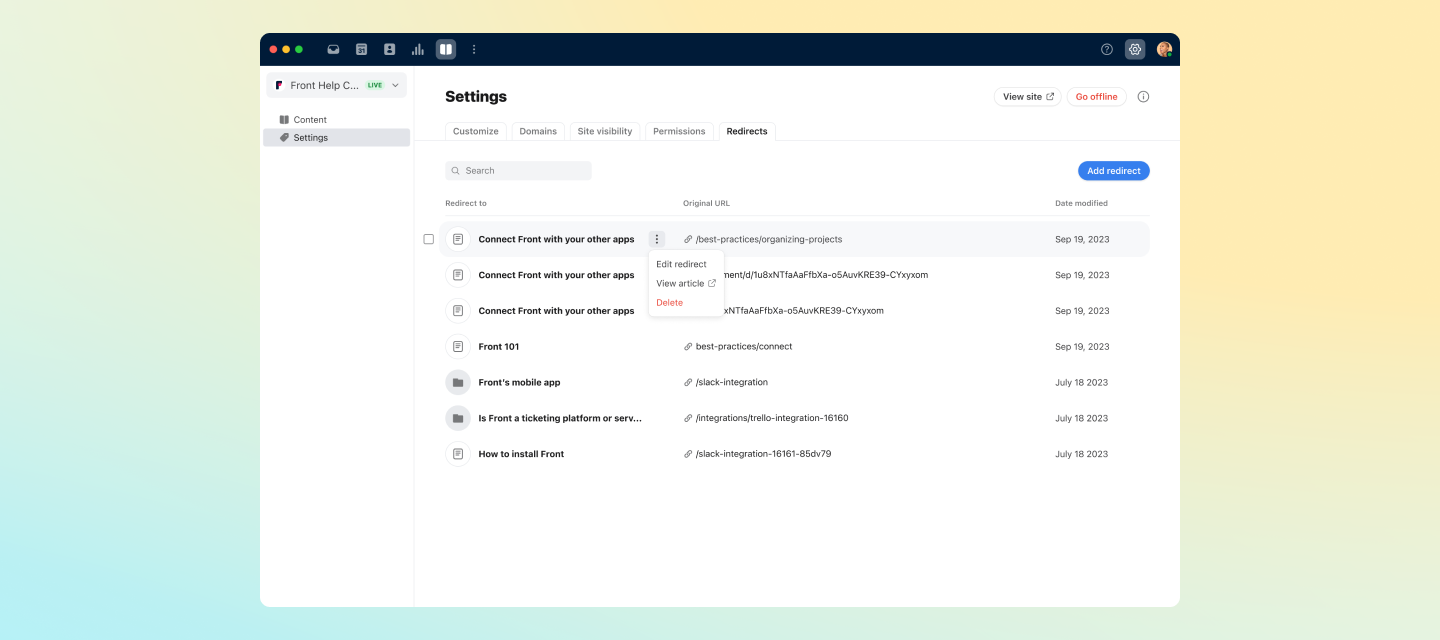
Make migration and maintenance of your Knowledge Base easier by setting up redirects for outdated URLs or deleted content to redirect traffic to your new content URLs in Front.
Front now provides a way to track conversations as "done and no more work needed". Resolution analytics enable you to count conversations that have been resolved so you can understand and improve your resolution time and other resolution metrics such as % resolved on first reply.Choose inboxes you want to track resolution analytics for in the “Analytics” tab under “Conversation Stages.” Check out these help center articles to learn more about resolution analytics:Conversation stages Conversation stages metrics glossary
“Vacation responders” are now “time off” and they can now save admins time:When scheduled time off starts, the teammate’s status automatically switches to out-of-office. Time off will now override shifts which means admins no longer need to edit shifts every time teammates are on PTO.Check out this help center article to learn more about time off: https://help.front.com/en/articles/2248
Front's data deletion feature allows customers to automatically delete conversations and contacts from Front on an ongoing basis which can facilitate compliance, regulations and security policies automatically. Data deletion results in permanent deletion and the data cannot be recovered.See this help center article for more information on data deletion: Enabling a data deletion policy in Front
No account yet? Create an account
Enter your E-mail address. We'll send you an e-mail with instructions to reset your password.