
Visibility & Ownership Controls for Conversations in Multiple Shared Inboxes

  • November 19, 2025
  • 4 replies
  • 187 views

gareth_butcher
Forum|alt.badge.img+4

We sometimes have customers reply to two different shared inboxes, which creates a problem:
If a user isn’t a member of one of those inboxes, they’re locked out from moving or managing the conversation.

Two improvements would fix this:

  1. Show which inboxes a conversation is duplicated in, even if the user doesn’t have access. (Read-only visibility — no message content, just the inbox names.)

  2. Allow users to request ownership transfer to a specific shared inbox, so the conversation can be managed correctly without needing full access to the other inbox.

This would prevent conversations from getting stuck and make cross-team workflow much smoother.

4 replies

kia_slade
Forum|alt.badge.img+2
  • Conversationalist
  • November 19, 2025

This happens to us frequently. In 70% of cases someone who has access can merge the duplicates so they don't get stuck. The rest of the time we need to get someone from IT to merge them to unstick them. We had one today that because of access a tag which triggers a rule couldn't be removed on a closed message so the rule kept firing to reopen it. Usually i can see all the inboxes its in but today i couldn't even see which ones it was in it. When i hovered over it just turning into a 🚫. We know internally which people have workspace admin vs overall admin and just being able to still see which inboxes its in would cut on the requests to IT since several workspace admins have more than one inbox they can control. 


christina_bishop

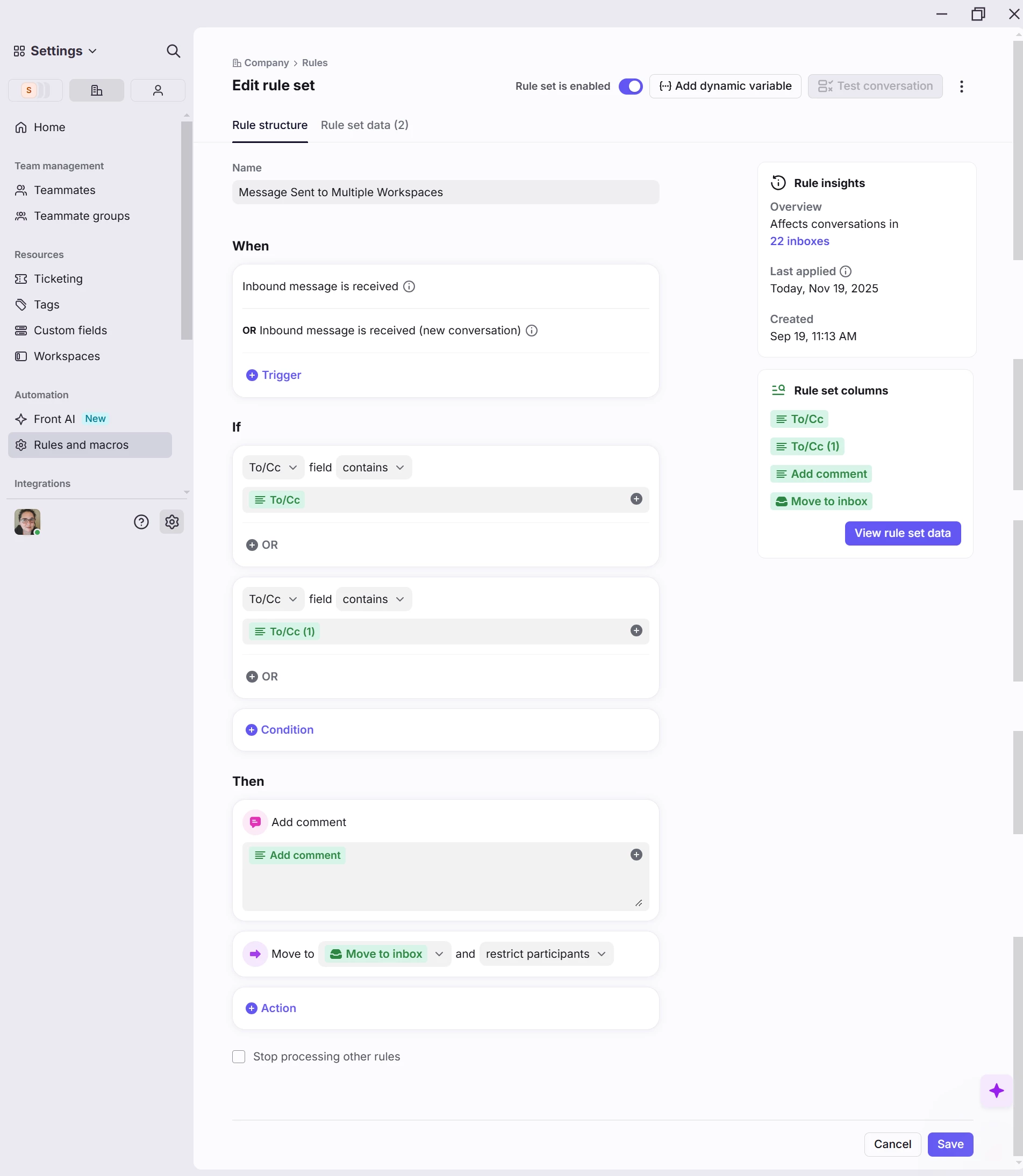
Company and Workspace admin here and while this isn’t a perfect solution, at least both copies of the conversation end up in the same workspace and inbox.  This also only works if you are OK with the conversation going to one workspace over the other.

Ex: Customer emails AR and Customer Support and 90% of the time Customer Support can resolve the request, so we have the rule at the company level move the conversation to the Customer Support workspace.  If AR is actually needed the Customer Support team applies a tag that will move the conversation to the AR workspace.

We have this set up for a few different combinations of workspaces and I find that sometimes the result is the single conversation, and other times it does produce a duplicate, but the team is able to easily merge since both copies are in the same workspace/inbox.  The comment that gets added by the rule is “Remove the email address(es) of other Front Workspaces, to prevent duplication.”, this is to remind the team so it will hopefully prevent further duplicates of this same conversation (as long as the customer doesn’t add back the other email address).


kmitch
Forum|alt.badge.img+2
  • Conversationalist
  • November 20, 2025

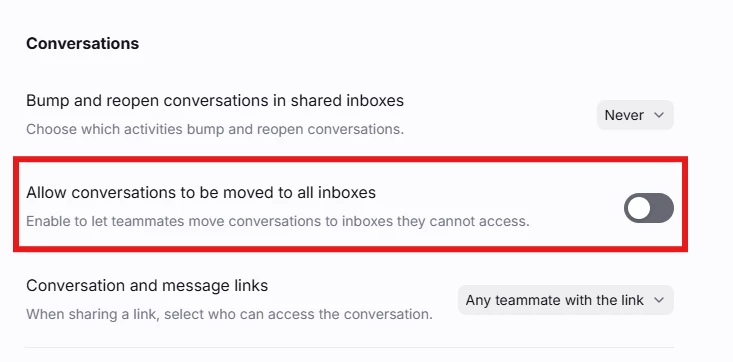
@gareth_butcher does this setting have any impact on helping? We’re about to roll this out as a solution to what you’re describing. 


gareth_butcher
Forum|alt.badge.img+4
  • Author
  • Conversationalist
  • November 20, 2025

@kmitch thank you I will check it out