

Register Here - Connectors Workshop Series - January 2025
Connectors Workshop Series - January 2025
We're excited to have you join us for our hands-on Connectors workshops! To make sure you get the most out of the session, we've outlined a few quick preparation steps below. Don't worry—these are straightforward, and we're here to help if you run into any issues.
Workshop Schedule & Registration
Please register for the sessions you wish to attend:
Salesforce Connectors Workshop
📅 Jan 15th
2:00 PM ET / 11:00 AM PT
🔗 View a recap here!
HubSpot Connectors Workshop
📅 Jan 22nd
2:00 PM ET / 11:00 AM PT
🔗 View a recap here!
Jira Connectors Workshop
📅 Jan 29th
2:00 PM ET / 11:00 AM PT
🔗 View a recap here!
Before the Workshop: Quick Setup Checklist (5-10 minutes)
To hit the ground running, please complete these steps before your session:
1. Enable the App
You'll need Company Admin permissions for this step. If the app is already enabled, you can skip this step.
- Go to Front's App Store in your Settings > Company > App Store.
- Find and enable the app for your workshop (Salesforce, HubSpot, or Jira).
- If you're not a Company Admin, ask one of your admins to enable it for you.
2. Connect your account
In this step, you sign in to the app using your Salesforce / HubSpot / Jira credentials.
- (Salesforce)
- After enabling the app, you'll be prompted to authenticate with your credentials in the Configure app modal. Click Sign In. If the app is already enabled, your account has already been connected.
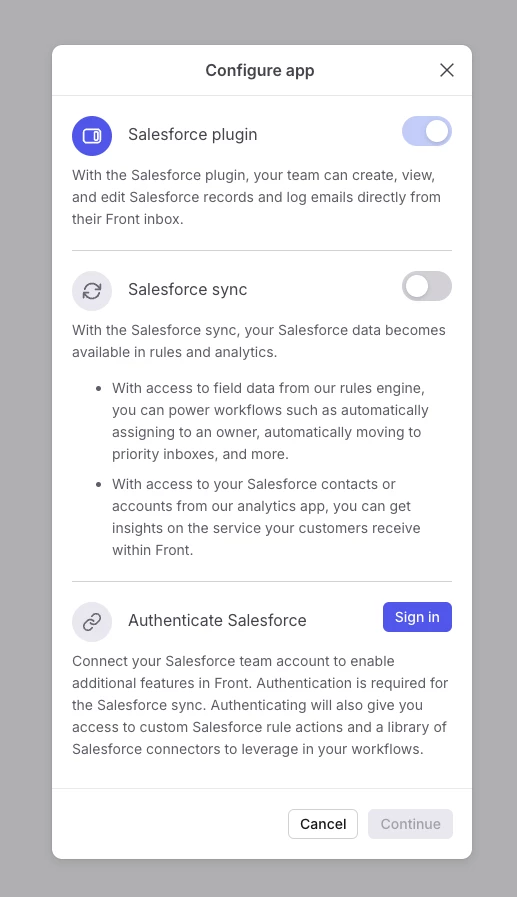
- After you sign in, go to the Settings tab. Add the subdomain for your Salesforce instance, if one is not already specified. If you do not know what the subdomain is, consult with your Salesforce administrator.
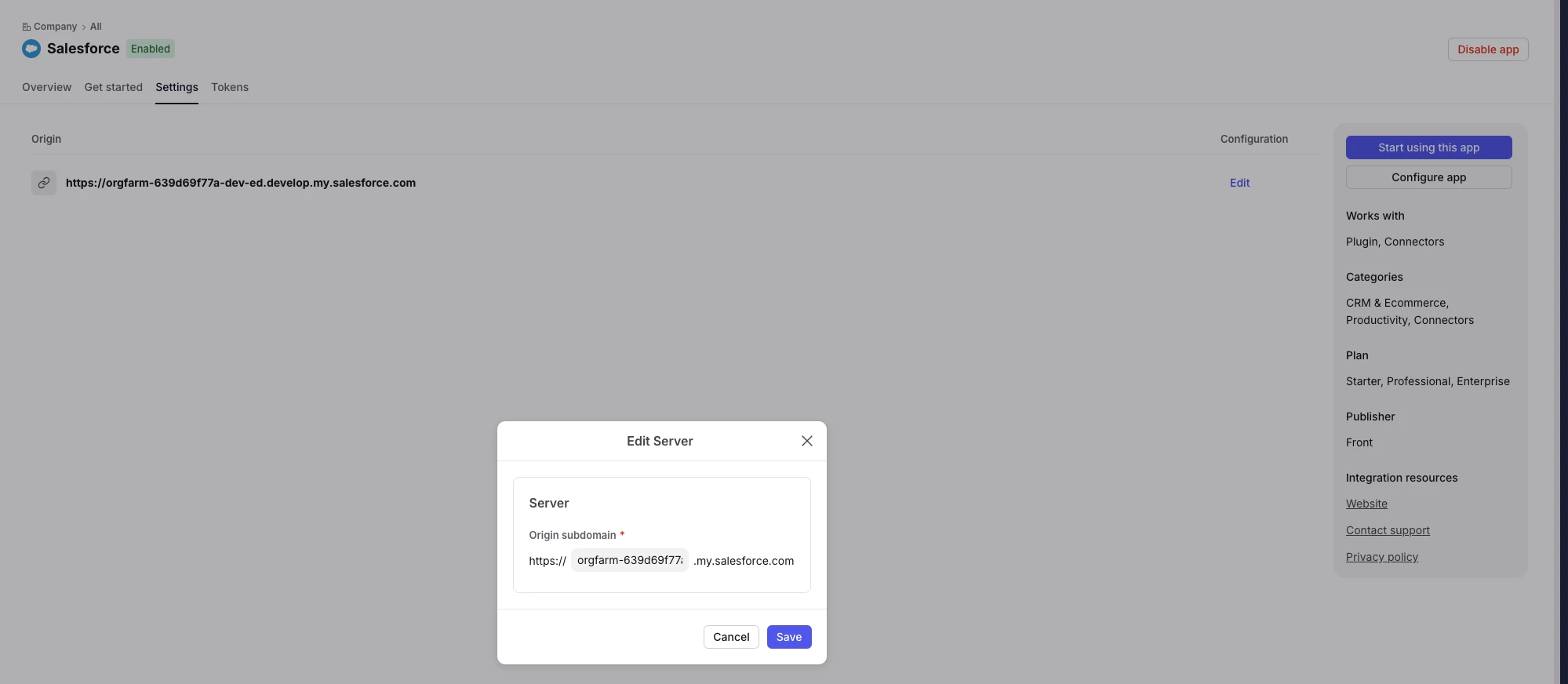
- After enabling the app, you'll be prompted to authenticate with your credentials in the Configure app modal. Click Sign In. If the app is already enabled, your account has already been connected.
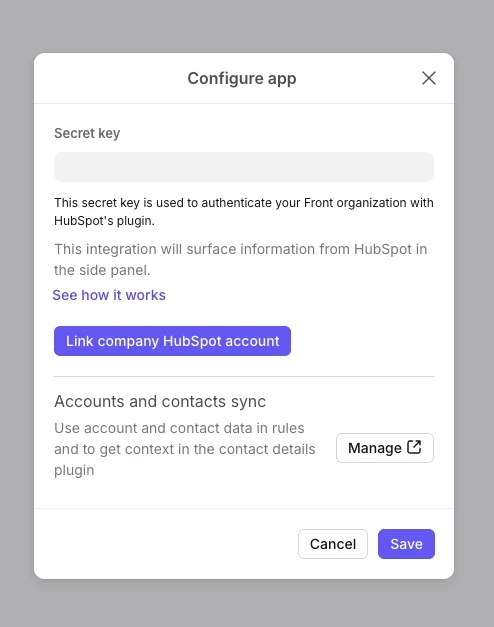
- (HubSpot) After enabling the app, you'll be prompted to authenticate with your credentials in the Configure app modal. Click Link company HubSpot account. If your HubSpot instance has multiple accounts, you will be prompted to choose which account to link. If the app is already enabled on the App Store, your account has already been connected.
- (Jira) After enabling the app, click the Authentication tab. Click Sign in if your authentication status is Inactive.
Pro tip: If you have a sandbox or test environment, connect with that account first—it's safer for learning! However, if an account is already connected, we recommend checking with your administrator before making any changes.
3. Check Your Permissions
To build workflows during the workshop, you'll need Workspace Admin or Company Admin permissions so you can create and edit rules or macros. If you're not sure about your role, check with your Front administrator. In addition, your company will have to be on the Professional plan or above to utilize pre-built Connectors in workflows.
Finally...don’t forget to join the Connectors community group to stay updated about future events and to share your thoughts with us in the future!
Need Help?
If you run into any issues enabling the app or connecting your account, drop a comment below and we'll help you troubleshoot before the workshop. No question is too small—we want everyone ready to go on day one!
Looking forward to building with you! 🚀