
Early access: task due dates

  • March 30, 2026
  • 12 replies
  • 83 views

conniechen
Forum|alt.badge.img+5

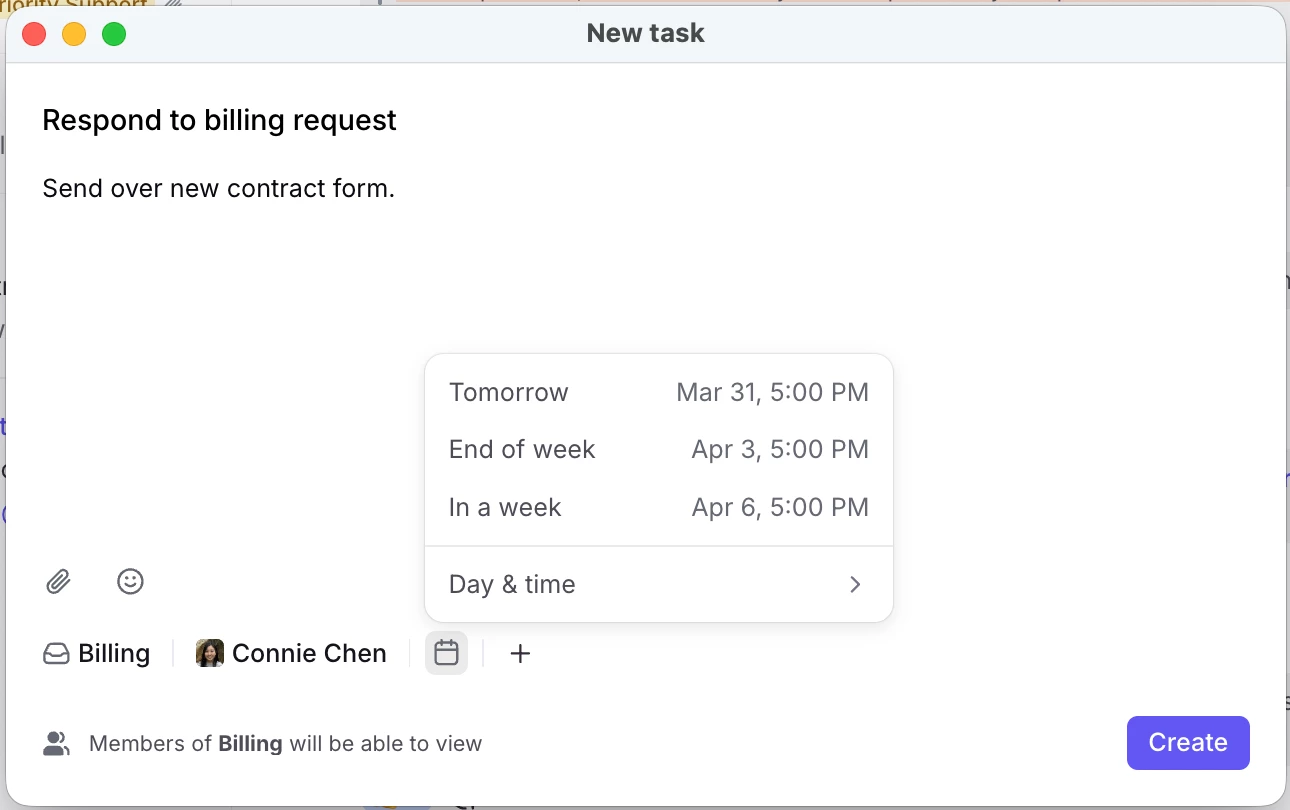
Thanks for your feedback on our new task features! Due dates are now live and ready for testing.
How to get started

  • Already have access to the new task features? The due date field should appear automatically. If it doesn’t, try a quick refresh. Reach out if you still have trouble.
  • Need access? Comment below and I’ll enable the features for your account.
  • Company-wide access: Admins can now request to enable these features for their entire organization. Just let me know in the comments.

Once you’ve had a chance to explore, please post your thoughts here. Thanks!

 

12 replies

Wes
Forum|alt.badge.img
  • Conversationalist
  • March 30, 2026

Hey Connie! Could I get access to this feature please?


david_vien
Forum|alt.badge.img+5
  • Conversationalist
  • March 30, 2026

Hey Connie - can we please turn this on too please?


allenk
Forum|alt.badge.img+4
  • Conversationalist
  • March 30, 2026

@conniechen Can we get access to this as well?


elizabeth47
Forum|alt.badge.img
  • Conversationalist
  • March 30, 2026

I’m not seeing this, can I have access as well!  Thanks!


murielle_bellec
Forum|alt.badge.img+2

Hey Connie - can we please turn this on too please?


oana
Forum|alt.badge.img+2
  • Conversationalist
  • March 31, 2026

Hi Connie, 

Can we please enable these new task features for all our organization so all our users can benefit from this update?

Thanks


nate_devree
  • Conversationalist
  • March 31, 2026

Hi Connie,

I would like this enabled for my entire organization please.

Thanks!


rmace
Forum|alt.badge.img+4
  • Conversationalist
  • March 31, 2026

I love the addition of Due Dates! 

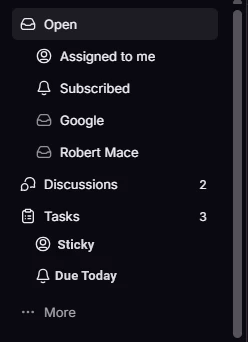
One thing I’m not sure about though, when I set a due date the task remains in my Open section, but shows the due date. I would expect the task to drop off my Open section and just remain in the Tasks section until the due date. 

My use case for due dates would basically be similar to a Snooze. I can set a date and not see the task in my Open (active work area) until it’s due. I can continue to Snooze them, but I’d love to be able to set the date and have it only show in my Open section when it’s due. 


megan.lis
  • Conversationalist
  • March 31, 2026

Hi Connie, can I get access? Very excited about this feature!


conniechen
Forum|alt.badge.img+5
  • Author
  • Fronteer
  • March 31, 2026

@rmace thanks for the feedback! I see where you are coming from. 

The benefit of the current implementation is that you still have the full flexibility and optionality to decide what you want to set the snooze too, separate from the due date. The use case I’m thinking of is, if I own a task that is a dependency for another conversation, it may be due on Friday at noon but I want to get working on it Thursday afternoon. Snoozing will then move the task to Later, as you know.

Currently Open also operates like an All section to ensure nothing slips through the cracks, and tasks and discussions live there or can be accessed through the Tasks and Discussions sections.

Really curious to hear what others think about this idea!


rmace
Forum|alt.badge.img+4
  • Conversationalist
  • March 31, 2026

@rmace thanks for the feedback! I see where you are coming from. 

The benefit of the current implementation is that you still have the full flexibility and optionality to decide what you want to set the snooze too, separate from the due date. The use case I’m thinking of is, if I own a task that is a dependency for another conversation, it may be due on Friday at noon but I want to get working on it Thursday afternoon. Snoozing will then move the task to Later, as you know.

Currently Open also operates like an All section to ensure nothing slips through the cracks, and tasks and discussions live there or can be accessed through the Tasks and Discussions sections.

Really curious to hear what others think about this idea!

Yeah, I can totally see how that would be handy too. I suppose it comes down to personal preference and how you want to use it. I am coming from Todoist and you could set a view to filter to only tasks due “today” and then you could view upcoming tasks separately. You could also create custom views to see tasks due in the next X days or whatever you wanted. 


oliver_banham
  • Conversationalist
  • March 31, 2026

Hey Connie!

Just for the development of this feature, it would be great if they could be re-occurring tasks (as I have a number of processes I have to repeat on a monthly basis…..I’d imagine many people do!


Just an idea & feedback!

Thanks for all you’re doing, 

Oli