

AI Agents Feature Roundup #1: What you can test today - Aug 19th
You can now connect your own AI agent to Front as a teammate. Not as an integration sitting outside the product, but as something that shows up in the inbox, gets assigned work, and operates under permissions you control.
Here's what's available to test today:
Your agent becomes a teammate
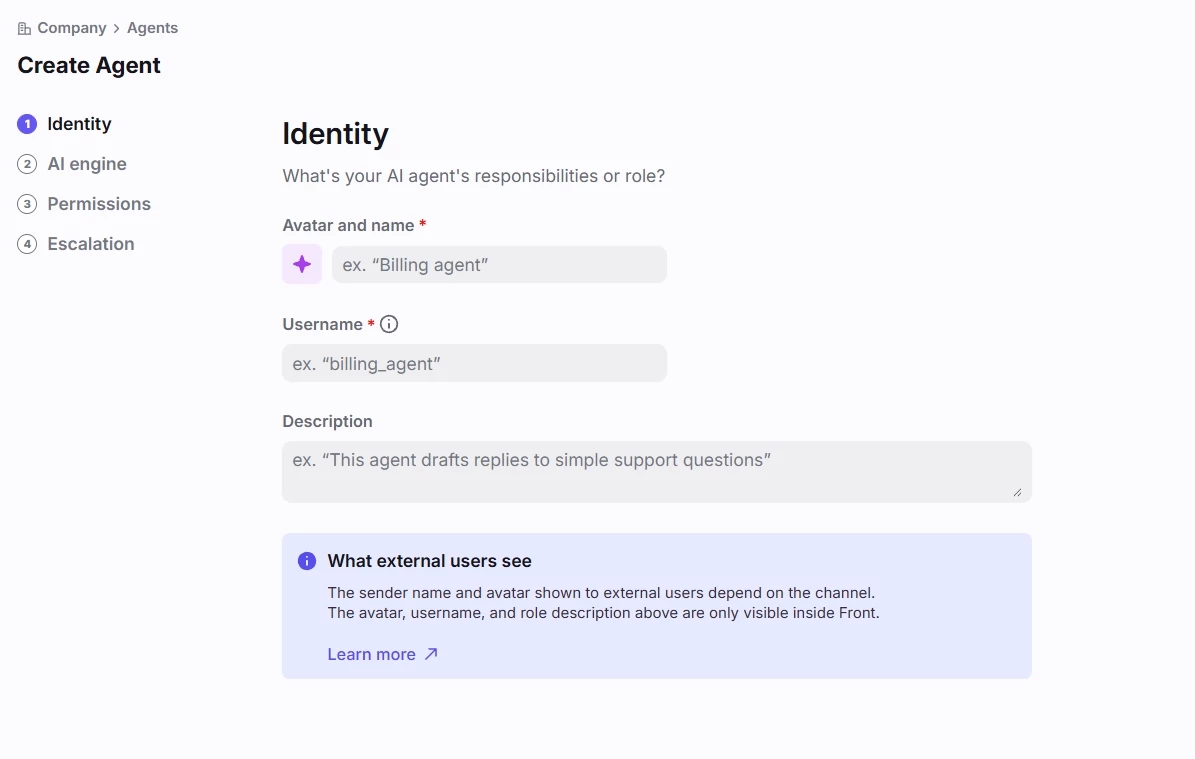
- Register an external agent with its own name, avatar, and description, so it appears alongside human teammates
- Assign conversations to it the same way you'd assign to anyone else
- Scope permissions per agent: which inboxes it can see, and whether it can comment, draft, reply, tag, archive, move conversations, etc.
- Set escalation rules for when the agent doesn't respond in time, so nothing gets orphaned
Put it to work manually or automatically
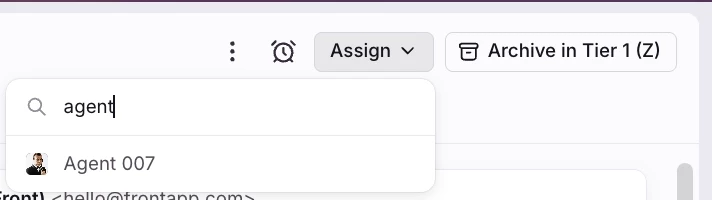
- Teammates can assign conversations to an agent directly from the inbox
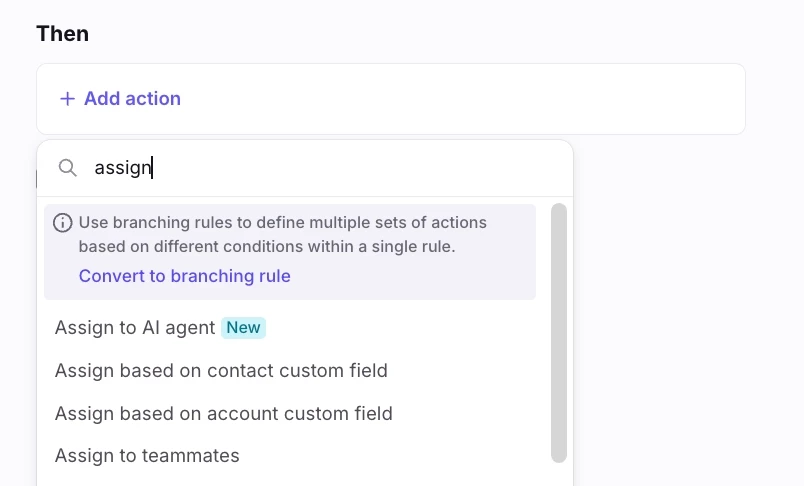
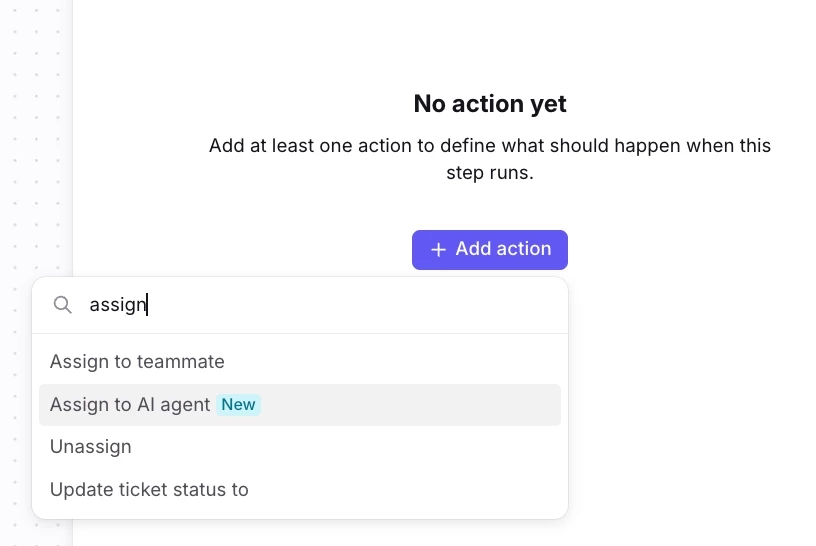
- Rules and macros can route conversations to an agent based on whatever conditions you already use
Measure it like you measure your team
- Smart CSAT captures satisfaction on conversations your agent touched
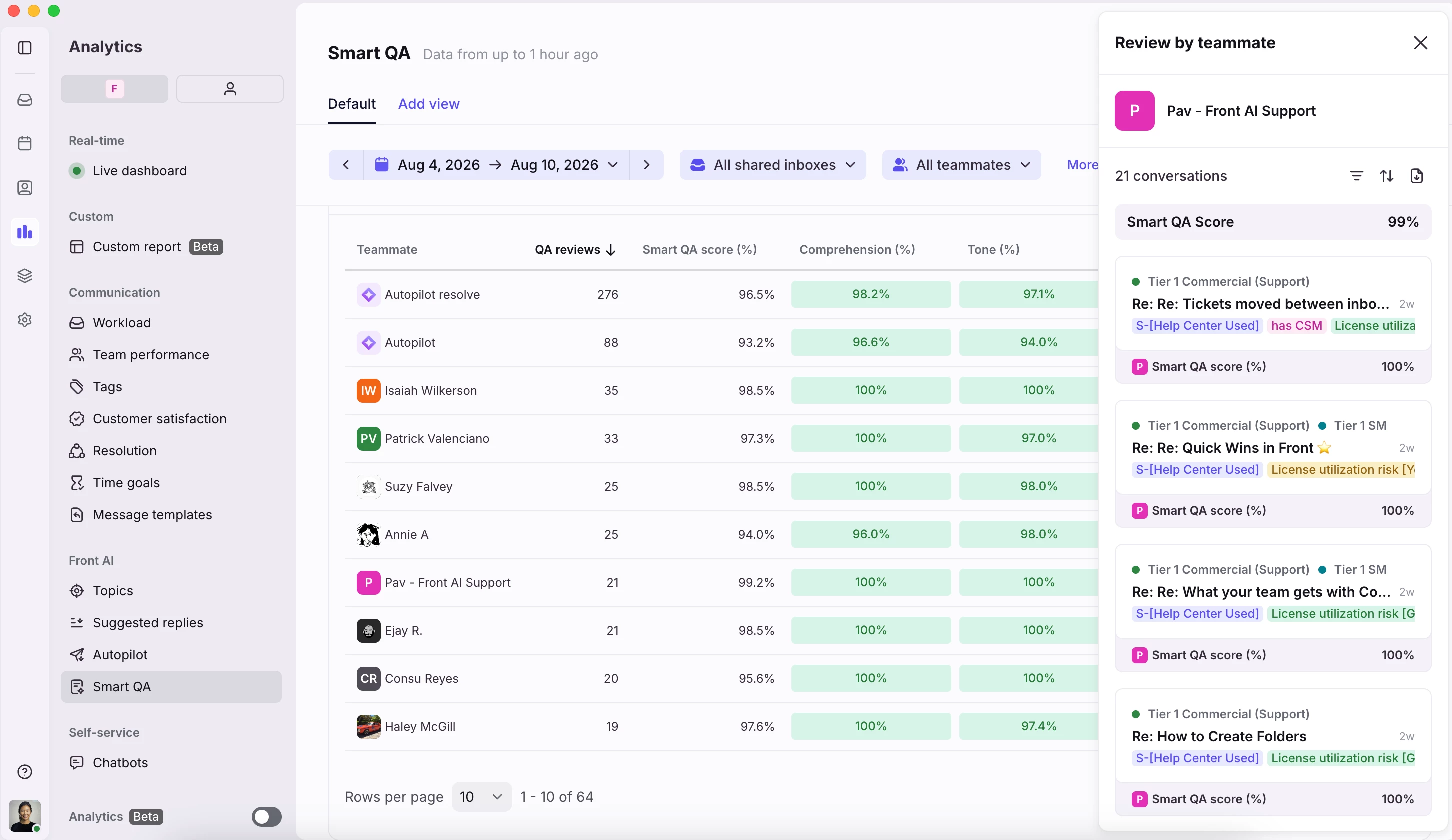
- Smart QA scores agent replies against your existing quality scorecard
- Same scorecard, same reporting surface as your human teammates
If you don't have Smart CSAT or Smart QA on your plan yet, comment below and we can set you up with a free trial so you can test this alongside your agent.
Connect it through the MCP server
- Front's MCP server gives your agent read and write access to conversation data through a single authenticated endpoint
- Purpose-built for AI agents, so you skip a lot of the plumbing an API-only integration requires
- Your agent acts with the permissions of the identity that authorized it, so access stays predictable
Why this beats an API-and-webhooks-only setup
An external integration can read and write data. A teammate participates in your workflow. That difference shows up as governance that otherwise doesn’t exist:
- Your team assigns work to the agent using the same motions they already know
- Your existing rules and macros work without modification
- Permissions are explicit and per-agent instead of implicit in a token
- Performance shows up in the tooling you already use to manage quality
What's coming next
This current release is the foundation. Our upcoming features will be aimed squarely at making agents easier to improve, which today mostly means manual review, guesswork, and painstaking iteration:
- Feedback on drafts and replies so your team can flag good and bad output directly in the inbox
- Test your agent against simulated conversations to validate changes at scale before deploying them
- AI agent reporting for visibility into volume, actions taken, and outcomes
- A replies hub to see everything your agent drafted or sent in one place
- Pause and disable controls to stop an agent instantly without tearing down the setup
That testing and feedback loop is the piece we're most interested in getting right, and it's where design partner input will matter most!
We'll keep posting round-ups like this one as features ship, so you won't have to go hunting to find out what's new. Follow this group to get them as they land.
Get started
Read the AI agents documentation to set up your first agent. If you're testing and hit something unexpected or have a workflow we haven't accounted for, post it here. We're reading everything!
If you haven’t received access to this feature yet, request access here! Please note, you must be on the latest Professional, Growth, Scale, or Enterprise plans. This feature will not be offered on Starter or on legacy plans.