

4 Front AI tips to launch you off the ground
Hey there, I’m Matthew, Front’s Director of Product Education, and I wanted to get on here and write to you all directly about Front AI. I know the constant "AI this or AI that" can feel like drinking from a firehose, and I've been there too – it's easy to get inundated with marketing instead of real help. That’s why I wanted to write directly to you with synthesized tips on how my team and I actually use Front AI.
I'm biased, but I truly believe Front’s approach – integrating AI with your team, not replacing them – is the way of the future. Using it has genuinely helped my team stay productive, kept our customers happy, and maintained my sanity.
So, here are 4 helpful tips to get started with Front AI, coming from a real person (me) and not an AI bot 😉.
1. Use Topics to decode the why in seconds
Have you ever stared at a mountain of emails and wondered, "What are people actually asking about?" Without data, you’re just guessing. I see so many teams hit a bottleneck because they’re manually tagging tickets, guessing which themes are coming up, or frankly, just have no data on why their customers reach out to them.
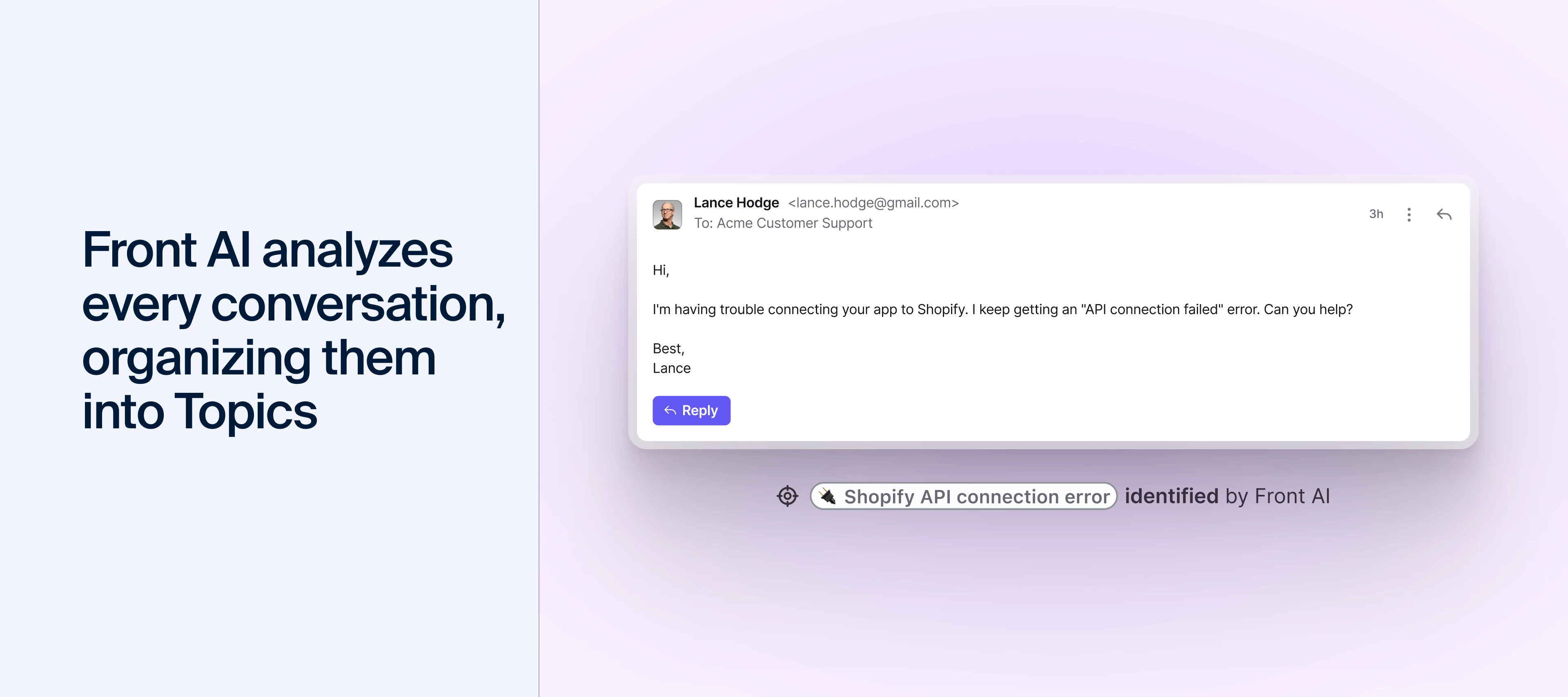
I use Front AI’s Topics to turn that chaos into actionable data (yes, I am a data nerd, but only for usable data). By analyzing your recent conversation history, Front AI automatically identifies the primary reasons people are reaching out to you.
- Spot instant trends: Topics scans up to 10,000 of your past messages to find recurring themes, like "Billing Issues" or "Feature Requests." It continues running as new messages come in.
- Fix the root cause: If I see a spike in a topic like "Password Resets," “Video training,” or “Front AI Questions,” that’s my signal to work with the team and let them know we need to update our product, Help Center, or build new types of training.
- Hands-free routing: Once a Topic is identified, we’ve also set up rules to move those emails to the right specialist immediately. For example, technical bugs go straight to our technical support engineers, while quotes or sales questions go directly to a sales rep – allowing my team to focus on helping educate teams on Front.
2. Give your team a head start with Copilot
Instead of starting from a blank screen when replying to a customer, my team and I rely on Front Copilot. It acts like my high-level assistant, drafting a suggested reply based on our team’s past successes and our specific data sources we’ve added to train our Front AI model.
When we were first building this, I was skeptical, as I generally was with all things AI, and now – truly – I couldn’t go back 😅.
- Start smarter: Copilot generates a draft with the necessary links and steps. My team can either send the response as-is or add personalized touches, which helps train Front AI on the new response.
- Learns my voice: The more messages I send and edit, the better Copilot becomes at mimicking my unique style. For instance, I frequently end customer responses with "Let us know if you have any other questions, as we’re always happy to help," and now Copilot includes that as well!
3. Move routine replies to Autopilot
Once I see that Front AI is consistently drafting perfect responses for a certain topic, I feel comfortable removing the need for my team to review responses. This is where Autopilot changes the game.
I use Autopilot’s similarity score as a key indicator for fully automating a topic. When the AI draft responses are consistently similar (I aim for 80%, though 100% is ideal) to what my team would send, I feel confident turning over control to Autopilot.
- Automate the easy wins: I start by automating repetitive, simple questions like "How do I sign up for live training?" or "How can I join Front Community?"
- Stay strategically hand-offs: If a customer asks a follow-up that Autopilot doesn't recognize, it automatically pauses any responses and leaves a comment for my team.
- Scale without the stress: By automating the easy stuff, I can let my team focus on the high-value, complex problems, making training videos, or doing live events that actually require a human brain.
4. Build a centralized brain for your Front AI
When I first started using AI, I kept hearing phrases like “you have to train your algorithm,” “you have to first give it sources and prompts to get better responses.” And all of those people were RIGHT!
Any AI tool is only as smart as the information you feed it. If your product details are buried in PDFs or scattered across different websites, your AI won’t reach its full potential or even know to pull answers from these sources that live all over the place.
That said, with Front AI, I’ve made sure our team has added all of our additional knowledge sources to sync all that information and train our Front AI to be the best. By connecting our official Help Center, I help ensure Front AI is always using the most up-to-date resources to provide the most accurate responses.
Resources for you
So, look, as a general skeptic on all things technology, software, and tech products to improve our daily and working lives (even when I work for a software company) – I wanted to take a moment and share my Front AI tips. I did actually type them and didn’t have AI just come up with them for me, as I truly believe these tips have changed the way my team here at Front works for the better. Trust me, I’d be the first to tell you if they didn’t.
If you’d like to explore more or want more training on what I’ve shared here, I’d recommend:
- Front AI videos playlist
- Front AI Learning Path
- Front AI 101 webinar full-length recording where the above video clips came from
- Leave a comment in this post with thoughts, questions, ideas!