
Solved
Live Chatbot widget has white background on GitBook dark theme
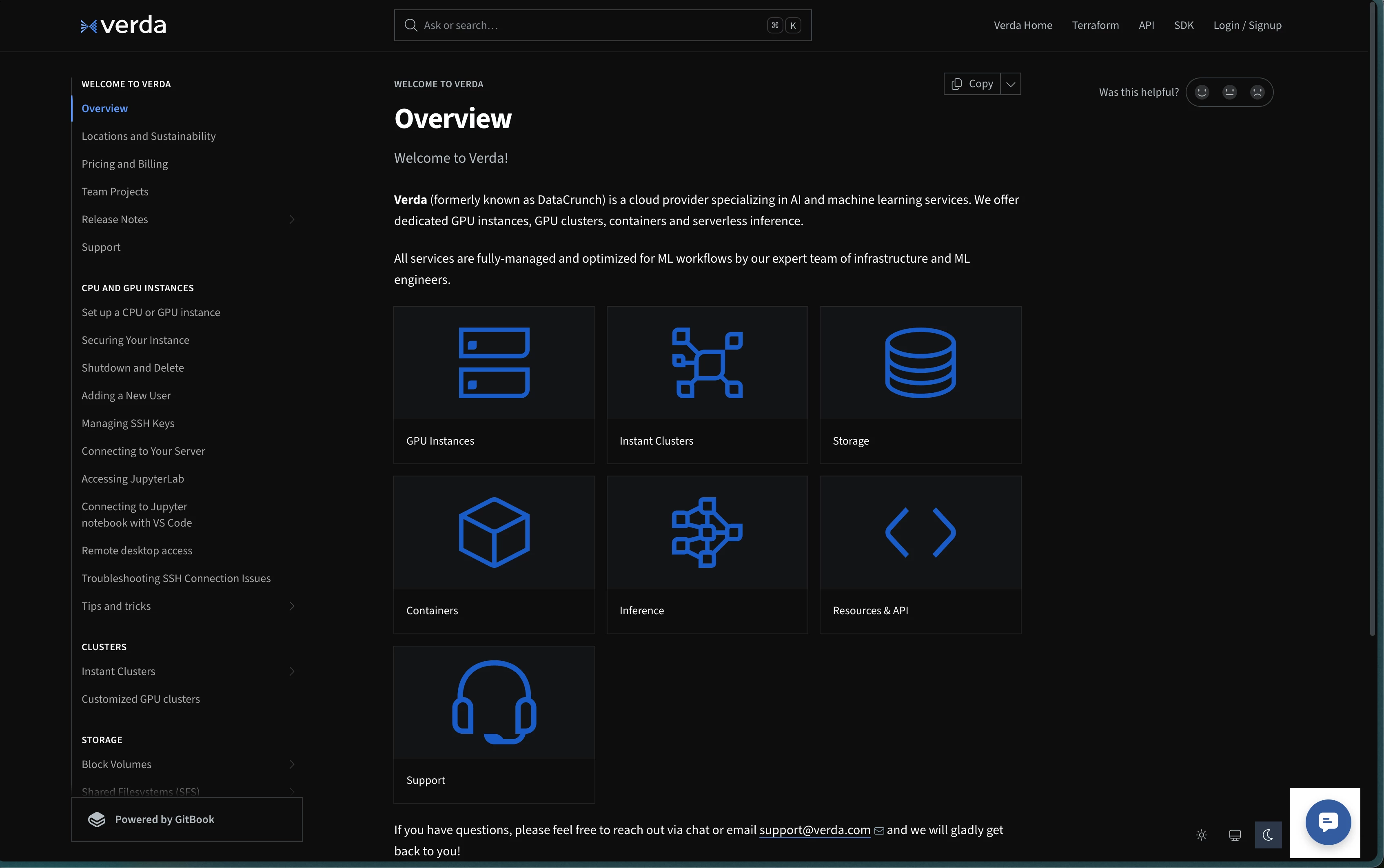
I tried integrate Live Chatbot widget to our documentation page but the app does not dynamically change the background image. Any suggestion? Thank you.

I tried integrate Live Chatbot widget to our documentation page but the app does not dynamically change the background image. Any suggestion? Thank you.
Hi
Thanks for your detailed troubleshooting and for sharing your findings about the CSS issue. I wanted to share some additional information that may help with theming the Front Chat widget to match your site.
The Front Chat widget supports a colorScheme parameter in its initialization options. This allows you to specify a theme—such as 'dark'—so the widget matches your parent page’s appearance. For example, if your site uses a dark theme, you can pass colorScheme: 'dark' when initializing the widget to ensure visual consistency.
Here’s a basic example of how to use the parameter:
FrontChat('init', {
  // ...other options,
  colorScheme: 'dark'
});
A couple of notes:
The colorScheme option is opt-in, so you’ll need to explicitly set it for the widget to pick up the theme.
If your page’s styling differs from the colorScheme you pass to the widget, you may see visual inconsistencies.
Please give this a try and let me know if there are any additional questions!
No account yet? Create an account
Enter your E-mail address. We'll send you an e-mail with instructions to reset your password.