


Connectors allow you to supercharge your macros with dropdown menus powered by API results. This means that Front teammates can select from a dynamic list of items populated from an external service, such as contacts from a CRM or goods from an inventory management system.
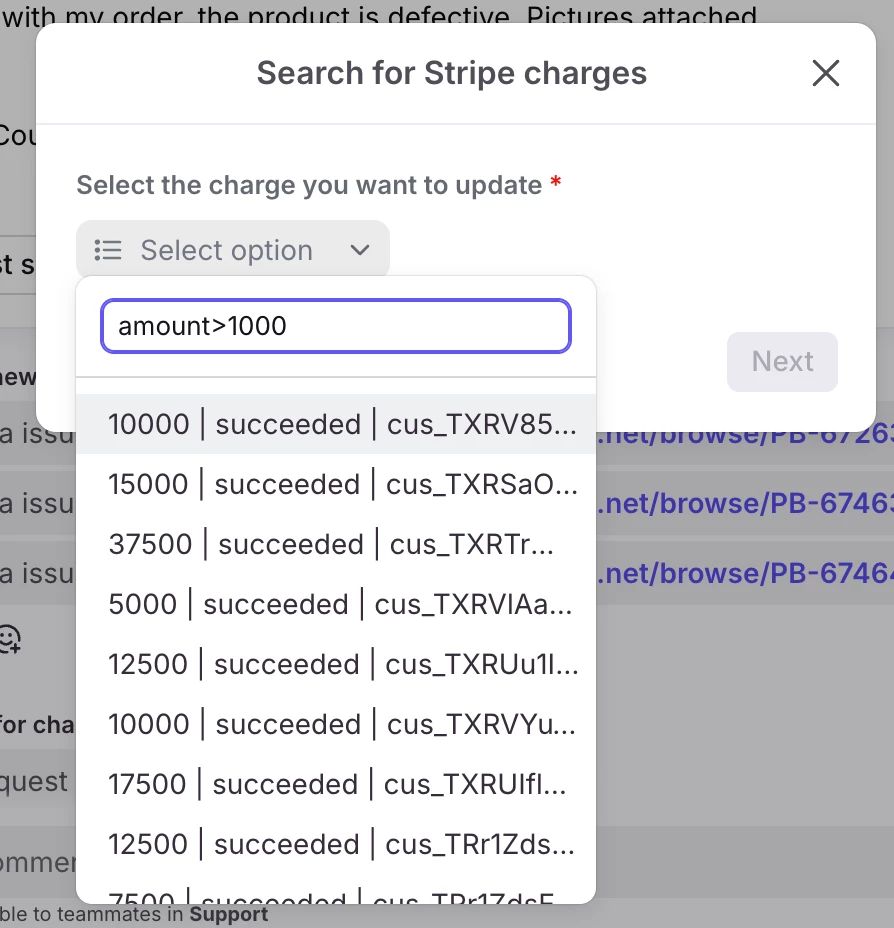
When your teammates open the dropdown menu in the macro to select the item they want to view or update in the macro, they might be confronted with a long list of results, making it hard to find the correct item. To solve this, add search and pagination parameters to your app requests. Search parameters allow teammates to search only for the items they’re interested in, filtering down the total results. Pagination parameters automatically add scrolling to the list, pulling in more results as your teammates your mouse down reviewing results.
Video walkthrough
This example video explains how to add search and pagination parameters to an app request that searches for charges in Stripe.
For more details about connecting with the Stripe API, refer to our prior Stripe tutorial:
Please let us know if you have any questions in the comments. Happy building!