

Solved
Suddenly started getting error "Not delivered - connection issues"
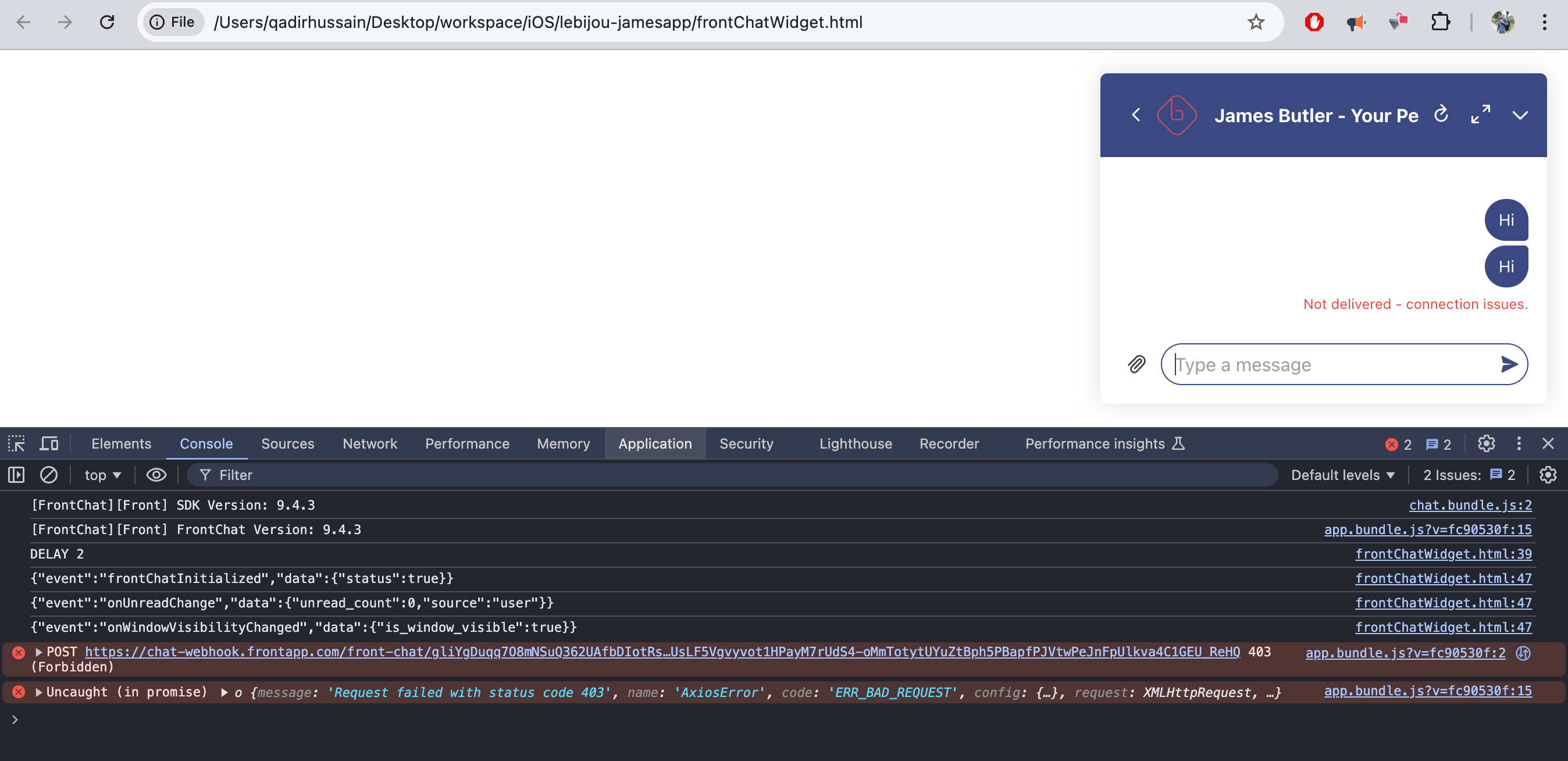
I have integrated the Chat Widget code in my iOS app. It was working very good.
But today I noticed suddenly getting error in RED “Not delivered - connection issues”
I have noticed the first message is delivered successfully but after that always getting the mentioned error.
When I tried to run the code in my browser it shows AxiosError.
What could be the reason?
Here is my latest code
<html>
    <body>
        <script src="https://chat.frontapp.com/v1/chat.bundle.js"></script>
        <script>
            function initChat(name, userId, userHash) {
                window.FrontChat('init', {
                    chatId: 'ce4c58cd0f7cbcd3ed3eaf3b0b0XXXX',
                    useDefaultLauncher: true,
                    shouldShowWindowOnLaunch: false,
                    shouldMobileReloadOnClose: true,
                    name: name,
                    userHash: userHash,
                    userId: userId,
                    onInitCompleted: () => {
                        logEvent("frontChatInitialized", { status: true });

                        window.FrontChat('onUnreadChange', (unreadCount) => {
                            logEvent("onUnreadChange", unreadCount);
                        });

                        window.FrontChat('onWindowVisibilityChanged', (visibility) => {
                            logEvent("onWindowVisibilityChanged", visibility);
                        });

                        // Set interval to continuously check if the element is loaded
                        var intervalId = setInterval(removeWidgetRoundedCorners, 1000);
                    },
                });
            }

            initChat(
                'Jen Lee at lblinth231',
                'Dear_2777628Jen_Lee',
                'f7b35fe9d28d63ec2d8066835c00d732d1f7246e520bb292aff12c72ad3f47b2'
            );

            setTimeout(() => {
                window.FrontChat('show');
                console.log("DELAY 2");
            }, 2000);

            function logEvent(event, jsonData) {
                const formattedEvent = {
                    event: event,
                    data: jsonData,
                };
                console.log(JSON.stringify(formattedEvent));
            }

            function showChat() {
                console.log("show chat called");
                window.FrontChat('show');
            }

            function clearSession(name, userId, userHash) {
                logEvent("clearSessionCalled", { name, userId, userHash });
                window.FrontChat('shutdown', { clearSession: true });
            }

        </script>
    </body>
</html>