

Answer

How to change the size of the chat widget's close button on mobile?

  • September 17, 2024
  • 1 reply
  • 165 views

scott

Good morning,

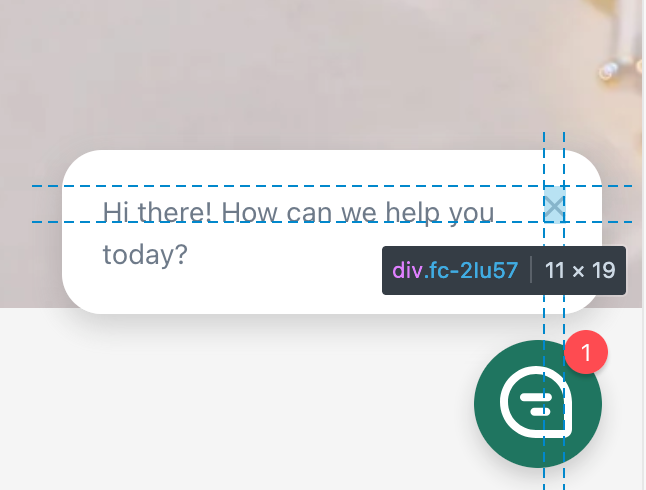
When using front’s chat widget, the size of the close button is very small making it difficult to close when on mobile. This is particularly bad because if you miss the `x` button it opens up front chat.

Is it possible to change the size, maybe by passing an option to `window.FrontChat("init", { … }` or by styling with css?


Thanks,

Scott


attached below - a screenshot of the small `x`:
 

Best answer by raymond_ching

Hi Scott,

We don’t currently have a way to change the size of this ‘x’ within the Front chat widget, but I suggest you submit this as a feature request using the link here: https://community.front.com/ideas. That way you can be notified if this is implemented in Front!

1 reply

Forum|alt.badge.img+5
  • Fronteer
  • Answer
  • September 17, 2024

Hi Scott,

We don’t currently have a way to change the size of this ‘x’ within the Front chat widget, but I suggest you submit this as a feature request using the link here: https://community.front.com/ideas. That way you can be notified if this is implemented in Front!